
How to rotate a video on Android
Let us not go into unnecessary details and get down to the business – visuals may be a real pain in the neck. First, you shoot them, then – edit, trim, crop, put audio and, at last, rotate and post on your Facebook or Instagram accounts.
Luckily, there is a handy online editor, which allows you to perform all the above-mentioned actions – and much more. Meet Clideo! It's a bunch of tools that work with all the operation systems, including iOS, Windows and Mac. Here is a list of its main advantages:
- it’s free – you may upload and edit up to 500MB at no charge;
- it’s safe – the Android Rotate Video tool by Clideo doesn’t save and keep any personal information, as soon as you download your video – it vanishes from the server and no one will ever have access to your private details;
- it’s online and works in the browser, so you don’t have to download any app and waste precious storage space.
Feel intrigued? Follow the steps on how to rotate a video at Android online in several secs!
Upload a clip
Go to the Online Video Rotate tool, tap the blue button in the centre of the screen and upload a recording from your mobile phone or computer.
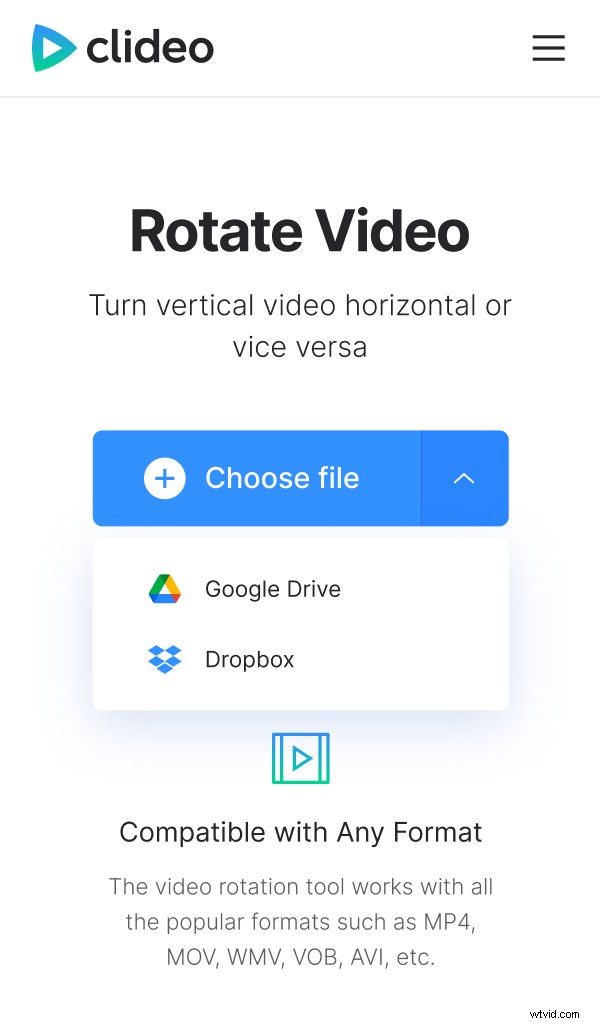
Alternatively, hit the small arrow on the right side and select files from Google Drive or Dropbox.
Rotate the video
Use clockwise and counterclockwise arrows on the right to rotate your video. Each click rotates the clip 90 degrees. Most obviously, you’ll need only one click to get your visual in a nice horizontal position (so-called “landscape” frame).
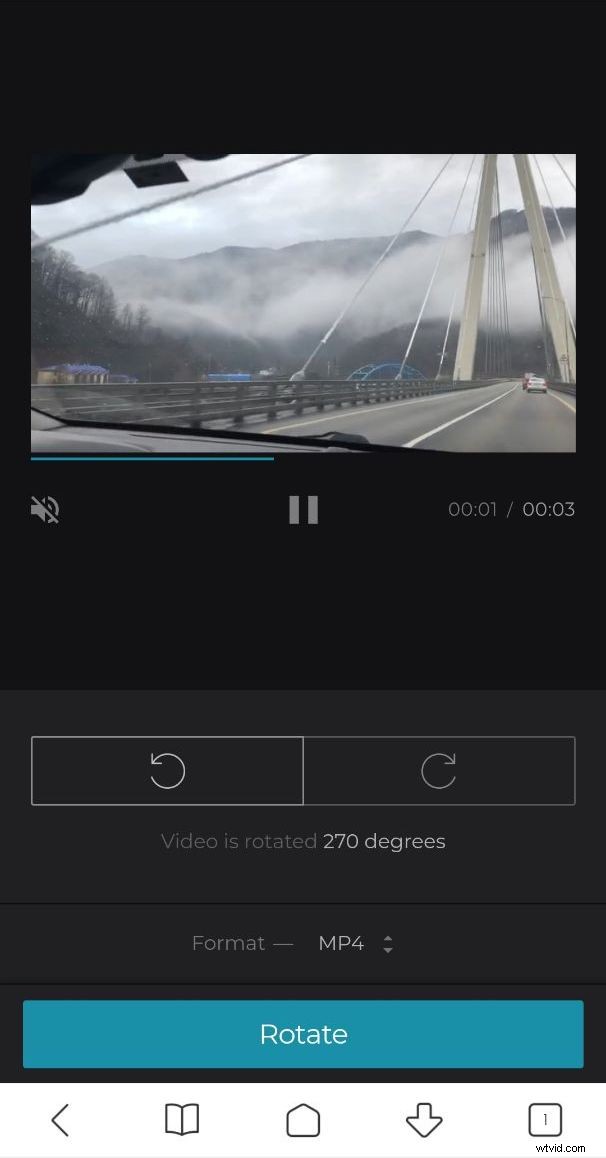
Choose the output format – it may differ from the input one, but you may also just leave it as it is.
Save the result
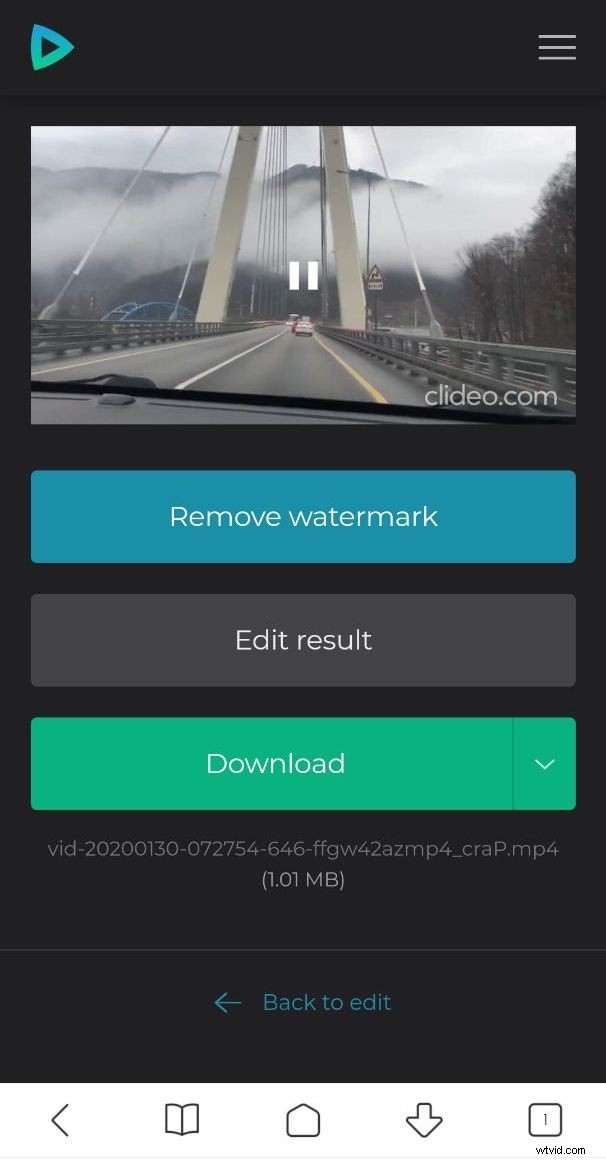
When you are done, hit “Rotate” button. Have a short preview and save the rotated clip to your personal device or upload it to the cloud storage.