
How to rotate MP4 video step by step
MP4 (MPEG-4 Part 14) is a container format developed by Motion Picture Experts Group. It is mainly used to store video and audio but besides can store text, subtitles and other data.
It is a lossless format which means that it uses a great level of compression so the files can be smaller in size than other formats with the same quality. It also improves viewing of the content over the Internet.
MP4 should not be confused with MP3 and M4A as they are used to store only audio.
Allright, let’s rotate your MP4 video:
Upload MP4 video to the Clideo editor
First of all, go to the Online Video Rotator by Clideo and choose a file from any of your devices: Windows, Mac, Android or iPhone.
If it is located on your Dropbox or Google Drive — no problem, you can add it from there too, just click the downward arrow and select the necessary option.
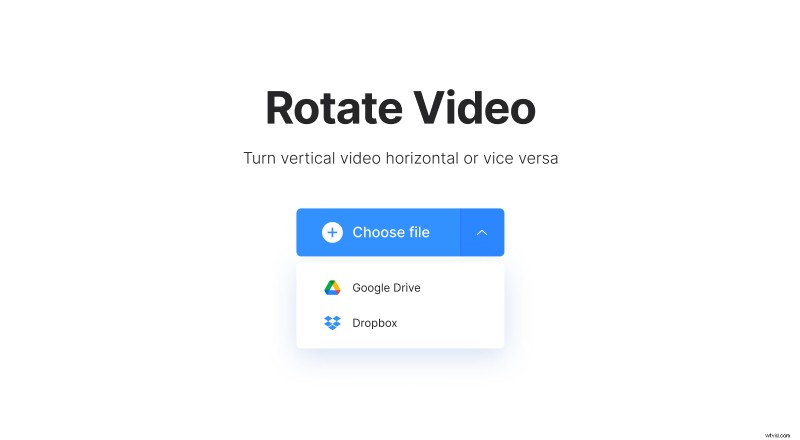
Note that the tool works not only with MP4 but also with all the other popular formats like MOV, AVI, WMV, VOB, etc.
Rotate your MP4 video with one click
It’s super simple, just click one of the buttons on the right panel to rotate MP4 video 90, 180 or 270 degrees.
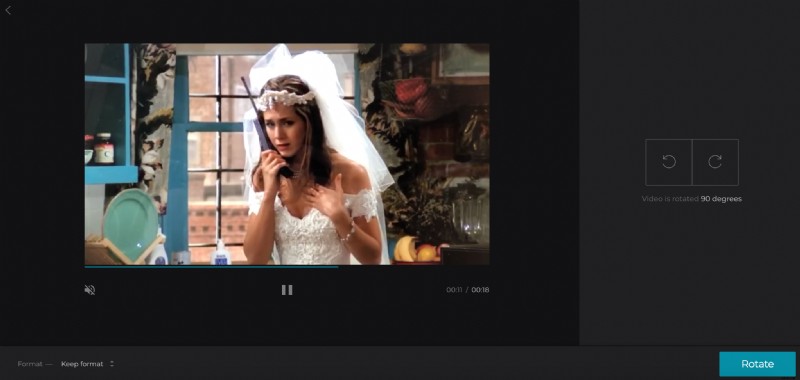
Then you can choose a format for your output video if you want to change it. And then click “Rotate”. Wait a few minutes depending on the video size until it is processed.
Download the rotated video
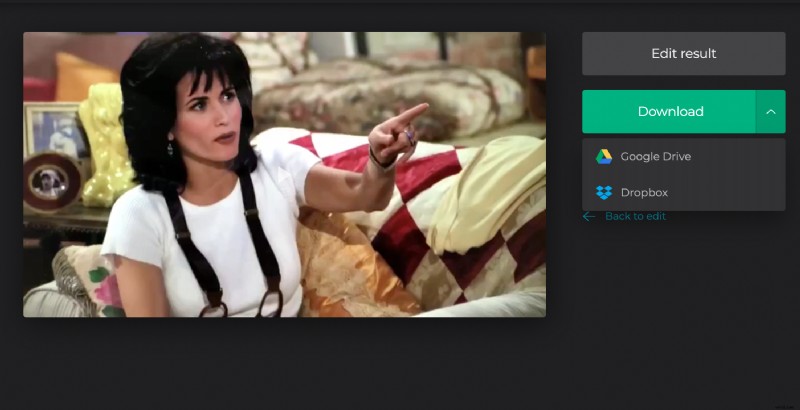
And It is done! Now you may want to play it to make sure you like the result. If you are satisfied, download the video back to your device or click the downward arrow to save it to cloud storage. If you are not, go back to editing.