
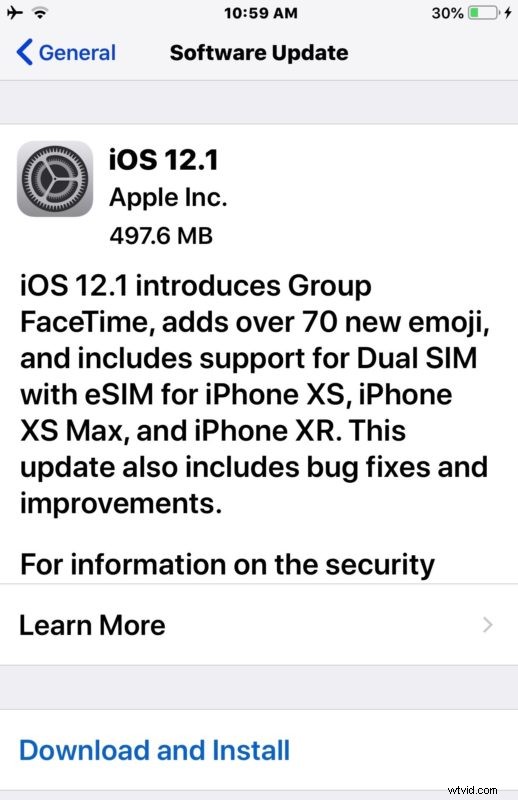
Apple has released iOS 12.1 for iPhone and iPad. The first major update to iOS 12 includes various new features, bug fixes, and enhancements to the iOS operating system, making it recommended for all iPhone and iPad users running a prior build of iOS 12.
iOS 12.1 includes group FaceTime support for video chat with up to 32 participants, as well as over 70 new Emoji icons including a lobster, mosquito, kangaroo, bagel, head of lettuce, and various peoples and new hair styles. iOS 12.1 also brings real-time Depth Control to the iPhone XS, iPhone XS Max, and iPhone XR cameras, and support for dual-sim cards on those devices as well.
Separately, Apple has also released macOS Mojave 10.14.1, tvOS 12.1, and watchOS 5.1.
How to Update to iOS 12.1
Be sure to backup your iPhone or iPad before updating any system software, the simplest way to backup an iOS device is to iCloud, or you can use iTunes with a computer. The simplest way to update to iOS 12.1 is through the Software Update mechanism in Settings app:
- Open the “Settings” app and go to “General” and then to “Software Update”
- Choose “Download and Install” when iOS 12.1 shows as available
iOS 12.1 will download and install, rebooting itself to complete the process. When finished, the device will boot back up again as normal.
iPhone and iPad users can also choose to update their devices to iOS 12.1 by using iTunes and a computer, or by using IPSW firmware files linked further below.
iOS 12.1 IPSW Firmware File Download Links
The links below point to .ipsw firmware files on Apple servers, right-click and “Save As” for best results.
- iPhone XS Max
- iPhone XS
- iPhone XR
- iPhone X
- iPhone 8
- iPhone 8 Plus
- iPhone 7
- iPhone 7 Plus
- iPhone 6s
- iPhone 6s Plus
- iPhone 6
- iPhone 6 Plus
- iPhone SE
- iPhone 5s
- iPad Pro 11-inch fall 2018 model
- iPad Pro 10.5-inch
- iPad Pro 12.9-inch 1st generation
- iPad Pro 12.9-inch 2nd generation
- iPad Pro 12.9-inch 3rd generation fall 2018 model
- iPad Pro 9.7‑inch
- iPad 5 9.7-inch 2017 model
- iPad 6 9.7-inch 2018 model
- iPad Air 2
- iPad Air 1
- iPad mini 4
- iPad mini 3
- iPad mini 2
- iPod touch 6th generation
Using IPSW to update iOS is considered advanced, though it’s not particularly complex, it does require getting the properly matching firmware file along with the usage of iTunes and a USB cable.
iOS 12.1 Release Notes
Release notes accompanying the iOS 12.1 download are as follows:
Separately, Apple has also released system software updates for many of their other products, including tvOS 12.1 for Apple TV, watchOS 5.1 for Apple Watch, and macOS Mojave 10.14.1 for Mac users running MacOS Mojave, and security updates for macOS High Sierra and Sierra..