
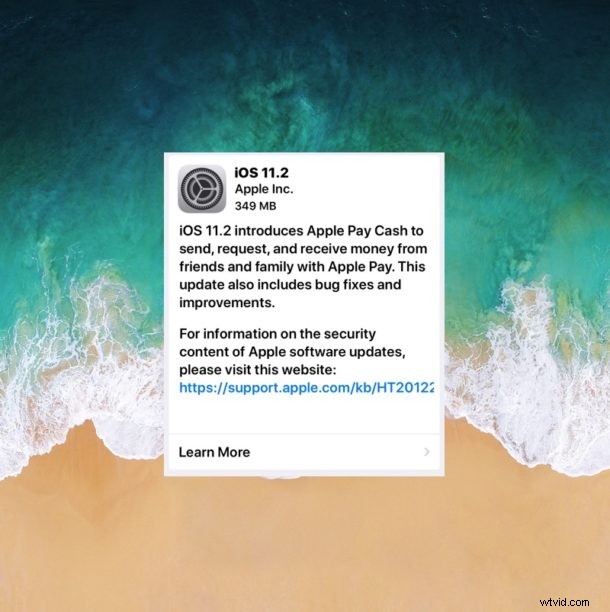
Apple has released iOS 11.2 for iPhone, iPad, and iPod Touch devices. The update includes important bug fixes, including a resolution for a date related bug which causes some iPhones to crash repeatedly, along with support for a new feature called ApplePay Cash. The software update is recommended for all iOS 11 users to install on their eligible devices.
ApplePay Cash allows iMessage users to send cash payments to one another over messages.
iOS 11.2 also includes an important bug fix for iPhone users, resolving an issue where some iPhones will be stuck crashing when they receive an alert or notification, due to a date specific notifications bug. Other bug fixes are included in the software update as well.
The software update update also includes a few new wallpapers for the latest iPhone devices.
How to Install and Update to iOS 11.2
Always backup your iPhone or iPad before installing any system software update. The simplest way to install iOS 11.2 is through OTA:
- Open the “Settings” app on the iPhone or iPad, then go to “General”
- Choose “Software Update” and when iOS 11.2 appears, select “Download & Install”
- Agree to the Terms of Service and install iOS 11.2
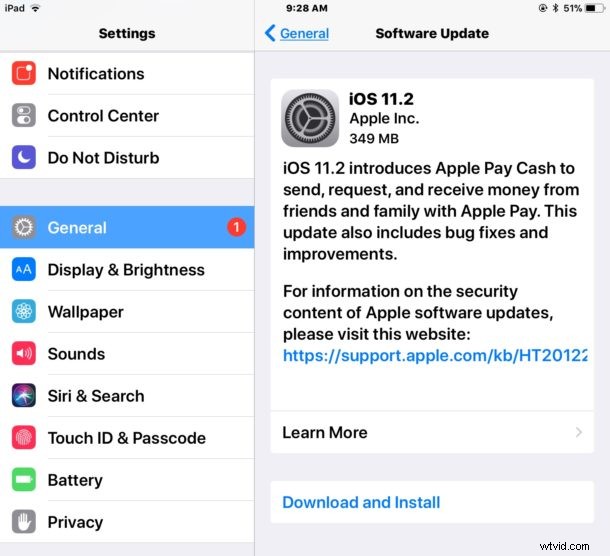
The update weighs in around 500mb for most devices. After the update installs, the device will reboot on its own.
You can also update to iOS 11.2 through iTunes by connecting a device to a computer and choosing to update that way. Additionally, you can use IPSW firmware to update iOS via iTunes as well.
iOS 11.2 IPSW Firmware Download Links
Using IPSW files is considered more advanced but it’s not particularly complicated. It requires a USB connection, a computer, and the latest version of iTunes. The IPSW download links below point directly to firmware files on Apple servers:
- iPhone X
- iPhone 8
- iPhone 8 Plus
- iPhone 7
- iPhone 7 Plus
- iPhone 6s
- iPhone 6s Plus
- iPhone 6
- iPhone 6 Plus
- iPhone SE
- iPhone 5s
- iPad Pro 10.5-inch model
- iPad Pro 12.9-inch 1st generation
- iPad Pro 12.9 inch 2nd generation
- iPad Pro 9.7‑inch
- iPad 9.7-inch 2017 model
- iPad Air 2
- iPad Air 1
- iPad mini 4
- iPad mini 3
- iPad mini 2
- iPod touch 6th generation
The IPSW file should always have a .ipsw file extension, if the IPSW has a .zip extension you will need to fix it or re-download the IPSW firmware, otherwise iTunes will not recognize the file.
It is somewhat unusual for Apple to release a software update on the weekend, presumably the final version was pushed out now because of the aforementioned notification bug that crashes some iPhone devices.
Troubleshooting iOS 11.2 Problems
Some iPhone X users have reported that installing the iOS 11.2 update stops Face ID from working, sometimes getting an error message on screen saying “Face ID – Unable to activate Face ID on this iPhone”. You can continue to unlock an iPhone X without using Face ID, however.
If you experience Face ID not working after installing iOS 11.2, you can try to force reboot iPhone X, or reset Face ID and then reboot the iPhone X.
Did you update to iOS 11.2? Did you experience any issues with iOS 11.2? Let us know in the comments below.