
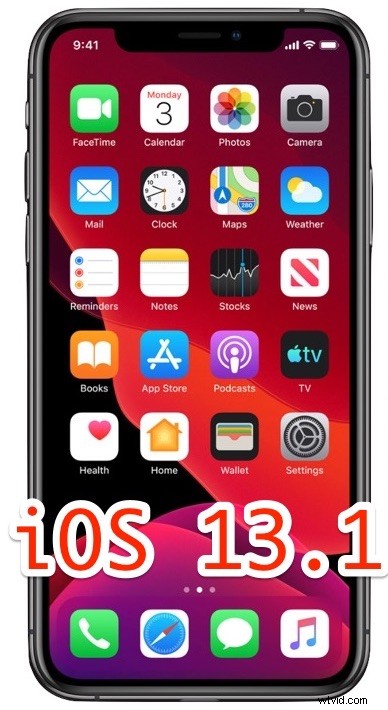
Apple has released iOS 13.1 for iPhone and iPod touch, the first point release update to iOS 13 which was released just a few days ago. iOS 13.1 includes several new features as well as multiple bug fixes and enhancements, making it a recommended update to all iPhone and iPod touch users who are running iOS 13.0. Additionally, Apple released iPadOS 13.1 download, marking the first iPadOS release available to iPad users, along with tvOS 13 for Apple TV.
Everyone with an iOS 13 compatible iPhone can install iOS 13.1 right away. For users who have not yet installed iOS 13, learn how to prepare your iPhone for iOS 13 first. Essentially you’ll want to do some house keeping and perform a device backup.
iOS 13.1 includes several bug fixes, improvements, and enhancements to iOS 13, and iOS 13.1 also adds several new features that were missing from the initial iOS 13.0 release for iPhone and iPod touch. If you were experiencing issues updating iOS 13 or experienced battery life problems with iOS 13 then installing the iOS 13.1 update may help.
How to Install iOS 13.1 Update on iPhone & iPod touch
Backup the iPhone to iCloud or iTunes, or both, before installing any software update.
- Open the “Settings” app on the iPhone
- Go to “General”
- Go to “Software Update”, when iOS 13.1 shows as available choose to “Download & Install”
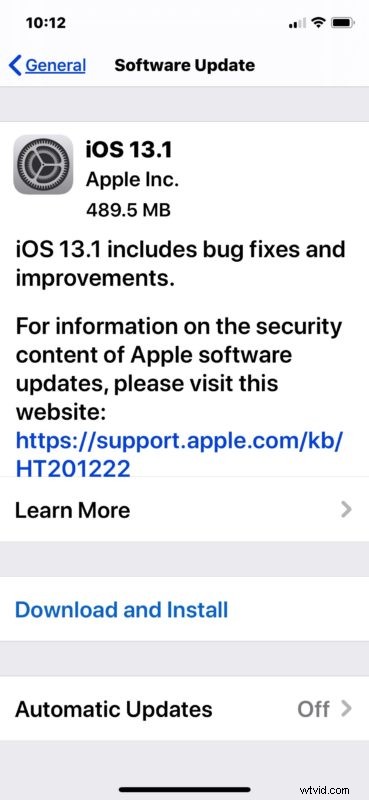
The iPhone or iPod touch will reboot to complete installation.
iOS 13.1 is available for iPhone and iPod touch, whereas iPadOS is available for iPad. You can download iPadOS 13.1 now as well.
There are other ways to update to iOS 13.1, notably through iTunes using a Mac or Windows PC, or the Finder in MacOS Catalina. Simply connecting the iPhone or iPod touch to the computer with a USB cable and launching iTunes will start that process.
iOS 13.1 IPSW Download Links
Advanced users can install iOS software updated using IPSW firmware files, linked below as hosted by Apple servers. Using IPSW can also sometimes be helpful if you want to update many devices but only download the software update once. Learn how to use IPSW files to update iOS with these instructions.
- iPhone 11
- iPhone 11 Pro
- iPhone 11 Pro Max
- iPhone XS Max
- iPhone XS
- iPhone XR
- iPhone X
- iPhone 8
- iPhone 8 Plus
- iPhone 7
- iPhone 7 Plus
- iPhone 6s
- iPhone 6s Plus
- iPhone SE
- iPod touch 7th generation
The build number of iOS 13.1 is 17A5844.
iOS 13.1 Release Notes
Release notes accompanying iOS 13.1 download are as follows:
Did you install iOS 13.1 onto iPhone or iPod touch? Did you download and install iPadOS 13.1 to iPad? Let us know your experiences and thoughts in the comments below.