
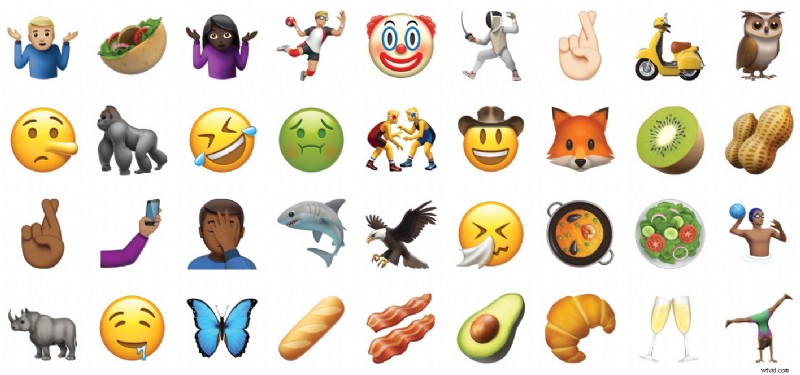
Apple has released iOS 10.2 for iPhone, iPad, and iPod touch. iOS 10.2 includes new wallpapers, a new TV app, some minor adjustments to the Music app Shuffle and Repeat button, a couple of new screen effects for imessage. Over 100 new emojis icons are also included, ranging from a cowboy, a cucumber, an astronaut, someone using a Mac, guerrilla, owl, avocado, a selfie, a handshake, and more.
iOS 10.2 also includes various bug fixes and other improvements to the mobile operating system.
Download & Update to iOS 10.2
The easiest way to install and update iOS 10.2 on an iPhone or iPad is by using the Over-the-Air update mechanism:
- Back up the iPhone, iPad, or iPod touch to iTunes and/or iCloud
- Open the “Settings” app and go to “General” and then to “Software Update”
- Choose “Download and Install” when iOS 10.2 appears on screen
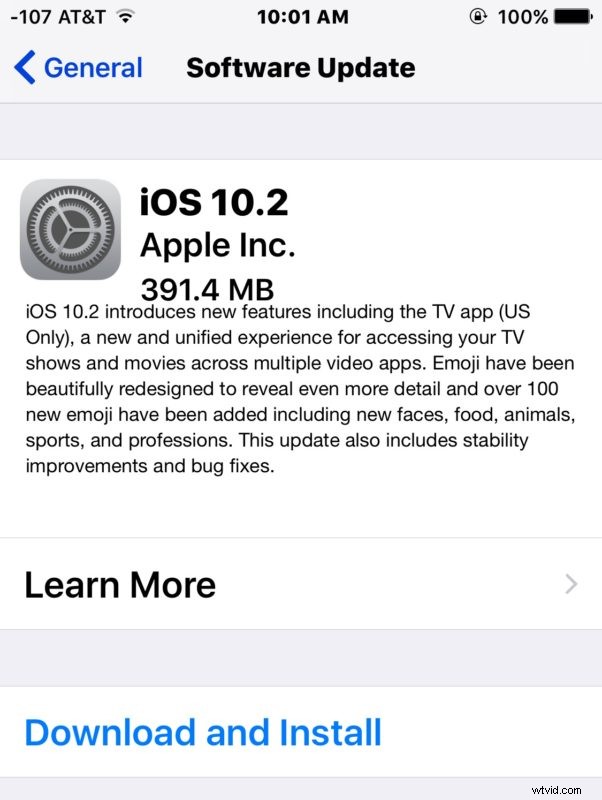
iOS 10.2 will download and automatically install onto the device.
Another option is to update and install iOS 10.2 through iTunes by connecting a device to a computer with a modern version of iTunes.
iOS 10.2 IPSW Download Links
Users can also choose to download iOS 10.2 IPSW firmware files directly from Apple. Using IPSW to update iOS is not particularly difficult but it is generally advanced and not necessary for the vast majority of users.
- iPhone 7
- iPhone 7 Plus
- iPhone 6s
- iPhone 6s Plus
- iPhone 6
- iPhone 6 Plus
- iPhone SE
- iPhone 5s
- iPhone 5
- iPhone 5c
- 12.9 inch iPad Pro
- 9.7 inch iPad Pro
- iPad Air 2
- iPad Air
- iPad 4
- iPad Mini 4
- iPad Mini 3
- iPad Mini 2
- iPod Touch (6th generation)
Troubleshooting iOS 10.2 Update
If iOS 10.2 is not showing up for you in Software Update, you may need to delete any existing old iOS software updates first that may be stored on the device. After that, reboot the iPhone or iPad. You can learn how to restart an iPhone or iPad, or reboot an iPhone 7 here, which is a slightly different process. Upon rebooting the iOS 10.2 update should appear as expected.
If you’re looking to find the new Emoji icons in iOS 10.2 simply load the Emoji keyboard as usual and browse around, they are intermixed with existing emojis in iOS.
iOS 10.2 Release Notes
Release notes for iOS 10.2 are as follows:
Separately, tvOS 10.1 is also available for Apple TV users, and watchOS 3.1.1 is available for Apple Watch.