
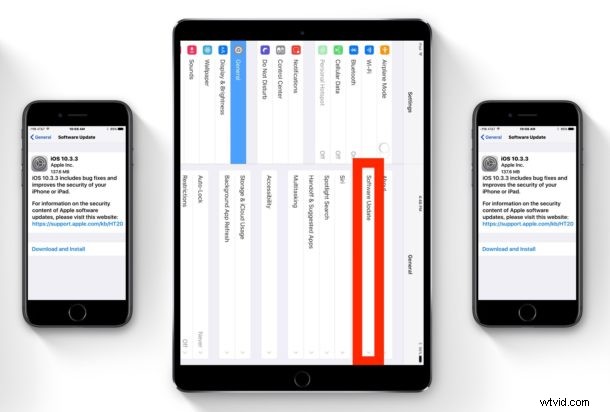
Apple has released the final version of iOS 10.3.3 for iPhone, iPad, and iPod touch. The update is said to include bug fixes and security enhancements for iOS, and no new features are included in the software update.
Links to download iOS 10.3.3 IPSW are included below, though the majority of users are best served by installing iOS 10.3.3 through the Software Update feature or from iTunes.
How to Download & Update to iOS 10.3.3
The easiest way to update to iOS 10.3.3 is through the Software Update mechanism of iOS. Always backup an iPhone or iPad before installing any software update, even if is a minor point release update.
- Go to the “Settings” app and choose “General” and then go to “Software Update”
- Tap “Download and Install” when iOS 10.3.3 shows as available
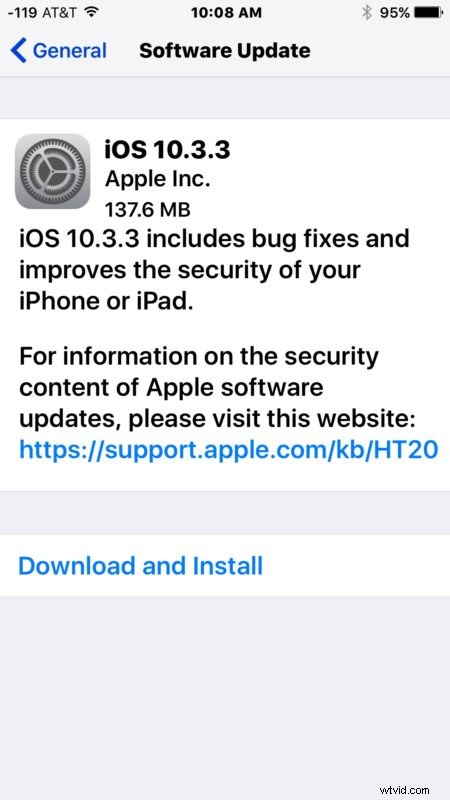
The iPhone or iPad will automatically download and install the update, which is fairly small, and then reboot when the update has been completed.
Users can also choose to install iOS 10.3.3 through iTunes and a computer, or by using IPSW firmware files to manually update.
iOS 10.3.3 IPSW Download Links
IPSW links point directly to firmware files on Apple servers. Be sure to save the firmware file with a .ipsw file extension, for best results right-click on an IPSW download link and choose “Save As” to prevent the file saving incorrectly as a zip.
- iPhone 7
- iPhone 7 Plus
- iPhone 6s
- iPhone 6s Plus
- iPhone 6
- iPhone 6 Plus
- iPhone SE
- iPhone 5s
- iPhone 5
- iPhone 5c
- 10.5-inch iPad Pro 2017
- 9.7-inch iPad 2017 (iPad 7?)
- 12.9-inch iPad Pro 2017
- 12.9-inch iPad Pro 2016
- 9.7-inch iPad Pro 2016
- iPad Air 2 (iPad 6)
- iPad Air (iPad 5)
- iPad 4
- iPad Mini 2
- iPad Mini 3
- iPad Mini 4
- iPod Touch 6th generation
Using IPSW is considered more advanced, but is not particularly difficult. Just be sure to download the proper firmware file for your device.
iOS 10.3.3 is separate from iOS 11, the latter of which is currently in ongoing beta and due for public release this fall.
Separately, Apple has also released macOS Sierra 10.12.6 for Mac users, watchOS 3.2.3 for Apple Watch, and tvOS 10.2.2 for Apple TV.