
If you’re frequently adding Reminders to your iPhone or iPad through Siri or to return phone calls, you may quickly arrive at having dozens if not hundreds of reminders stored in the iOS app. Rather than wade through them all one by one, the Reminders app has a nice feature that allows you to search for a specific reminder directly, making it much easier to locate or retrieve an old mental note or any other digital nudge you have created.
Reminders can be searched at any time, but obviously you will need to have at least one reminder in your Reminders app to be able to search for something and have something retrieved that matches it. Realistically, this feature is best used when you have many reminders, old and new, and need to quickly find a particular one.
How to Search for a Specific Reminder in Reminders for iOS
- Open the Reminders app in iOS
- At the primary Reminders screen, pull down on the reminder screen to access the “Search” option
- Tap into the Search bar
- Type the search term to find a matching reminder for, for example “Valentines” or “birthday” or something similar
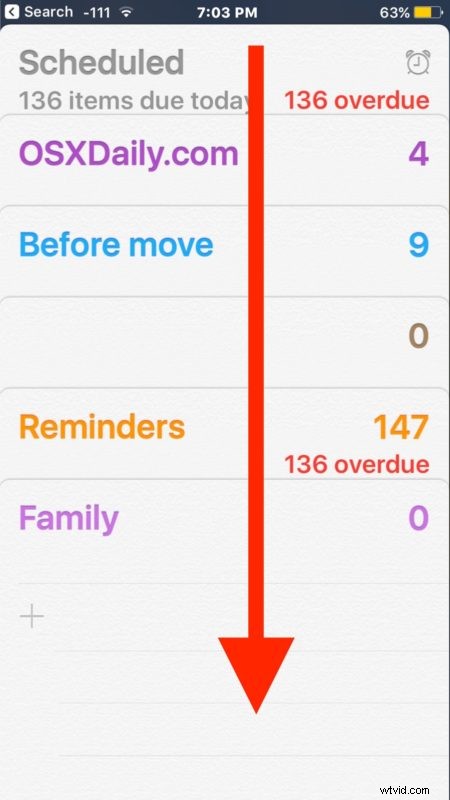
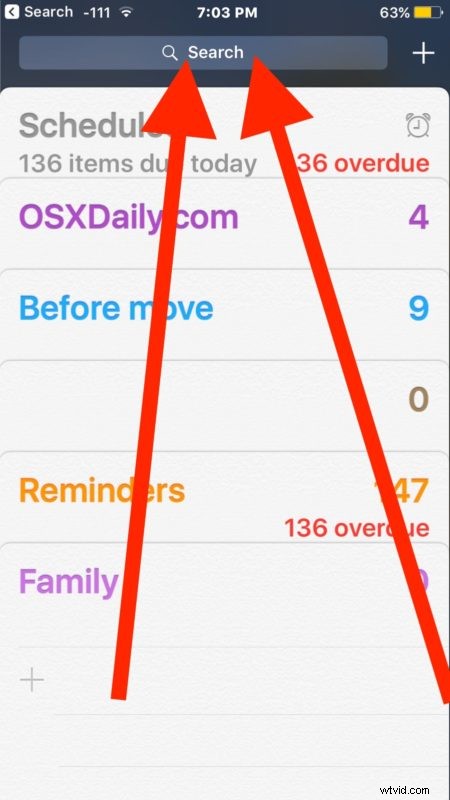
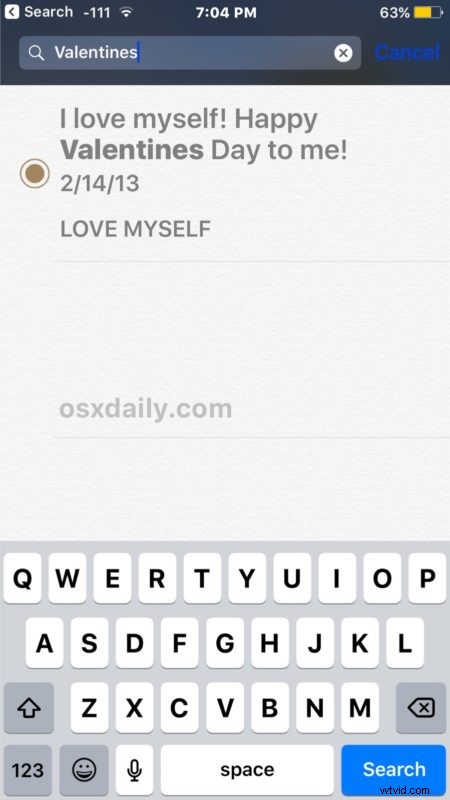
Below the Search box you will find any matching reminders returned. In the example here we searched for “Valentines” and an ancient reminder from several years ago turned up, demonstrating that as long as reminders are stored within the Reminders app you can continue to search for them even if they are long past their date of usage.
This is great for uncovering an old helpful reminder, or even something you added last week but can’t quite recall where you put it. It may even be useful for digital forensics too, since the old reminders are date stamped.
You can also take action on the searched reminders that have been found, marking them as complete, deleting them, or if you have a ton of them and you’re tired of seeing it all you can always go ahead and delete an entire list of reminders in iOS too.
Do you have any other helpful tips or tricks for Reminders on the iPhone or iPad? Maybe a handy search trick or sorting ability? Let us know in the comments!