
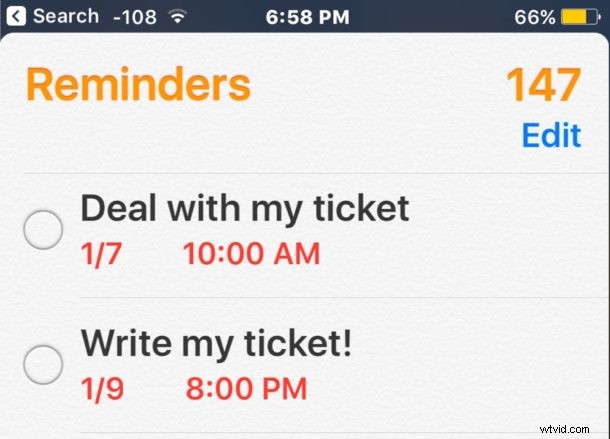
Many people use Reminders in iOS as a way to remember to do something, whether it’s work related, something on the screen, some chore, or trying to establish a new habit. Reminders are great, but if you use a lot of them you may find yourself with an enormous list of Reminders that you’d like to delete, particularly if they’re no longer relevant.
iOS offers a way to delete all reminders within a Reminders list, as well as remove that containing Reminders list itself too. This is the simplest way to clear out a large list of reminders that you no longer need or want appearing in the Reminders app on the iPhone or iPad, as it will remove them completely.
How to Delete All Reminders in a Reminders List on iOS
This will delete a specified reminders list as well as delete all reminders that are part of that list, it works the same on iPhone and iPad, here’s what to do:
- Open the Reminders app on the iPhone or iPad
- Tap on the specific Reminders list you want to delete all reminders for (yes it also deletes the related reminder list itself)
- Tap the “Edit” button in the corner
- Tap on “Delete List”
- Confirm that you want to delete all of the reminders in the list, as well as the reminder list itself
- Repeat with other Reminders lists if desired
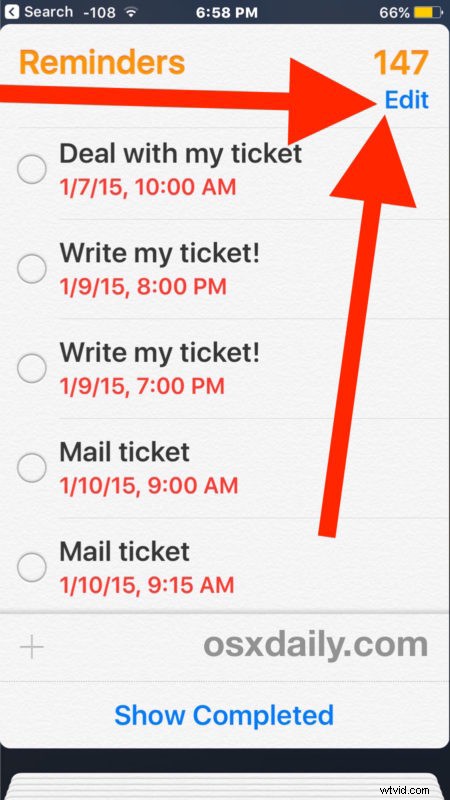
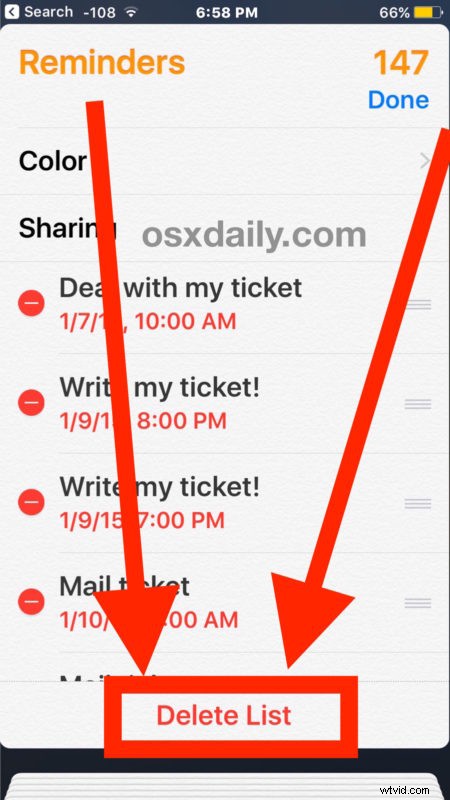
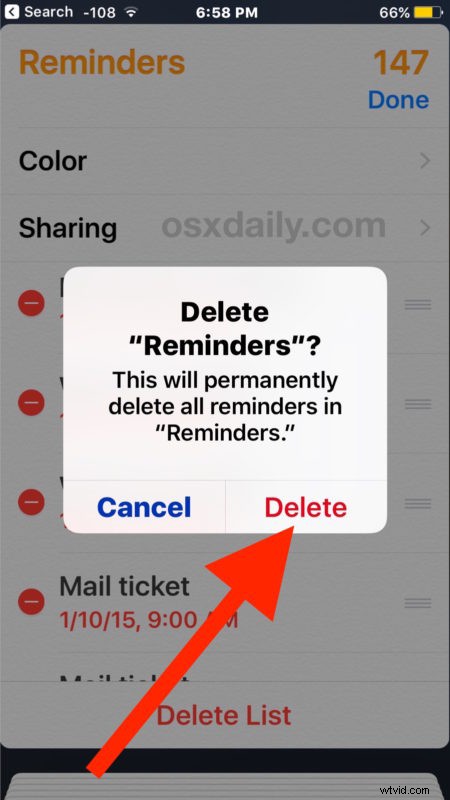
In the example above I am deleting an entire set of reminders and the list labeled “Reminders”, many of which are ancient reminders that are no longer relevant. In this example it’s over 100 reminders that are being deleted this way, and by using this bulk feature it will delete all the reminders from the iPhone (or iPad) much faster than manually removing them one by one.
Note that if you use iCloud and sync Reminders through there, deleting reminders here will also sync to other iOS and Mac devices using the same Apple ID, meaning they will be deleted from everywhere.
You can always delete a single reminder or just a few at a time too, and without deleting the containing Reminders List as well.
Have any fancy Reminders tricks? Do you know of a better way to remove all reminders from an iPhone or iPad? Let us know in the comments!