
Want to get the weather report for another location in iOS quickly? You can grab weather details from Spotlight on the iPhone or iPad quickly and easily.
This offers a nice alternative to adding new locations to the Weather app, searching the web for weather reports, or to using Siri (which requires voice) and it works for just about anywhere as long as you can type out the name and remember the proper spelling.
How to Get Weather Info About Locations with Spotlight in iOS
Using iOS Spotlight to retrieve weather forecast for any location is easy:
- Access Spotlight on the iPhone or iPad by pulling down on a home screen icon
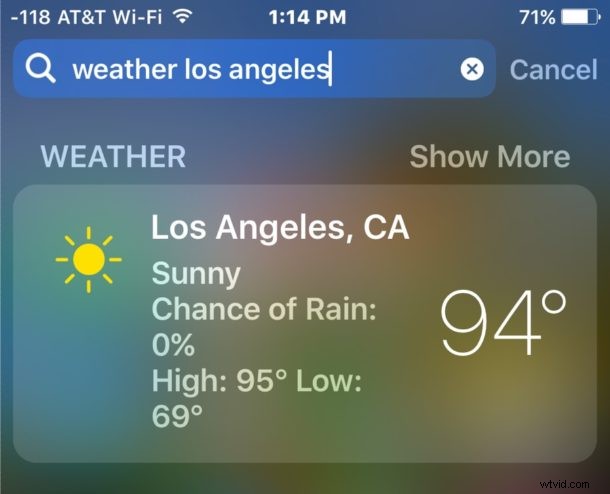
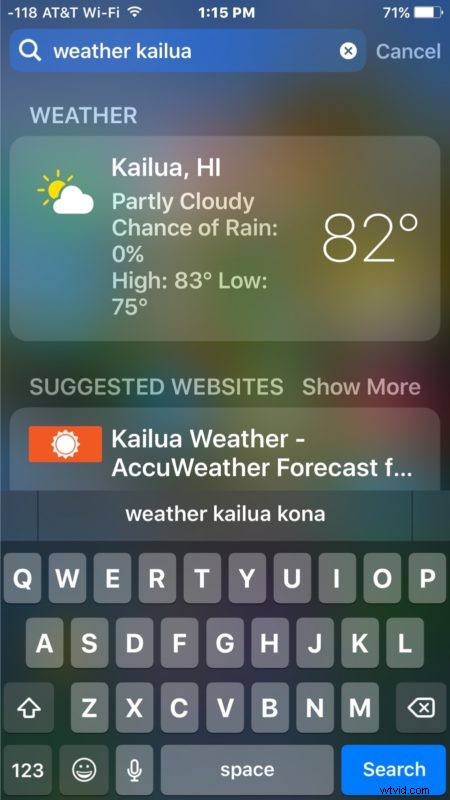
- At the Spotlight prompt, type in “weather (location)” to get the weather report for the specified location
- Alternatively, you can get tomorrow weather report by typing “weather (location) tomorrow”
For example, you can try “weather los angeles” and you’ll the current temperature, weather, the expected days highs and lows, and chance of rain. If you type “weather kailua tomorrow” and you’ll have the same details and expected weather forecast for tomorrow.
For mobility purposes this may be most useful on iPhone, but iPad users may find it valuable as well particularly since the iPad is lacking the dedicated Weather app in iOS. Don’t forget that Siri can give you detailed weather info and even find the sunset time or sunrise time for you too.
If you’re on the desktop, don’t feel too left out because Mac users can also get weather from Spotlight as well.
Whether you want to keep on top of the weather so you know what to wear, or because you’re a bit of a meteorological geek, you can check out more weather related tips for iOS and Mac here.