
Want another web browsing option on iPhone or iPad? Maybe you need to access a PC-only website from an iOS device? You’re in luck, because Microsoft has released Microsoft Edge for iOS, the web browser primarily known for being bundled in Windows 10.
Microsoft Edge for iOS allows iPhone and iPad users access to the Edge web browser on their mobile devices, without needing a PC. Edge for iOS should be particularly helpful for iPhone and iPad owners who primarily use a Windows 10 PC as their computers and rely on the Edge browser, but it also has notable value to users who need to access websites that are restricted to Microsoft Edge or Internet Explorer, and will undoubtedly be helpful for web developers and designers who want to test their work across different web browser platforms too.
Edge for iOS includes all the typical browser features you’d expect, along with easy syncing of browser data between a Windows PC and iOS device (or Android if you go that way), continuation of browsing sessions from a Windows 10 PC with Microsoft Edge, a QR code reader (it’s worth remembering that iOS has a built-in QR code reader now, and mobile Chrome also has one too), and much more.
Microsoft Edge for iOS is a free download from the App Store:
- Get Microsoft Edge for iOS from the App Store here
Once you download Microsoft Edge for iOS you can launch it like any other app, and the rest of the functionality is quite similar to Safari or Chrome on iPhone and iPad.
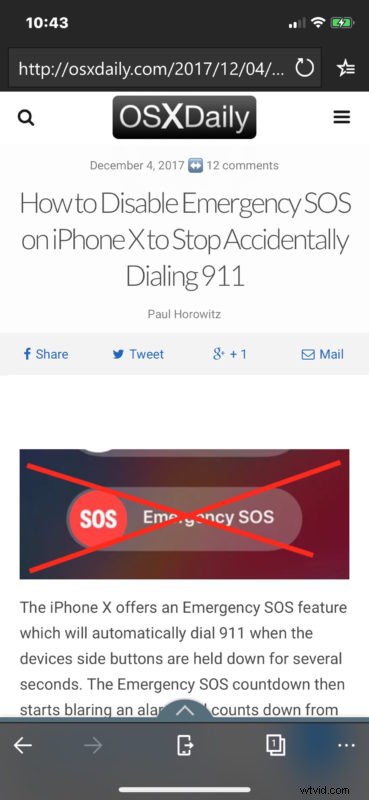
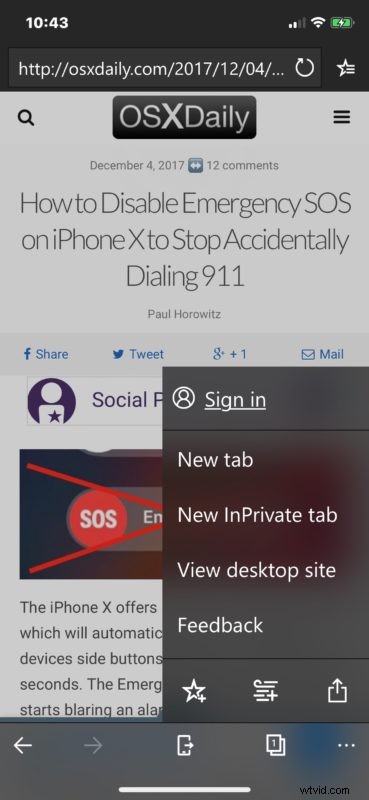
You can toggle various features and access additional settings via the Edge app toolbar buttons:
For users who frequently need to use Microsoft Edge to access a certain website, a fairly common occurrence in many fields, with some banks and government websites, and sometimes various streaming services as well, not to mention for web developers, don’t forget that you can also often view PC only websites on a Mac with a user agent trick, or use Microsoft Edge on a Mac by way of a virtual machine, which is also freely provided by Microsoft. And yes if you run Edge within a virtual machine (or a PC of course), you can sync all that browsing data, history, bookmarks, etc, to the Edge version in iOS as well.
The iOS world now has a wide variety of web browsers available, including the native Safari from Apple, Firefox from Mozilla, Chrome from Google, Edge from Microsoft, Onionbrowser for TOR, amidst a variety of others. There are no shortages of options out there, so use what works best for you, or if you’re a developer, you’ll likely use them all.