

Apple has released the final version of iOS 11.4.1 to all iPhone and iPad users. The release comes after a period of beta testing, and while a concurrent beta testing program continues for iOS 12.
iOS 11.4.1 is said to include bug fixes and security enhancements and is therefore recommended to install on compatible iPhone and iPad devices.
Separately, Apple has released MacOS High Sierra 10.13.6 and Security Update 2018-004 for Sierra and El Capitan along with software updates for Apple TV, HomePod, and Apple Watch users as well.
How to Update to iOS 11.4.1
The simplest way to update to iOS 11.4.1 is through the Software Update function on the iPhone or iPad.
Always backup an iPhone or iPad before installing any software update.
- Open the “Settings” app on iPhone or iPad
- Go to “General” then to “Software Update”
- Choose “Download & Install” when iOS 11.4.1 update shows as available
Optionally, users can also update to iOS 11.4.1 by using a computer with iTunes on a Mac or Windows PC.
If you are currently running the iOS 12 public beta or developer beta than you will not be able to find or download iOS 11.4.1 unless you downgrade first.
iOS 11.4.1 IPSW Firmware Direct Download Links
Advanced users can also choose to update iOS by using IPSW files, which are firmware files downloaded from Apple servers, by using the links below:
- iPhone X
- iPhone 8
- iPhone 8 Plus
- iPhone 7
- iPhone 7 Plus
- iPhone 6s
- iPhone 6
- iPhone 6s Plus
- iPhone 6 Plus
- iPhone SE
- iPhone 5s
- iPad Pro 12.9 inch 1st generation
- iPad Pro 12.9 inch 2nd generation
- iPad Pro 10.5-inch
- iPad 9.7-inch 2017 model Not a Pro
- iPad 9.7-inch 2018 model Not a Pro
- iPad Pro 9.7‑inch
- iPad Air 2
- iPad Air 1
- iPad mini 4
- iPad mini 3
- iPad mini 2
- iPod touch 6th generation 2015 model
iOS 11.4.1 Release Notes
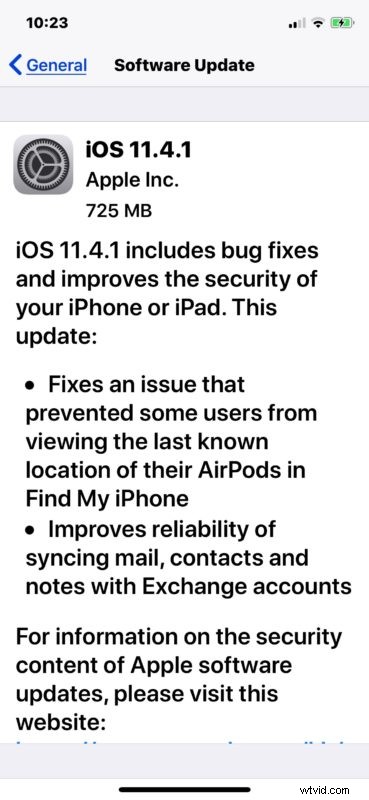
Release notes accompanying the iOS 11.4.1 download are quite brief, mentioning the following:
Separately, Apple has also released tvOS 11.4.1 for Apple TV, watchOS 4.3.2 for Apple Watch, an update to the HomePod, and the update to macOS High Sierra 10.13.6 along with security updates for the two prior Mac OS X software releases.