
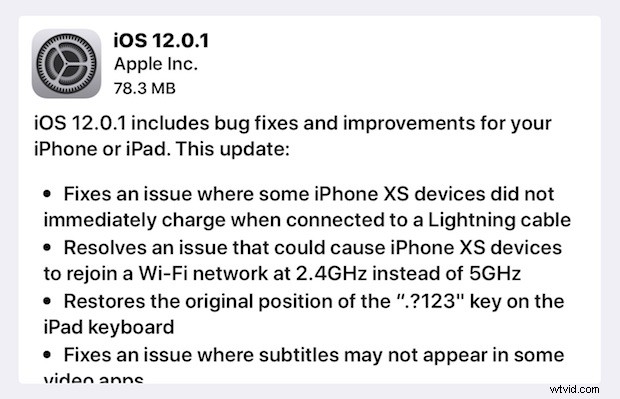
Apple has released iOS 12.0.1 for iPhone and iPad users. The new small software update resolves multiple bugs present in the prior build and is thus recommended for all iPhone and iPad users who are running iOS 12.
iOS 12.0.1 fixes a variety of problems, including where the iPhone XS and iPhone XS Max were not charging properly when connected to a Lightning cable, an issue with iPhone XS models joining a slower wi-fi band, an iPad keyboard tweak for the “?123” key, an issue with Bluetooth becoming unavailable, and an issue with subtitles not appearing on some videos. Additionally, some security fixes appear to be included in the iOS 12.0.1 software update. The full release notes are included further below, along with direct download links for iOS 12.0.1 IPSW files.
How to Update to iOS 12.0.1
Most iPhone and iPad users will find that updating to iOS 12.0.1 is easiest with the Software Update mechanism on their devices.
Be sure to back up your iPhone or iPad to iCloud and/or iTunes before installing any system software update.
- Back up your iPhone or iPad if you have not done so already
- Open the “Settings” app and go to “General” and then to “Software Update”
- Choose to ‘Download and Install’ when iOS 12.0.1 shows as available
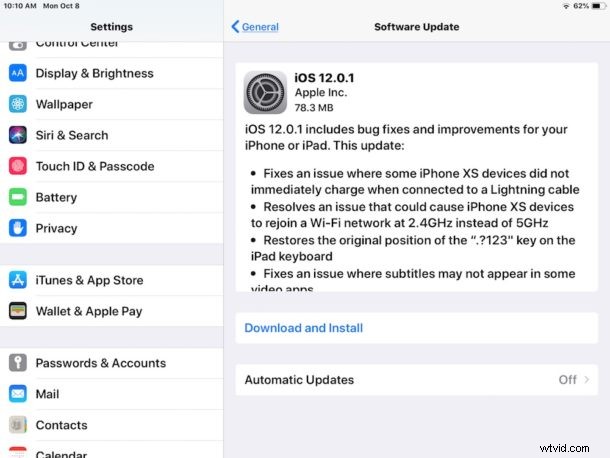
Installing any iOS software update requires the device to reboot.
Users can also update to iOS 12.0.1 by connecting an iPhone or iPad to a computer with iTunes and choosing to update software that way.
iOS 12.0.1 IPSW Download Links
Direct download links for iOS 12.0.1 firmware files are included below, each link points to the appropriate IPSW file on Apple servers.
- iPhone XS Max
- iPhone XS
- iPhone X
- iPhone 8
- iPhone 8 Plus
- iPhone 7
- iPhone 7 Plus
- iPhone 6s
- iPhone 6
- iPhone 6s Plus
- iPhone 6 Plus
- iPhone SE
- iPhone 5s
- iPad Pro 9.7‑inch
- iPad Pro 10.5-inch
- iPad Pro 12.9-inch 1st generation
- iPad Pro 12.9-inch 2nd generation
- iPad 6 9.7-inch 2018 model
- iPad 5 9.7-inch 2017 model
- iPad Air 2
- iPad Air 1
- iPad Mini 4
- iPad Mini 3
- iPad Mini 2
- iPod Touch 6th Generation
Using IPSW files to update iOS requires iTunes and a computer, it is considered advanced but it’s not particularly complicated. Nonetheless the majority of iPhone and iPad users are better off using the built-in software update mechanism which is a simpler experience overall.
iOS 12.0.1 Release Notes
The release notes accompanying the iOS 12.0.1 download are as follows:
If you do not yet see the iOS 12.0.1 software update available yet, or the Software Update section is stuck on ‘checking for updates…’ try quitting and relaunching the Settings app.
Similarly, if you see an “Unable to Check for Update – An error occurred while checking for a software update” simply trying again momentarily typically resolves that issue.
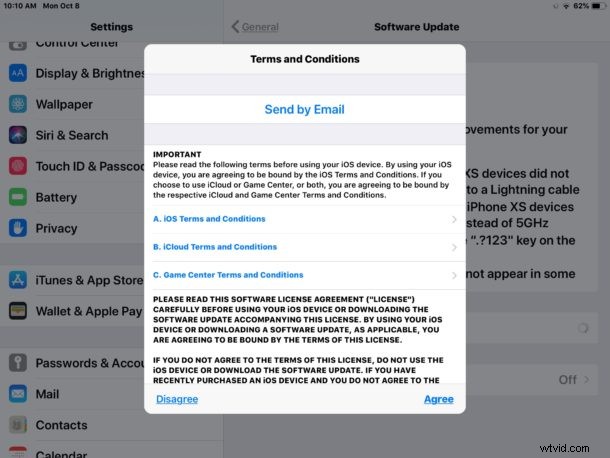
When going to install the iOS 12.0.1 update you’ll have to agree to Terms and Conditions, which the iOS update process sometimes appears to freeze or get stuck on the “Terms and Conditions” agree / disagree screen. If that happens, force quit out of the Settings app and try again. You also may need to restart the iOS device before the Terms and Conditions screen will dismiss properly in some situations.
If you have any particular experiences, comments, or thoughts about installing iOS 12.0.1 update on an iPhone or iPad, share them in the comments below.