
Apple has released iOS 15.6 and iPadOS 15.6 for all iPhone and iPad users. The new software updates are available now, alongside macOS Monterey 12.5 for Mac.
iOS 15.6 and iPadOS 15.6 include bug fixes, security updates, and small enhancements to the operating systems for iPhone and iPad. Perhaps most notable is a resolution to an issue where the Settings app may erroneously state that the storage is full, despite having storage available. Additionally, there are new options to pause, rewind, and restart live sports games in the TV app, and bug fixes for braille devices when using Mail, and a fix for a Safari problem where tabs may revert back to previous pages. iPadOS 15.6 also resolves an issue for iPad Mini where USB-C connections may not be recognized. The full release notes are further below for those interested.
How to Download & Update to iOS 15.6 & iPadOS 15.6
Always backup the iPhone or iPad to iCloud, Finder, or iTunes before completing a system software update.
- Open the “Settings” app on iPhone or iPad
- Go to “General” then to “Software Update”
- Select to “Download and Install” for iOS 15.6 / iPadOS 15.6
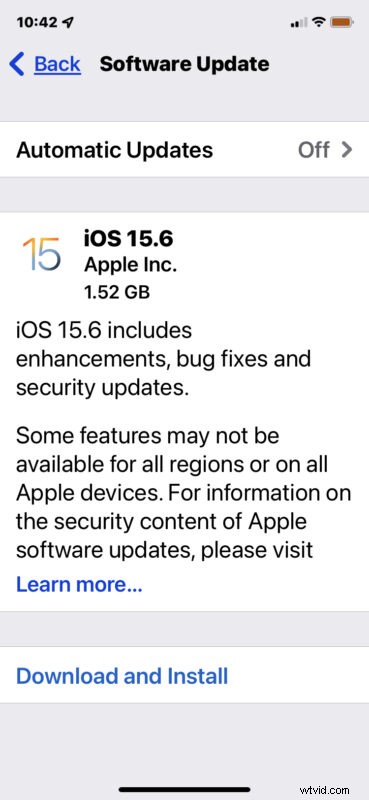
Installing iOS 15.6 or iPadOS 15.6 requires the device to restart.
You can also choose to manually update the device through a computer, using Finder or iTunes. Advanced users can also use ISPW files to update manually if they choose.
iOS 15.6 IPSW Download Links
- Updating…
iPadOS 15.6 IPSW Download Links
- Updating…
iOS 15.6 Release Notes
Release notes for iOS 15.6 are as follows:
Release notes for iPadOS 15.6 are the same, but also include a fix for iPad Mini 6th not recognizing USB-C chargers and accessories.
Separately, Apple released macOS Monterey 12.5 for Mac, and updates for watchOS and tvOS.