
Apple has released iOS 15.2 for iPhone, and iPadOS 15.2 for iPad.
iOS 15.2 and iPadOS 15.2 adds an App Privacy Support feature to show what data apps can access and share, new child safety features for Messages, and support for a voice-only Apple Music plan. iOS 15.2 and iPadOS 15.2 also include various bug fixes that may help to address issues with iOS 15 experienced by some users.
iPadOS 15.2 does not appear to include support for Universal Control, the feature which pairs with macOS Monterey to share a single mouse and keyboard across a Mac and iPad. Universal Control has now been delayed until “Spring 2022” according to Apple.
How to Download & Install iOS 15.2 / iPadOS 15.2 on iPhone & iPad
Be sure to backup iPhone or iPad to iCloud or a computer with Finder or iTunes before beginning any software update.
- Open the “Settings” app on iPhone or iPad
- Go to “General”
- Select “Software Update”
- Choose “Download and Install” for iOS 15.2 or iPadOS 15.2
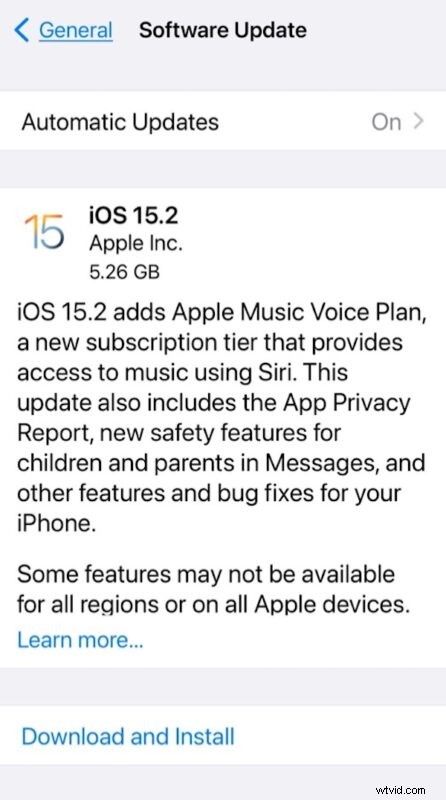
The iPhone or iPad must reboot to complete installation.
iOS 15.2 IPSW Download Links
- Updating…
iPadOS 15.2 IPSW Download Links
- Updating…
iOS 15.2 Release Notes
Separately, Apple also released macOS Monterey 12.1 for Mac users, security updates for Big Sur and Catalina, watchOS 8.3 for Apple Watch, and tvOS 15.2 for Apple TV.