
Apple has released iOS 15.2.1 for iPhone along with iPadOS 15.2.1 for iPad.
The iOS 15.2.1 and iPadOS 15.2.1 updates are relatively minor and includes a bug fix for an issue with photos loading over iMessage, an issue with CarPlay apps, and offers a security fix for an issue with HomeKit. If any other issues are addressed, they are not mentioned in the release notes.
How to Download & Install iOS 15.2.1 / iPadOS 15.2.1 on iPhone & iPad
Before beginning the software update, don’t forget to backup iPhone or iPad to iCloud or a computer.
- Open the “Settings” app on iPhone or iPad
- Go to “General”
- Select “Software Update”
- Choose “Download and Install” for iOS 15.2.1 or iPadOS 15.2.1
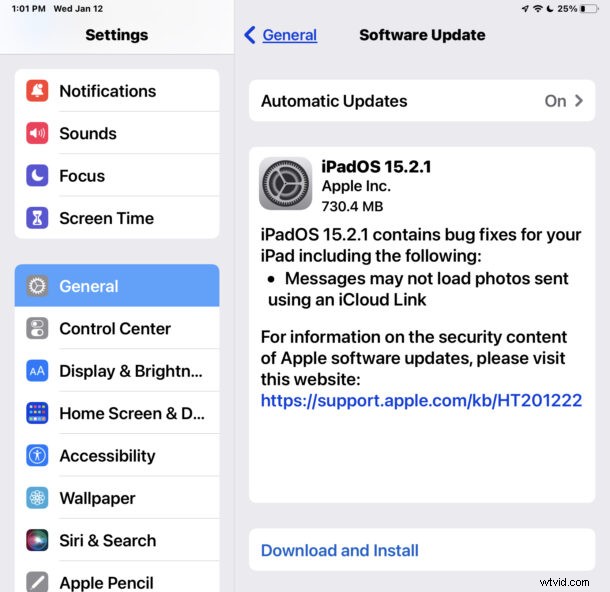
The updates range in size from 700mb to nearly 1GB. As usual, the iPhone or iPad will need to restart to complete installation, so if you’re not ready to reboot your device now you may want to do the update later.
iOS 15.2.1 IPSW Download Links
- Updating…
iPadOS 15.2.1 IPSW Download Links
- Updating…
iOS 15.2.1 Release Notes
If you notice anything else different or noteworthy about iOS 15.2.1, let us know in the comments.