
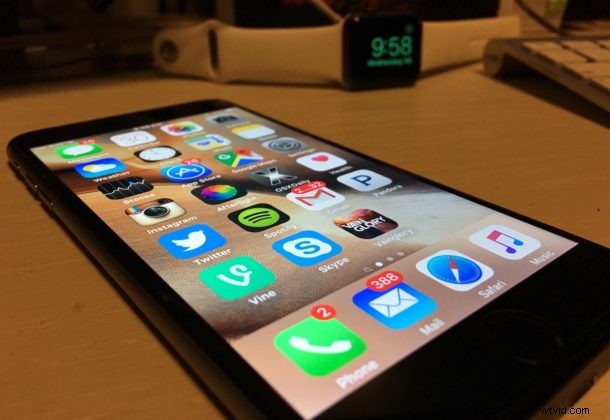
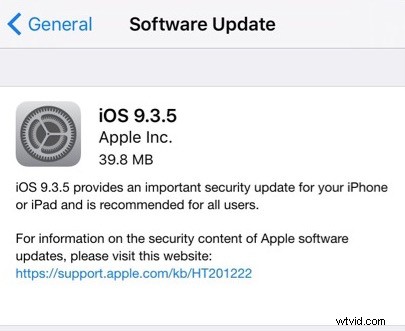
Apple has released iOS 9.3.5 for all compatible iPhone, iPad, and iPod touch devices. The small update appears to include important security fixes and is therefore recommended for all users to install.
Updating to iOS 9.3.5 is easy as we’ll walk through below, and advanced users can also choose to use the IPSW firmware files to update manually with iTunes if desired.
Updating to iOS 9.3.5 with OTA
Updating through the Over The Air mechanism is typically the easiest way to install a software update. Be sure to back up before installing.
- Back up the the iPhone, iPad, or iPod touch first
- Open the “Settings” app and go to “General” then choose “Software Update”
- When iOS 9.3.5 update appears, choose to “Download and Install” and agree to the terms of service (after carefully reading it all, obviously)
Some users are getting stuck on an “Unable to Check for Update” error popup within the Settings app when trying to get iOS 9.3.5, with the repeated “Try Again” and “Cancel” buttons not seeming to do much. If this happens to you, quit the Settings app, wait a few minutes, then try again and the update should appear.
Another option is to use iTunes to update to iOS 9.3.5, available if you connect a device to a computer with iTunes through a USB cable.
iOS 9.3.5 IPSW Direct Download Links
Some advanced users prefer to use IPSW files to update iOS system software. The firmware files are hosted by Apple servers and can be downloaded from the links below:
- iPhone 6s
- iPhone 6s Plus
- iPhone SE
- iPhone 6
- iPhone 6 Plus
- iPhone 5C (CDMA)
- iPhone 5C (GSM)
- iPhone 5s (CDMA)
- iPhone 5s (GSM)
- iPhone 5 (CDMA)
- iPhone 5 (GSM)
- iPhone 4S
- 12.9 inch iPad Pro
- 12.9 inch iPad Pro (Cellular)
- 9.7 inch iPad Pro
- 9.7 inch iPad Pro (Cellular)
- iPad Air 2
- iPad Air 2 (Cellular)
- iPad Air (4,2 Cellular)
- iPad Air
- iPad Air (4,3 China)
- iPad 4 (CDMA)
- iPad 4 (GSM)
- iPad 4
- iPad 3
- iPad 3 (GSM)
- iPad 3 (CDMA)
- iPad 2 (2,4)
- iPad 2 (2,1)
- iPad 2 (GSM)
- iPad 2 (CDMA)
- iPad Mini 4
- iPad Mini 4 (Cellular)
- iPad Mini 3 (4,9 China)
- iPad Mini 3
- iPad Mini 3 (4,8 Cellular)
- iPad Mini 2 (4,5 Cellular)
- iPad Mini 2
- iPad Mini 2 ( 4,6 China)
- iPad Mini (CDMA)
- iPad Mini (GSM)
- iPad Mini
- iPod touch (5th generation)
- iPod touch (6th generation)
Don’t forget to backup your device before installing a software update, even if it is a minor point release.