

Apple has released iOS 13.3 and iPadOS 13.3 for iPhone and iPad.
The new update includes bug fixes and enhancements, and also includes several new features in the new software update, including the ability to set communication limits through Screen Time.
The full release notes accompanying the downloads of iOS 13.3 and iPadOS 13.3 are included further below.
Separately, Apple has released MacOS Catalina 10.15.2, tvOS 13.3, watchOS 6.1.1, and iOS 12.4.4 for some older iPhone and iPad models.
How to Download & Install iOS 13.3 or iPadOS 13.3 Update
Always backup the iPhone or iPad to iCloud, iTunes, or Mac, before installing any system software update. Failure to backup can lead to permanent data loss.
- Open the “Settings” app on iPhone or iPad
- Go to “General”, and then go to “Software Update”
- Choose “Download & Install” when the update for ‘iOS 13.3’ or ‘iPadOS 13.3’ shows as available to install on the device
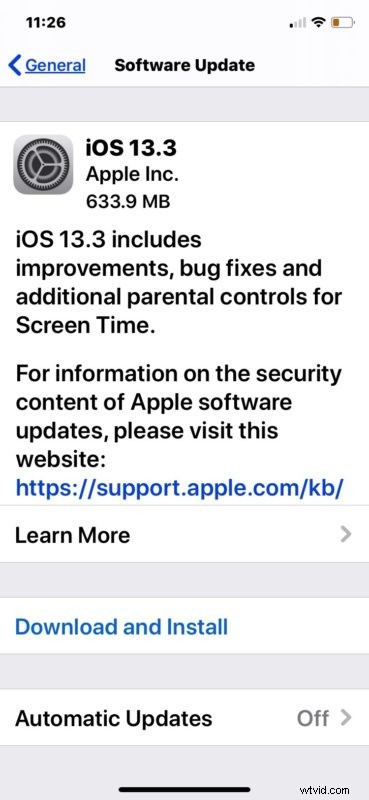
The iPhone or iPad will reboot itself automatically to complete installation of the software update.
You can also update to iOS 13.3 and iPadOS 13.3 through a computer by connecting an iPhone or iPad to a Windows PC with iTunes, or a Mac with iTunes or MacOS Catalina.
Advanced iPhone and iPad users can also choose to use IPSW files to update system software, a process which also requires a computer. The links below point to the IPSW firmware files from Apple servers.
iOS 13.3 IPSW Direct Download Links
- iPhone 11
- iPhone 11 Pro
- iPhone 11 Pro Max
- iPhone XS
- iPhone XS Max
- iPhone XR
- iPhone X
- iPhone 8
- iPhone 8 Plus
- iPhone 7
- iPhone 7 Plus
- iPhone SE
- iPhone 6s
- iPhone 6s Plus
- iPod touch 7th generation
iPadOS 13.3 IPSW Direct Download Links
- iPad Pro 11-inch – 2018
- iPad Pro 12.9-inch 3rd generation – 2018
- iPad Pro 12.9-inch 2nd generation
- iPad Pro 12.9-inch 1st generation
- iPad Pro 10.5-inch
- iPad Pro 9.7‑inch
- iPad 7 10.2-inch – 2019
- iPad 6 9.7-inch – 2018
- iPad 5 9.7-inch – 2017
- iPad Air 3 – 2019
- iPad Air 2
- iPad mini 5 – 2019
- iPad mini 4
iOS 13.3 Release Notes / iPadOS 13.3 Release Notes
Release notes accompanying the download of iOS 13.3 are as follows (they’re mostly the same release notes as iPadOS 13.3):
It’s generally a good idea to regularly install software updates on any iPhone or iPad that is compatible with the latest system software. This insures that bug fixes and security enhancements are included on the device, and sometimes updates can resolve other issues like battery draining or other erratic behavior.
Note that sometimes an iPhone or iPad with iPadOS 13 or iOS 13 may feel slow briefly after installing a software update, this is because the system software may rescan and reindex data on the device. Typically simply leaving the device plugged into a power source for a while is enough to remedy that if it occurs.
Additionally, Apple has also released software updates to other products, including MacOS Catalina 10.15.2 for Mac users, tvOS 13.3 for Apple TV, and watchOS 6.1.1 for Apple Watch.
Do you have any particular thoughts or experiences with iOS 13.3 and iPadOS 13.3? Share with us in the comments below!