

Apple has released iOS 12.1.1 for iPhone and iPad users. The freshly updated version of iOS includes a handful of small changes and improvements, along with the usual bug fixes.
Additionally, Apple also released MacOS Mojave 10.14.2 Update, Security Updates for macOS Sierra and High Sierra, updates to Safari, and an update for Apple TV as tvOS 12.1.1, along with watchOS 5.1.2 for Apple Watch with ECG and other new health features.
One of the more notable changes in iOS 12.1.1 is that it moves the FaceTime camera switching button back to a more obvious location during a FaceTime conversation, rather than staying hidden behind various other layers of interface abstraction, as was the case with FaceTiming in prior iOS 12 builds.
Other changes with iOS 12.1.1 include notification haptic feedback for iPhone XR, expanded eSIM support for iPhone XS, XS Max, and XR, and support for Live Photos in FaceTime. The full release notes for iOS 12.1.1 are available further below for those interested.
How to Update to iOS 12.1.1
The easiest way to install iOS 12.1.1 update on an iPhone or iPad is through the Software Update function in iOS Settings app. You will need sufficient storage available to install the software update.
Be sure to backup the iPhone or iPad to iCloud, iTunes, or both, before beginning any iOS system software update.
- Open the “Settings” app in iOS, then go to “General” and to “Software Update”
- When iOS 12.1.1 is available to download, tap on “Download & Install”
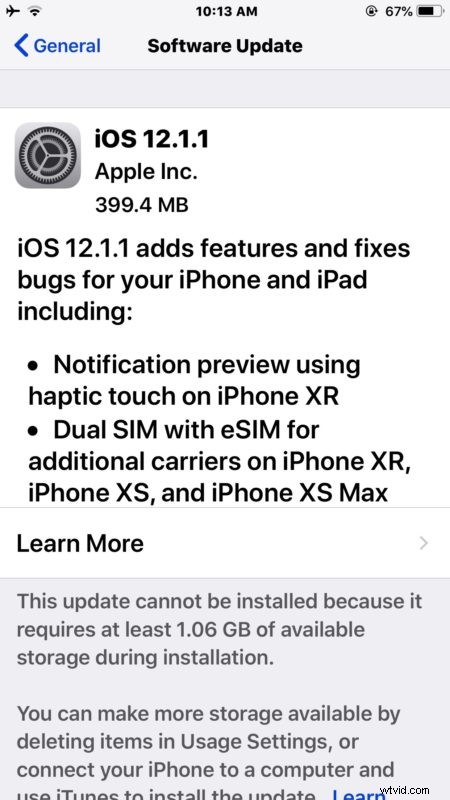
The iPhone or iPad will reboot to complete the installation to iOS 12.1.1.
Users can also choose to download and install iOS 12.1.1 through iTunes on a computer if desired, this can be achieved by connecting an iPhone or iPad to a Mac or Windows PC running the latest version of iTunes and choosing the ‘Update’ option in iTunes.
iOS 12.1.1 IPSW Download Links
The following are links to IPSW firmware files hosted on Apple servers. For best results, right-click the link and choose ‘Save As’ and be sure the downloaded file has a .ipsw file extension so that iTunes can recognize it:
- iPhone XS Max
- iPhone XS
- iPhone XR
- iPhone X
- iPhone 8
- iPhone 8 Plus
- iPhone 7
- iPhone 7 Plus
- iPhone 6s
- iPhone 6s Plus
- iPhone 6
- iPhone 6 Pluss
- iPhone SE
- iPhone 5S
- iPad Pro 11-inch 2018 model
- iPad Pro 12.9-inch 1st generation 2015 model
- iPad Pro 12.9-inch 2nd generation 2017 model
- iPad Pro 12.9-inch 3rd generation 2018 model
- iPad Pro 10.5-inch 2017 model
- iPad 9.7-inch 2018 model not pro
- iPad 9.7-inch 2017 model not pro
- iPad Pro 9.7‑inch 2016 model
- iPad Air 2
- iPad Air 1
- Pad mini 4
- iPad mini 3
- iPad mini 2
- iPod Touch 6th generation
Advanced users can update iOS by using IPSW firmware files, though for most people it is impractical to do so, and is generally considered advanced.
iOS 12.1.1 Release Notes
Release notes accompanying iOS 12.1.1 are as follows:
Separately, Apple has also released tvOS 12.1.1 for Apple TV, and macOS Mojave 10.14.2 for Mac users, along with security updates for Sierra and High Sierra, updates to Safari, and an update to Homepod, and iTunes for Windows..