
Apple has released iOS 11.0.1 as a bug fix update for iPhone, iPad, and iPod touch. iOS 11.0.1 arrives just a week after the wide release of iOS 11, suggesting some notable bugs were discovered in the prior release and are being addressed in the small point release software update.
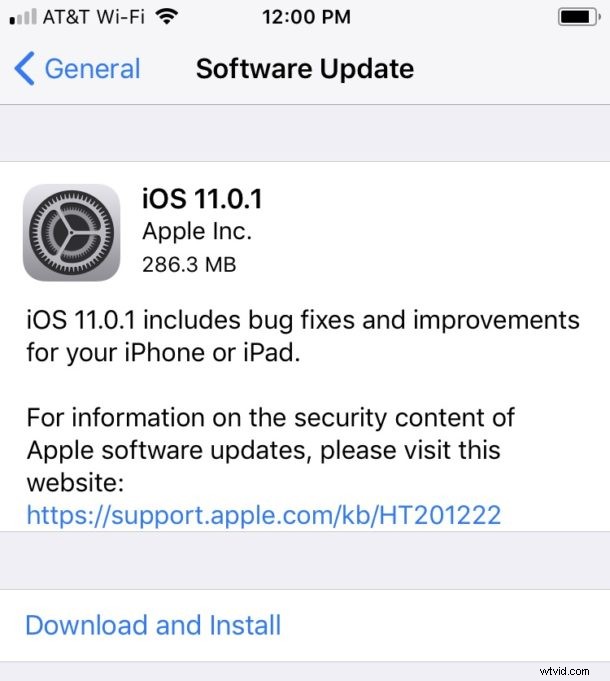
Limited release notes accompanying the iOS 11.0.1 software update say the build “includes bug fixes and improvements for your iPhone or iPad.” It’s unclear if the iOS 11.0.1 software update will address any reported iOS 11 battery life problems, problems with Outlook and Microsoft email, or other issues encountered with the recent iOS 11 release, but the update is recommended to install for everyone on iOS 11, whether or not they are experiencing software issues since updating their iPhone or iPad.
Updating to iOS 11.0.1
Users can download and install iOS 11.0.1 from the Software Update mechanism found on their iPhone or iPad. Be sure to backup your device before installing the update.
- Open the Settings app > General > Software Update
- Choose “Download & Install” when iOS 11.0.1 becomes available
The download is around 280 MB on iPad and iPhone.
iOS 11.0.1 Update Not Appearing?
If you do not yet see the iOS 11.0.1 software update available you may need to quit the Settings app and relaunch.
Users who are still enrolled in the beta program may need to remove the iOS beta profile to find the update available on their iPhone or iPad. It is a good idea to reboot the device after removing a beta profile, and then returning to Settings app where you will find the software update available to download.
Sometimes simply waiting a bit before relaunching Settings app can be necessary to make a freshly released software update visible on a particular device.
Users who have yet to update to iOS 11 will find the iOS 11.0.1 update available for updating instead of the .0 release.
iOS 11.0.1 IPSW Direct Download Links
Users who prefer to update to iOS 11.0.1 with firmware can use the direct download links below, each link points to IPSW downloads on Apple servers. These files can be used to manually install iOS 11 with IPSW firmware if desired, but generally speaking the firmware update process is best reserved for more technically advanced users.
- iPhone 8 (10,4)
- iPhone 8 Plus (10,5)
- iPhone 7
- iPhone 7 Plus
- iPhone 6s
- iPhone 6s Plus
- iPhone 6
- iPhone 6 Plus
- iPhone SE
- iPhone 5S
- iPad Pro 10.5-inch model
- iPad Pro 12.9-inch model (2nd generation)
- iPad Pro 12.9‑inch model (1st generation)
- iPad Pro 9.7‑inch model (1st generation)
- iPad 9.7-inch model (2017)
- iPad Air 2
- iPad Air 1
- iPad mini 4
- iPad mini 3
- iPad mini 2
- iPod touch (6th generation)
iOS 11 includes a variety of new features and improvements to the mobile operating system, you can explore some of the best features in iOS 11 here if you are unfamiliar of what’s new in the software update.