

Apple has released iOS 12.1.4 for iPhone and iPad, the new update resolves the serious Group FaceTime security flaw that existed in prior iOS 12.1.x builds that allowed for unauthorized eavesdropping of a FaceTime call. The update is recommended for all iOS users, and is necessary for those wishing to use Group FaceTime.
Separately, Apple has also released an updated version of macOS Mojave labeled as a MacOS Mojave 10.14.3 Supplemental Update to patch the same security flaw with Group FaceTime for Mac users.
How to Download & Install iOS 12.1.4
The easiest way to update to iOS 12.1.4 on an iPhone or iPad is from the Software Update area of the iOS Settings app. Be sure to backup iPhone or iPad to iCloudor iTunes before starting any iOS update.
- Open the “Settings” app on the device, then go to “General” and to “Software Update”
- When you see “iOS 12.1.4” as available, tap on “Download & Install” to start the download and installation process
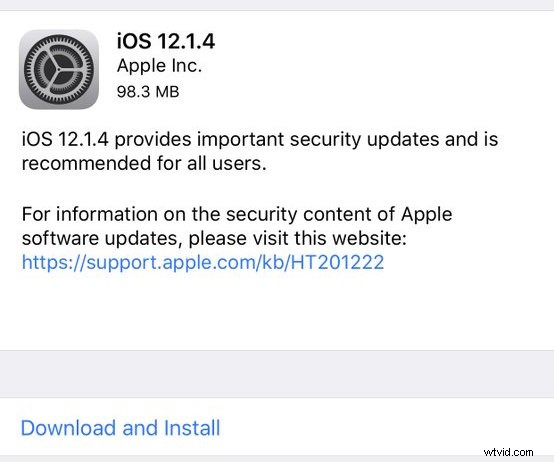
The iPhone or iPad will install the iOS 12.1.4 update automatically and restart itself to complete the software update.
Another option is to install iOS 12.1.4 through iTunes on a Mac or Windows computer by connecting the device to a computer running iTunes and choosing the ‘Update’ button in iTunes.
After you have installed iOS 12.1.4 on the iPhone or iPad you will be able to use Group FaceTime chat on iOS again. If you’re aiming to Group FaceTime with Mac users they will need to install the latest MacOS system software update as well.
If you had previously manually turned off Group FaceTime on iOS (or Mac) as a security measure, you will want to turn the feature back on again before it can be used. Re-enabling FaceTime is a matter of going to the iOS Settings app > FaceTime > then toggling the “FaceTime” switch to the ON position.
iOS 12.1.4 IPSW Download Links
The following links to iOS 12.1.4 IPSW firmware files are pointing to the .ipsw files for this release on Apple servers:
- iPhone XS Max
- iPhone XS
- iPhone XR
- iPhone X
- iPhone 8
- iPhone 8 Plus
- iPhone 7
- iPhone 7 Plus
- iPhone 6s
- iPhone 6s Plus
- iPhone 6
- iPhone 6 Plus
- iPhone SE
- iPhone 5s
- iPad Pro 11 inch 2018 model
- iPad Pro 12.9 inch 1st generation
- iPad Pro 12.9 inch 2nd generation
- iPad Pro 12.9 inch 3rd generation 2018 model
- iPad Pro 9.7 inch
- iPad Pro 10.5 inch
- iPad 9.7 inch 2017 model
- iPad 9.7 inch 2018 model
- iPad Air 2
- iPad Air 1
- iPad mini 4
- iPad mini 3
- iPad mini 2
- iPod touch 6th generation
Using IPSW for iOS updates requires iTunes and is generally considered advanced, most iPhone and iPad users can simply install the iOS update through Settings or iTunes as normal.
iOS 12.1.4 Release Notes
Release notes accompanying iOS 12.1.4 are as follows:
The accompanying security release notes detail several bugs that were addressed, including two for FaceTime.
The new iOS 12.1.4 build is versioned as 16D57.