
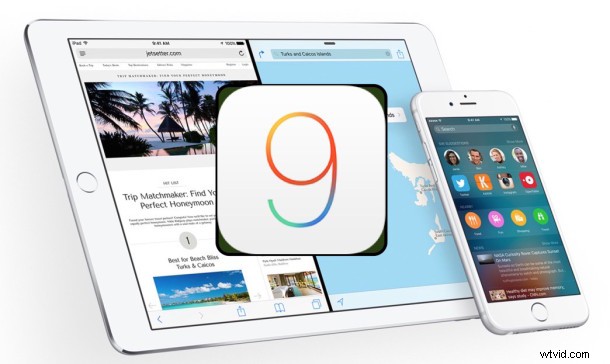
Apple has released the final version of iOS 9 for compatible iPhone, iPad, iPod touch models. The new system software includes a variety of enhancements and refinements to the mobile experience, including a smarter Siri, battery life improvements, split-view multitasking for iPad, media support in Notes app, and more.
You’ll find each way to update to iOS 9 below, including direct download links for iOS 9 IPSW files.
If you haven’t done so yet, you may want to clean house and get ready for iOS 9 before proceeding with installation, but that’s up to you.
Always backup the device before beginning an iOS update, either to iCloud or iTunes is fine, but backing up is important, do not skip this step.
Updating to iOS 9 the Easy Way
The easiest way to update to iOS 9 for most users is through the Over-the-Air Software Update mechanism on the iPhone, iPad, or iPod touch itself. This is also typically the fastest way to update iOS:
- Open the “Settings” app in iOS and go to “General” followed by “Software Update”
- When you see iOS 9 update as available, tap to ‘Download & Install’
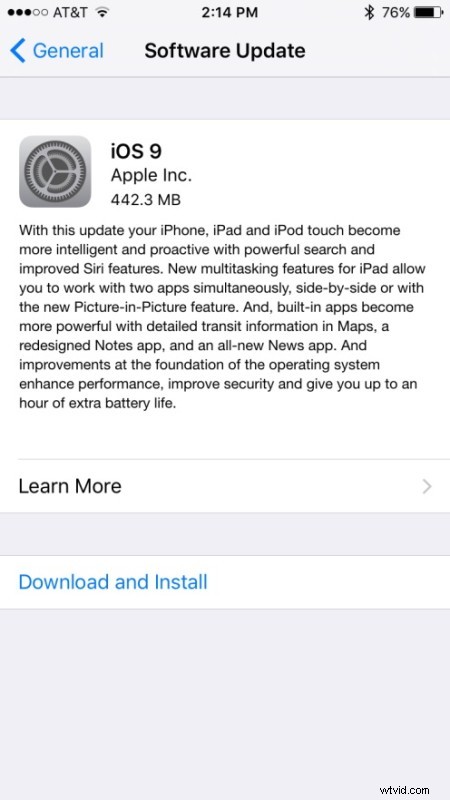
Installation proceeds on it’s own after iOS 9 has finished downloading, and the device will reboot itself to complete setup of iOS 9, including the option to configure Hey Siri and a 6-digit passcode for locking the device.
Installing iOS 9 via iTunes
Users can also choose to update to iOS 9 by connecting their iPhone, iPad, or iPod touch to a computer running a new version of iTunes and choosing to install the update when it has been detected and prompts the user.
iOS 9 IPSW Firmware Download Links
Advanced users may wish to update iOS 9 by using an IPSW firmware file. The following links are pointing to IPSW for iOS 9.0 on Apple servers. For best results, you may want to right-click the target file and choose to “Save As”, be sure the file downloading has a .ipsw extension:
iOS 9 IPSW for iPhone
- iPhone 6 Plus
- iPhone 6
- iPhone 5S – CDMA
- iPhone 5S – GSM
- iPhone 5 – CDMA
- iPhone 5 – GSM
- iPhone 5C – CDMA
- iPhone 5C – GSM
- iPhone 4S
iOS 9 IPSW for iPad
- iPad Air 2 – 6th generation Wi-Fi
- iPad Air 2 – 6th generation Cellular
- iPad Air – 5th generation Wi-Fi + Cellular
- iPad Air – 5th generation Wi-Fi
- iPad Air – 5th generation CDMA
- iPad – 4th generation CDMA
- iPad – 4th generation GSM
- iPad – 4th generation Wi-Fi
- iPad Mini 2 – CDMA
- iPad Mini 3 – China
- iPad Mini 3 – Wi-Fi
- iPad Mini 3 – Cellular
- iPad Mini – CDMA
- iPad Mini – GSM
- iPad Mini – Wi-Fi
- iPad Mini 2 – Wi-Fi + Cellular
- iPad Mini 2 – Wi-Fi
- iPad 3 Wi-Fi
- iPad 3 Wi-Fi + GSM
- iPad 3 Wi-Fi + CDMA
- iPad 2 Wi-Fi – Rev A
- iPad 2 Wi-Fi
- iPad 2 Wi-Fi + GSM
- iPad 2 Wi-Fi + CDMA
iOS 9 IPSW for iPod Touch
- iPod Touch – 6th-generation
- iPod Touch – 5th-generation
Updating iOS with firmware is slightly more technical, but can be advantageous for users who are installing the same update onto multiple same-model devices, which is fairly common in offices and various scale enterprise deployment situations. Additionally, using IPSW for an update can be necessary for more extreme troubleshooting scenarios, and some users just prefer to use them.
Seeing a “Software Update Failed. An error occurred downloading iOS 9” message?
If you see this error message, it’s likely because the Apple download servers are overloaded. Simply wait a few minutes and try again, the download should proceed as usual.
Most issues with a failed iOS 9 installation relate to overburdened servers, and waiting a bit usually resolves any download issues.
iOS 9 went through a developer beta and public beta process before being released to the general public, meaning that, in theory at least, it should be a well-tested update for compatible iPhone, iPad, and iPod touch models.
Meanwhile, alongside iOS 9 was supposed to arrive WatchOS 2.0 for Apple Watch owners, but apparently the WatchOS 2.0 release has been postponed due to a critical bug that was found at the last minute (according to CNBC). There isn’t an immediately known timeline for WatchOS 2.0 now, but we’ll be sure to post when the final version arrives, which will probably be in another few days. In the meantime, install iOS 9.
Separately, iTunes 12.3 as released as well, specifically with iOS 9 support.