

Apple has released iOS 8.4 for compatible iPhone, iPad, and iPod touch devices. The version most prominently features the inclusion of a redesigned Music app with the Apple Music service, a streaming music and radio feature with a separate monthly fee. iOS 8.4 also includes a few minor bug fixes and improvements to iBooks and the operating system itself, complete release notes for iOS 8.4 are repeated below.
Always backup the iOS device to iCloud or iTunes before updating system software.
Download & Install iOS 8.4
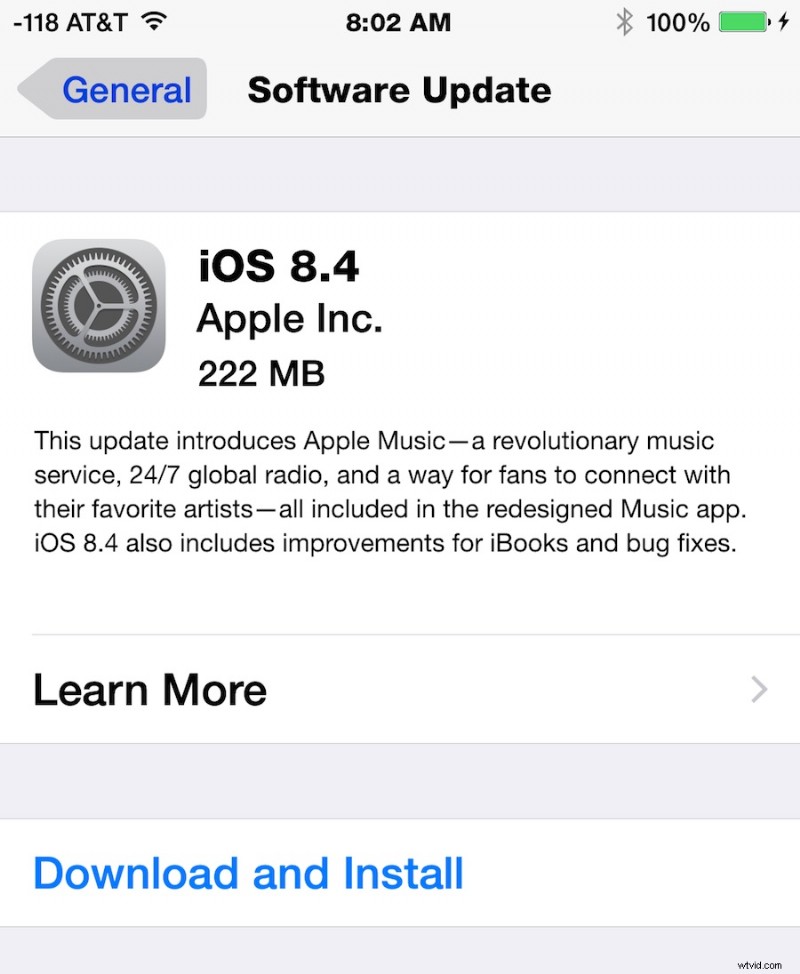
The simplest way to download and install iOS 8.4 is through the Software Update mechanism on the iPhone, iPad, or iPod touch.
- Open Settings, go to “General”, then go to “Software Update”
- Choose “Download and Install” when the iOS 8.4 update becomes available
Users can also choose to install the update through iTunes and a computer, or manually with firmware files. However you choose to install iOS 8.4, do not forget to back up the device beforehand.
iOS 8.4 IPSW Direct Download Links
Direct download links to iOS 8.4 IPSW firmware files are included below, right-click and choose “Save As” and be sure the file has a .ipsw file extension when saving. Using IPSW files to update is not particularly complicated, but it is generally best reserved for advanced users.
- iPhone 6 Plus
- iPhone 6
- iPhone 5s – GSM
- iPhone 5s – CDMA
- iPhone 5 – CDMA
- iPhone 5 – GSM
- iPhone 5c – CDMA
- iPhone 5c – GSM
- iPhone 4s
- iPad Air 2 – Wi-Fi
- iPad Air 2 – Cellular
- iPad Air – GSM Cellular
- iPad Air – Wi-Fi
- iPad Air – CDMA
- iPad 4 – 4th gen CDMA Cellular
- iPad 4 – 4th gen GSM Cellular
- iPad 4 – 4th gen Wi-Fi
- iPad Mini 3 – Wi-Fi
- iPad Mini 3 – Cellular
- iPad Mini 3 – (4,9) China model
- iPad Mini 2 – Wi-Fi + Cellular
- iPad Mini 2 – Wi-Fi
- iPad Mini 2 – CDMA
- iPad Mini – CDMA
- iPad Mini – GSM
- iPad Mini – Wi-Fi
- iPad 3 Wi-Fi
- iPad 3 – GSM
- iPad 3 – CDMA
- iPad 2 Wi-Fi (2,4)
- iPad 2 Wi-Fi (2,1)
- iPad 2 – GSM
- iPad 2 – CDMA
- iPod Touch 5th gen
Most users should update to iOS 8.4 through the OTA software update mechanism.
iOS 8.4 Release Notes
Separately, Mac users will find OS X 10.10.4 Yosemite Update available through Software Update.