
Apple has released iOS 8.4.1 for iPhone, iPad, and iPod touch. The update is primarily a bug fix release with improvements aimed at Apple Music, resolving various issues with iCloud Music Library and playlists. Additionally, some notable security updates are included in the iOS 8.4.1 release, making it a recommended update for users.
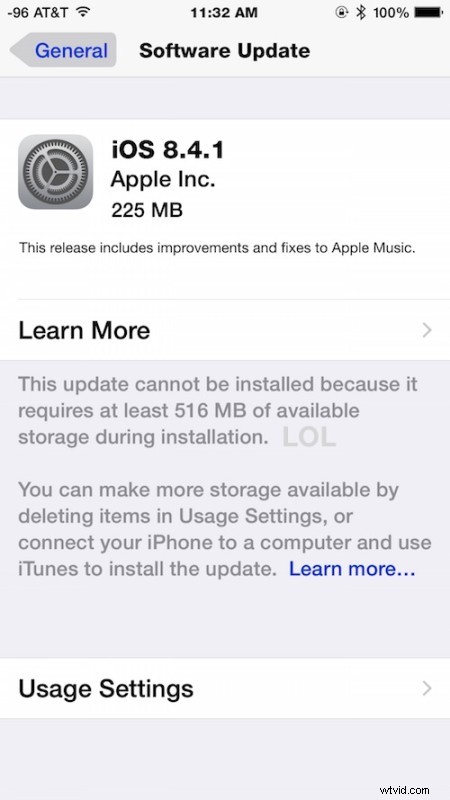
iOS devices require at least 550MB of free space available to install the small software update. Be sure to back up the iPhone, iPad, or iPod touch before attempting to install iOS 8.4.1, this insures you won’t lose data in the odd event something goes wrong with the update process.
Downloading iOS 8.4.1 Update on iPhone, iPad, or iPod Touch
The simplest way to download and install the iOS 8.4.1 update is through the OTA mechanism on the device. The OTA download weighs in around 225MB and requires a reboot to install.
- Open the “Settings” app on the iOS device then go to “General”
- Choose “Software Update” and then tap on “Download & Install”
Users can also choose to download and install iOS 8.4.1 through iTunes with any computer, though that requires a USB connection and iTunes running in Windows or Mac OS X.
iOS 8.4.1 IPSW Firmware Direct Download Links
Another option for advanced users is to install iOS 8.4.1 manually using IPSW. These IPSW firmware files are hosted on Apple servers, for best results right-click and choose to “Save As”, and be sure the file has a .ipsw extension.
- iPhone 6 Plus
- iPhone 6
- iPhone 5s (CDMA)
- iPhone 5s (GSM)
- iPhone 5c (CDMA)
- iPhone 5c (GSM)
- iPhone 5 (CDMA)
- iPhone 5 (GSM)
- iPhone 4s (Dualband)
- iPod touch (5th generation)
- iPod touch (6th generation)
- iPad Air 2 (6th generation)
- iPad Air 2 (6th generation Cellular)
- iPad Air (5th generation GSM Cellular)
- iPad Air (5th generation)
- iPad Air (5th generation CDMA)
- iPad (4th generation CDMA)
- iPad (4th generation GSM)
- iPad (4th generation Wi-Fi)
- iPad Mini 3 (China)
- iPad Mini 3 (Wi-Fi)
- iPad Mini 3 (Cellular)
- iPad Mini 2 (Wi-Fi + Dualband Cellular)
- iPad Mini 2 (Wi-Fi)
- iPad Mini 2 (CDMA)
- iPad Mini (CDMA)
- iPad Mini (GSM)
- iPad Mini (Wi-Fi)
- iPad 3 (Wi-Fi)
- iPad 3 (GSM Cellular)
- iPad 3 (CDMA Cellular))
- iPad 2 (Wi-Fi Rev A 2,4)
- iPad 2 (Wi-Fi 2,1)
- iPad 2 (GSM)
- iPad 2 (CDMA)
Updating iOS by using IPSW is generally considered more advanced and is unnecessary for most users, it requires iTunes and a USB connection to complete the process.
iOS 8.4.1 Release Notes
A particularly notable security update included in iOS 8.4.1 is a patch which prevents jailbreaking, meaning that devices that have run the iOS 8.4 jailbreaks from TaiG should avoid installing the update if they wish to preserve their jailbroken status.
Separately, Apple has also released OS X 10.10.5 Yosemite for Mac users, a security update for older versions of OS X, and iTunes 12.2.2 for Mac and Windows.