
Apple has released the final version of iOS 9.3.2 to users with compatible iPhone, iPad, and iPod touch devices. The point release includes bug fixes and minor feature enhancements, and is recommended to install for users running a prior 9.0 release of iOS system software.
Perhaps the most obvious user facing change to iOS 9.3.2 is the ability to enable Night Shift mode along with Low Power Mode. Aside from that, other changes are bug resolutions and aim to resolve problems with dictionary definitions, Bluetooth failures, VoiceOver, and a few other problems. The release notes are included below.
Updating to iOS 9.3.2 on iPhone, iPad, iPod touch
The simplest way to update to iOS 9.3.2 is through the OTA mechanism on the device in question.
- Back up the device before beginning, either to iTunes or to iCloud
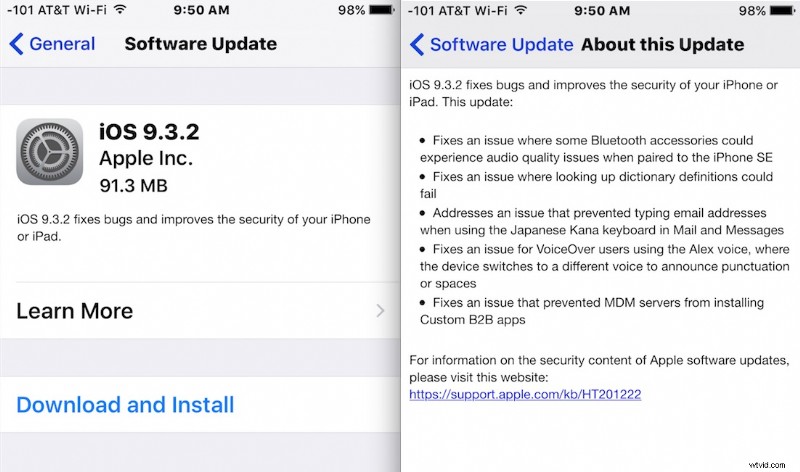
- Open the “Settings” app and go to “Software Update”
- Tap on “Download and Install” when iOS 9.3.2 appears
The device will reboot itself to successfully complete the install.
iOS 9.3.2 Release Notes
The release notes accompanying the download are brief:
• Fixes an issue where some Bluetooth accessories could experience audio quality issues when paired to the iPhone SE
• Fixes an issue where looking up dictionary definitions could fail
• Addresses an issue that prevented typing email addresses when using the Japanese Kana keyboard in Mail and Messages
• Fixes an issue for VoiceOver users using the Alex voice, where the device switches to a different voice to announce punctuation or spaces
• Fixes an issue that prevented MDM servers from installing Custom B2B apps
You’ll notice the release notes don’t mention the simultaneous use and scheduling Night Shift mode with Low Power Mode, but the ability exists.
iOS 9.3.2 IPSW Download Links
For users who prefer to update their iOS devices manually by using IPSW files in iTunes, you can download the appropriate firmware file for your iPhone, iPad, or iPod touch from the list below. Right-click and choose “Save As” and be sure the file includes the .ipsw file extension so that it can be recognized by iTunes.
- iPhone 6S
- iPhone 6S Plus
- iPhone SE
- iPhone 6
- iPhone 6 Plus
- iPhone 5C CDMA
- iPhone 5C GSM
- iPhone 5S CDMA
- iPhone 5S GSM
- iPhone 5 GSM
- iPhone 5 CDMA
- iPhone 4S
- iPad Pro 12 inch
- iPad Pro 12 inch Cellular Model
- iPad Pro 9 inch
- iPad Pro 9 inch Cellular Model
- iPad Air 2
- iPad Air 2 Cellular model
- iPad Air 4,2 Cellular model
- iPad Air 4,1
- iPad Air 4,3 China model
- iPad 4 CDMA
- iPad 4 GSM
- iPad 4
- iPad 3 GSM
- iPad 3 CDMA
- iPad 3
- iPad 2 2,4
- iPad 2 2,1
- iPad 2 GSM
- iPad 2 CDMA
- iPad Mini CDMA
- iPad Mini GSM
- iPad Mini
- iPad Mini 2 Cellular Model
- iPad Mini 2
- iPad Mini 2 4,6 China
- iPad Mini 3 4,9 China
- iPad Mini 3
- iPad Mini 3 Cellular Model
- iPad Mini 4
- iPad Mini 4 Cellular Model
- iPod Touch 5th-generation
- iPod Touch 6th-generation
Troubleshooting iOS 9.3.2 Install & Update Problems
A few of the common issues that are occurring when or after installing iOS 9.3.2 are as follows:
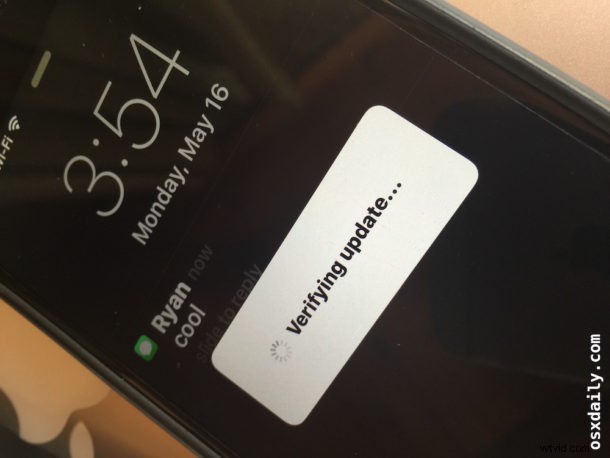
- Stuck on “Verifying” – just let it sit, be sure the iPhone, iPad, or iPod touch is connected to reliable wi-fi and ideally connected to a power source, this usually sorts itself out but can take a while
- Some iPad Pro users are reporting an “Error 56” connect to iTunes message when attemping to update to iOS 9.3.2 – if you see this message, you can either try to restore from iTunes (get the latest version 12.4), put the iPad into DFU mode and then restore from a backup, or try using iOS 9.3.1 IPSW if all else fails
- iPhone is hot and runs slow after installing iOS 9.3.2 – this is fairly common after any iOS update has been installed, simply let the device sit and finish cleanup and maintenance routine, the issue should sort itself out in about an hour
- Wi-Fi is slow or unreliable with iOS 9.3.2 – try resetting network settings (Settings > General > Reset), and use custom DNS if applicable
- Icons disappearing in App Store – force quit the App Store and relaunch to resolve this issue
Separately, Apple has also released iTunes 12.4, tvOS 9.2.1 for Apple TV, watchOS 2.2.1 for Apple Watch, and OS X 10.11.5 El Capitan for Mac users.
What has been your experience with iOS 9.3.2? Let us know in the comments.