
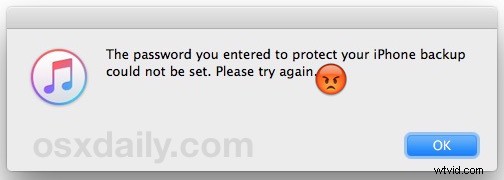
If you have attempted to enable backup encryption in iTunes for an iPhone, iPad, or iPod touch, you may encounter this fairly frustrating error message; “The password you entered to protect your iPhone backup could not be set. Please try again.” Assuming you do try again, you wind up in an endless loop of entering a password that iTunes refuses to accept for setting for the encrypted backup.
With virtually no lead on how to resolve the error other than an infinite loop of entering passwords and seeing the same dialog again, it’s easy to get frustrated and give up on encrypting the backup, but you don’t need to do that, as it turns out there’s usually a fairly simple solution to fixing this ‘password could not be set’ error message, though it’s certainly not even close to obvious.
 Here’s what you’ll need to resolve the “The password you entered to protect your iPhone backup could not be set. Please try again.” error message and successfully encrypt the backups in iTunes:
How to Fix iPhone backup “password could not be set” iTunes Error
- Quit iTunes
- Disconnect the iPhone from the USB cable connecting to the computer if it is currently connected
- Connect the iPhones Lightning / charging USB cable to the computer, then reconnect the iPhone to that USB cable
- Relaunch iTunes
- Go to the “Summary” tab for your connected device and click to enable encrypted backups again
- Enter the password to set as the encrypted backup password twice as usual, then back up the iPhone as usual
At this point the message should not appear again, and here’s the reason why: the iPhone has been connected to iTunes via USB, an apparent necessity for setting an encrypted backup password. It will not set over the wi-fi syncing connection. Despite there being no hint in that direction, you must have the device connected with a physical USB cable for it to work. Curiously, sometimes the device will be connected with USB when the warning first appears, which is why we’re quitting iTunes and disconnecting and reconnecting the USB connection again, as that seems to resolve the attempt at using wi-fi syncing instead of the physical connection.
Indeed this is a bit weird and not at all intuitive from the error message, but toggling the USB connection and setting the password as usual will resolve things.
By the way, you should absolutely use the encrypted backup feature for iPhone backups, otherwise your backups to iTunes won’t be as complete as you may think they are – missing passwords, health information, and the personal data. You must use encrypted backups in order to have those pieces backed up successfully to iTunes, though that is not the case with iCloud backups as those are encrypted automatically.