
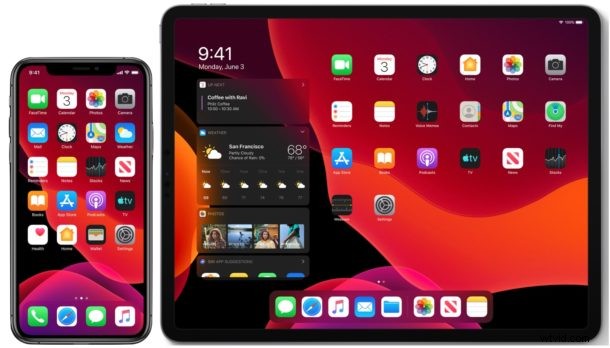
Apple has released iOS 13.7 for iPhone and iPod touch along with iPadOS 13.7 for iPad.
iOS 13.7 includes support for COVID “Exposure Notifications Express”, a feature that allows health authorities to participate in the COVID-19 Exposure Notification system without having to rely on a separate app. Currently, most regions, states, and localities do not support the COVID notification system, though many areas are apparently working on participating in the exposure notification program created by Apple and Google.
Aside from the coronavirus notification system changes, iOS 13.7 and iPadOS 13.7 also include small bug fixes as well.
How to Download iOS 13.7 & iPadOS 13.7 Updates
Before proceeding with any system software update, be certain to backup the iPhone or iPad to iCloud, iTunes, or to a Mac with Finder.
- Open the “Settings” app on the iPhone or iPad
- Go to “General”
- Go to “Software Update”
- Choose “Download & Install” for iOS 13.7 or iPadOS 13.7 update
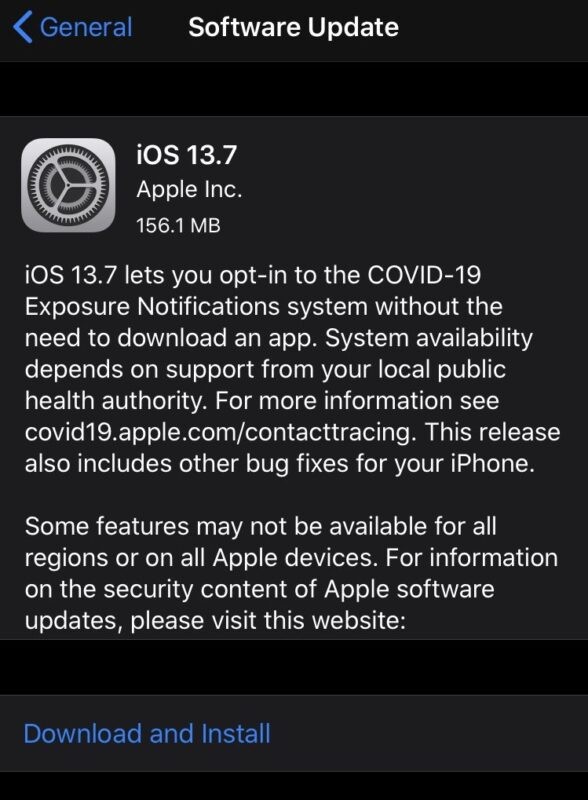
The update is relatively small but will require a reboot to finish installing.
Users can choose to update to iOS 13.7 and iPadOS 13.7 by using a computer as well, either with iTunes, or a Mac running Catalina or later with Finder.
More advanced users can also use IPSW firmware files to update their devices system software manually by using the links below and applying the firmware updates directly via Finder or iTunes.
iOS 13.7 IPSW Direct Download Links
- iPhone 11 Pro Max
- iPhone 11 Pro
- iPhone 11
- iPhone XS Max
- iPhone XS
- iPhone XR
- iPhone X
- iPhone 8
- iPhone 8 Plus
- iPhone 7 Plus
- iPhone 7
- iPhone SE 1st generation
- iPhone SE 2020 model, 2nd generation
- iPhone 6s
- iPhone 6s Plus
- iPod touch 7th generation
iPadOS 13.7 IPSW Direct Download Links
- iPad Pro 11-inch 2018
- iPad Pro 11-inch 2020
- iPad Pro 12.9-inch 1st generation
- iPad Pro 12.9-inch 2nd generation
- iPad Pro 12.9-inch 3rd generation – 2018
- iPad Pro 12.9-inch 4th generation – 2020
- iPad Pro 10.5-inch
- iPad Pro 9.7‑inch
- iPad 7 10.2-inch – 2019
- iPad 6 9.7-inch – 2018
- iPad 5 9.7-inch – 2017
- iPad Air 3 – 2019
- iPad Air 2
- iPad mini 5 – 2019
- iPad mini 4
iOS 13.7 Release Notes
iOS 13.7 and iPadOS 13.7 are likely on the later end of available system software updates for versions 13 of iOS and iPadOS, as iOS 14 and iPadOS 14 are under active development.