
Apple has released iOS 15.4 for iPhone, and iPadOS 15.4 for iPad. The new software updates for iPhone and iPad include a variety of new features, along with security enhancements and fixes.
iOS 15.4 includes iCloud Keychain notes, official support for using Face ID when wearing a mask, a gender neutral Siri voice option, an Apple Card widget, a stalking warning during AirTags setup, support for COVID EU digital vaccine passports, support for contactless payments using tap-to-pay, and dozens of new Emoji icons.
Additionally, macOS Monterey 12.3, watchOS 8.5, and tvOS 15.4 are also available.
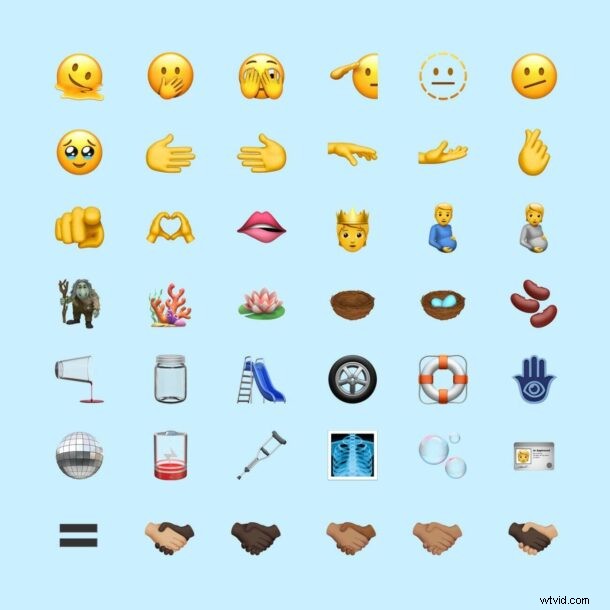
The new Emoji icons available in iOS 15.4 and iPadOS 15.4 include a melting face, a troll, a pregnant man, finger pointing at you, salute, disco ball, biting lip, bubbles, a face with tears, hands forming a heart, empty nest, empty jar, x-ray, coral reef, beans, and more.
How to Download & Update to iOS 15.4 on iPhone
Always backup iPhone to iCloud, Finder, or iTunes before beginning a software update.
- Open the “Settings” app on iPhone
- Go to “General”
- Choose “Software Update”
- Choose to “Download and Install” for iOS 15.4 when it shows as available
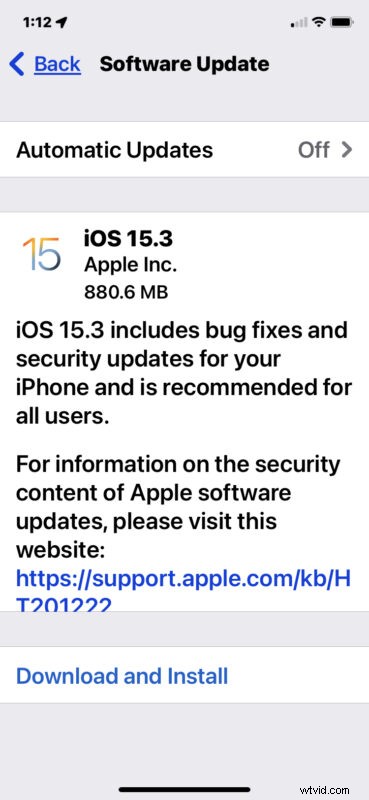
The update will require the device to restart to complete installation.
Optionally, users can choose to update their devices through Finder or iTunes, or by using IPSW firmware files, available to download from the links below.
iOS 15.4 IPSW Download Links
- iPhone 13 Pro Max
- iPhone 13 Pro
- iPhone 13 mini
- iPhone 13
- iPhone 12
- iPhone 12 Pro
- iPhone 12 mini
- iPhone 12 Pro Max
- iPhone 11 Pro Max
- iPhone 11 Pro
- iPhone 11
- iPhone XS Max
- iPhone XS
- iPhone XR
- iPhone X
- iPhone 8
- iPhone 8 Plus
- iPhone 7 Plus
- iPhone 7
- iPhone SE 3rd Generation
- iPhone SE 2nd Generation
- iPhone SE 1st Generation
- iPhone 6s
- iPhone 6s Plus
- iPod touch 7th Generation
iOS 15.4 Release Notes
Release notes included with iOS 15.4 are as follows:
Separately, Apple also released iPadOS 15.4, macOS Monterey 12.3 with support for Universal Control, along with updates to watchOS 8.5 and tvOS 15.4.