
Apple has released iOS 14.2 and iPadOS 14.2, the latest updates to the iOS 14 and iPadOS 14 operating systems.
iOS 14.2 and iPadOS 14.2 include bug fixes and improvements, along with a few smaller features like an addition of the Shazam music identification widget. Additionally, the new software updates include over a hundred new emoji icons, including pinched fingers, a plunger, beaver, Dodo bird, ninja, anatomical heart and lungs, coin, transgender symbol, transgender flag, more gender neutral emojis of humans, multiple insects, plants, a variety of animals including bison and mammoth, and much more. There are also new wallpapers available in the release. The update is recommended for all users running a prior iOS 14 or iPadOS 14 release.
Separately, Apple released MacOS Catalina 10.15.7 Supplemental Update for Macs running Catalina, tvOS 14.2 for Apple TV, and watchOS 7.1 for Apple Watch, and iOS 12.4.9 for older iPhone and iPad models.
How to Download iOS 14.2 & iPadOS 14.2 Updates
Before installing any system software update, always be sure to backup the iPhone or iPad to iCloud, iTunes, or to backup to a Mac with Finder. Failure to backup could result in data loss.
- Open the “Settings” app on iPhone or iPad
- Go to “General”
- Select “Software Update”
- Choose to “Download & Install” the iOS 14.2 or iPadOS 14.2 update when they are shown as available
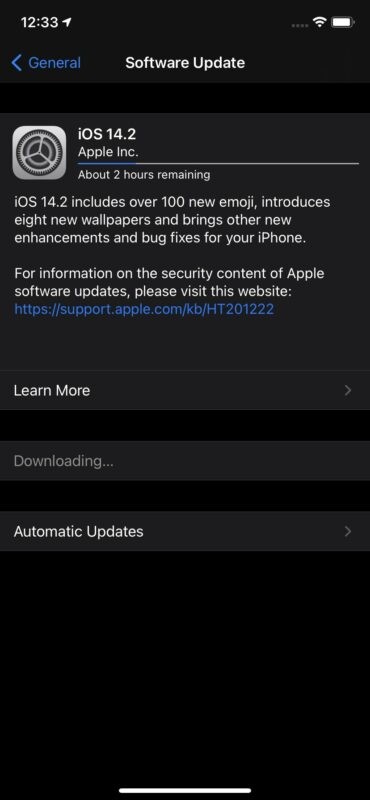
Completing installation will require the device to reboot.
Users can also decide to update to iOS 14.2 and iPadOS 14.2 by using a computer. This can be done either with iTunes on an older Mac or Windows PC, or a Mac with Finder running Big Sur or Catalina. Doing ether computer based update requires a USB cable and connecting the device to a computer.
Another option is also available to advanced users, and that is updating their devices by using IPSW firmware files. The links below point to the firmware updates for particular devices, which can then be installed using Finder or iTunes.
iOS 14.2 IPSW Direct Download Links
- iPhone 12
- iPhone 12 Pro
- iPhone 11 Pro Max
- iPhone 11 Pro
- iPhone 11
- iPhone XS Max
- iPhone XS
- iPhone XR
- iPhone X
- iPhone 8
- iPhone 8 Plus
- iPhone 7
- iPhone 7 Plus
- iPhone 6s
- iPhone 6s Plus
- iPhone SE – 2nd Generation
- iPhone SE – 1st generation
- iPod touch – 7th generation
iPadOS 14.2 IPSW Direct Download Links
- 12.9 inch iPad Pro – 4th generation
- 12.9 inch iPad Pro – 3rd generation
- 12.9 inch iPad Pro – 2nd generation
- 12.9 inch iPad Pro – 1st generation
- 11 inch iPad Pro – 2nd generation
- 11 inch iPad Pro – 1st generation
- 9.7 inch iPad Pro
- 10.5 inch iPad Pro
- iPad Air – 4th generation
- iPad Air – 3rd generation
- iPad Air 2
- 10.2 inch iPad – 8th generation
- 10.2 inch iPad – 7th generation
- iPad – 6th generation
- iPad – 5th generation
- iPad mini – 5th generation
- iPad mini 4
iOS 14.2 Release Notes
Release notes accompanying the iiOS 14.2 download for iPhone and iPod touch are as follows:
iPadOS 14.2 Release Notes
Relaease notes for iPadOS 14.2 for iPad are slightly different, with some iPad specific caanges:
If you have any particular noteworthy experiences or thoughts about iOS 14.2 and iPadOS 14.2, feel free to share in the comments below.