
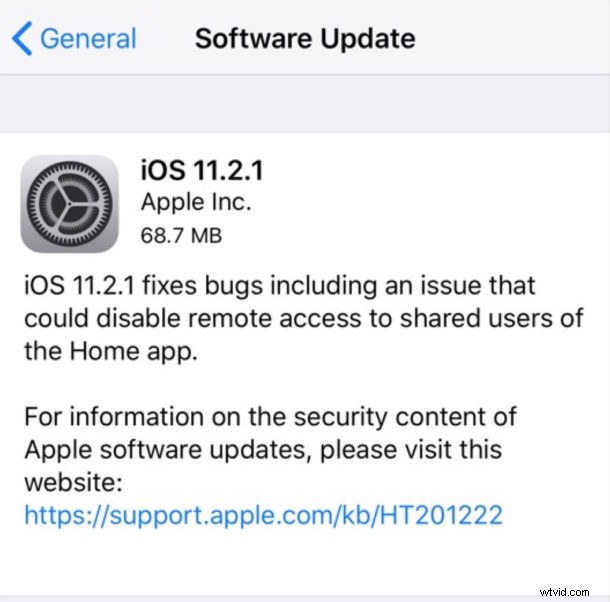
Apple has released iOS 11.2.1 for compatible iPhone, iPad, and iPod touch models. The small point release update includes an important security fix for a HomeKit vulnerability which could allow for unauthorized access to HomeKit devices and accessories.
Additionally, tvOS 11.2.1 is available as an update for Apple TV users with the same HomeKit security fix.
iPhone, iPad, iPod touch, and Apple TV users who use HomeKit devices should update to iOS 11.2.1 sooner than later to patch the security bug, whereas people who do not have or use any HomeKit devices will find less urgency to install the software update. It’s unclear if iOS 11.2.1 and tvOS 11.2.1 include any other bug fixes or security enhancements aside from the HomeKit patch, but the release notes accompanying the download do not mention anything else.
Wait, What is HomeKit?
Some of you are probably reading this and wondering what HomeKit is in the first place. For some quick background, HomeKit devices include various internet connected home devices, ranging from smart lightbulbs, thermostats, fans, cameras, heating and cooling, outlets, speakers, amongst many other accessories and devices. HomeKit equipped devices can be interacted with from an iOS device via Siri or via the “Home” app.
For example, HomeKit capable smart lightbulbs can be turned on remotely via the Home app or with Siri by issuing a voice command like “hey Siri, turn on the bedroom lights”. HomeKit devices can also be placed onto a schedule, for example you could configure a HomeKit thermostat to automatically warm a house at 4pm or turn lights off at 11pm.
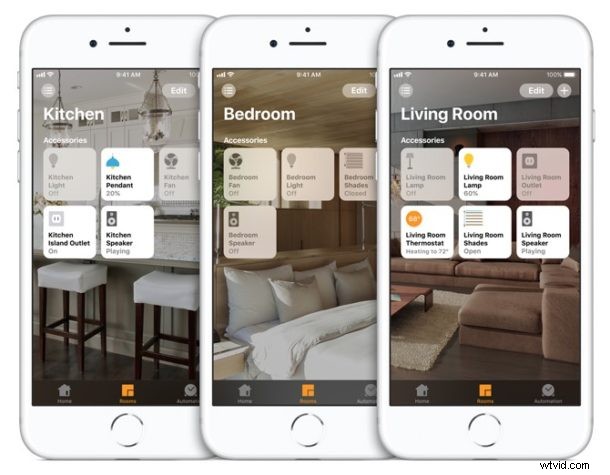
Thus, if you use HomeKit or plan on using HomeKit, you would want to update to iOS 11.2.1 so that can continue to use the HomeKit devices without a potential security issue.
Download & Update to iOS 11.2.1
The easiest way to download and install iOS 11.2.1 is through the OTA on-device update mechanism. Always backup an iPhone or iPad before installing any iOS software update.
- Open the “Settings” app in iOS
- Go to “General”
- Choose “Software Update” and select “Download and Install” when iOS 11.2.1 is shown as available
The OTA update is around 70mb, and like all other iOS software updates will require a reboot to complete installation of.
Users can also choose to downloadd the update through iTunes, or install the update using IPSW firmware files below.
iOS 11.2.1 IPSW Firmware Download Links
Users can choose to directly download firmware IPSW files from Apple servers using the links below:
- iPhone X
- iPhone 8
- iPhone 8 Plus
- iPhone 7
- iPhone 7 Plus
- iPhone 6s
- iPhone 6s Plus
- iPhone 6
- iPhone 6 Plus
- iPhone SE
- iPhone 5s
- iPad Pro 10.5-inch
- iPad Pro 12.9-inch 1st generation
- iPad Pro 12.9-inch 2nd generation
- iPad Pro 9.7‑inch model
- iPad 9.7″ 2017 model (5th gen? 6th gen?)
- iPad Air 2
- iPad Air 1
- iPad mini 4
- iPad Mini 3
- iPad mini 2
- iPod Touch 6th generation
Apple has been fairly aggressive with software updates lately, iOS 11.2 was released a little over a week ago for iPhone and iPad, and macOS 10.13.2 for Mac was released recently as well.