
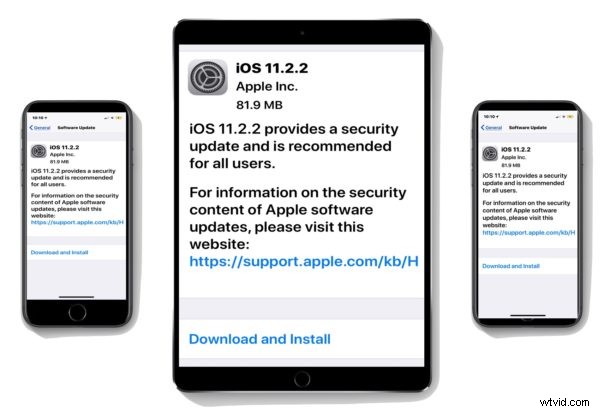
Apple has released iOS 11.2.2 for iPhone and iPad. The new software update provides a security improvement to presumably address the Meltdown and Spectre security vulnerabilities, and is therefore recommended for all iPad and iPhone users to install on their compatible devices.
The simplest way to download and install iOS 11.2.2 is through the Software Update mechanism on the device itself, however users can also use iTunes, or use IPSW firmware files. iOS 11.2.2 will install on any device compatible with iOS 11.
Mac users will also find Mac software updates available to help ward off the same security vulnerability.
How to Install iOS 11.2.2 Update
The simplest way to update to iOS 11.2.2 is through the OTA mechanism within the Settings app of iOS.
Always backup the device to iCloud or iTunes, or both, before installing any iOS software update.
- Open the “Settings” app and go to “General” and then to “Software Update”
- When iOS 11.2.2 appears, choose to “Download and Install”
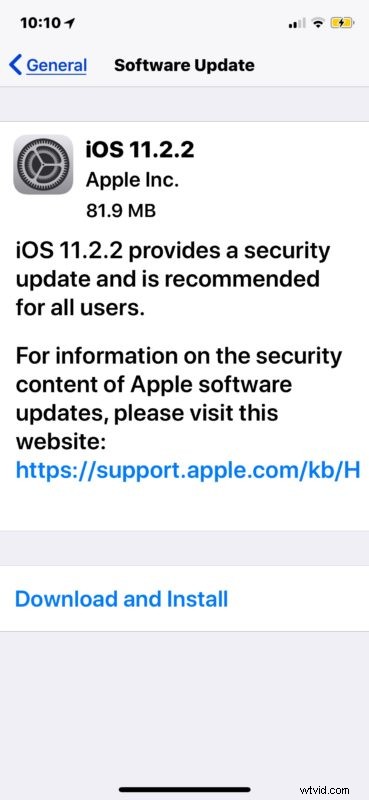
The iPhone or iPad will download the update, reboot, install the software update, and then reboot again.
Users can also choose to install iOS 11.2.2 through iTunes with a device connected to a computer, or through IPSW firmware files, available to download at the links below.
iOS 11.2.2 IPSW Firmware Download Links
The following IPSW file links point directly to the respective device firmware file on Apple servers, for best results right-click a link and choose “Save As” and be sure it saves with a .ipsw file extension so that iTunes can recognize the firmware.
- iPhone X
- iPhone 8
- iPhone 8 Plus
- iPhone 7
- iPhone 7 Plus
- iPhone 6s
- iPhone 6s Plus
- iPhone 6
- iPhone 6 Plus
- iPhone SE
- iPhone 5s
- iPad Pro 10.5 inch
- iPad Pro 12.9 inch 1st generation
- iPad Pro 12.9 inch 2nd generation
- iPad Pro 9.7‑inch
- iPad 9.7 inch 2017 model not-pro
- iPad Air 2
- iPad Air 1
- iPad Mini 4
- iPad Mini 3
- iPad Mini 2
- iPod Touch 6th generation
Anyone can install iOS by using IPSW, though it’s generally considered advanced and requires a computer, iTunes, and a USB cable.
iOS 11.2.2 Security Release Notes
The security specific release notes for iOS 11.2.2 contain the following information:
Separately, Mac users will find updates to download for Safari 11.0.2 and macOS 10.13.2 High Sierra Supplemental Update that also helps to patch the web browser against the Meltdown and Spectre security flaws.