
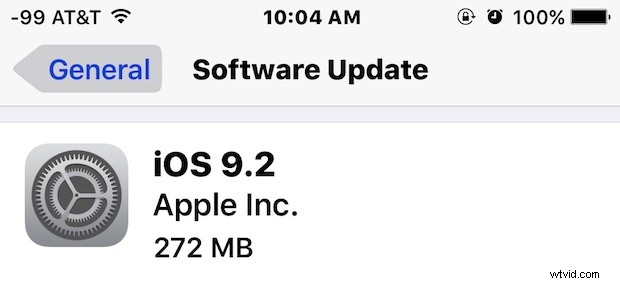
Apple has released iOS 9.2 for compatible iPhone, iPad, and iPod touch devices. The latest version includes a variety of bug fixes and improvements to various iOS features, and also includes support for the MailDrop feature from the iOS Mail app.
Complete release notes for iOS 9.2 and IPSW download links are available below.
Download & Install iOS 9.2 the Easy Way
The easiest way to download and install iOS 9.2 on any iPhone, iPad, or iPod touch is through Software Update on the device:
- Back up the iOS device to iTunes and/or iCloud before beginning
- Open the Settings app and go to “General” then to “Software Update”
- When iOS 9.2 appears, scroll down to tap on “Download & Install”
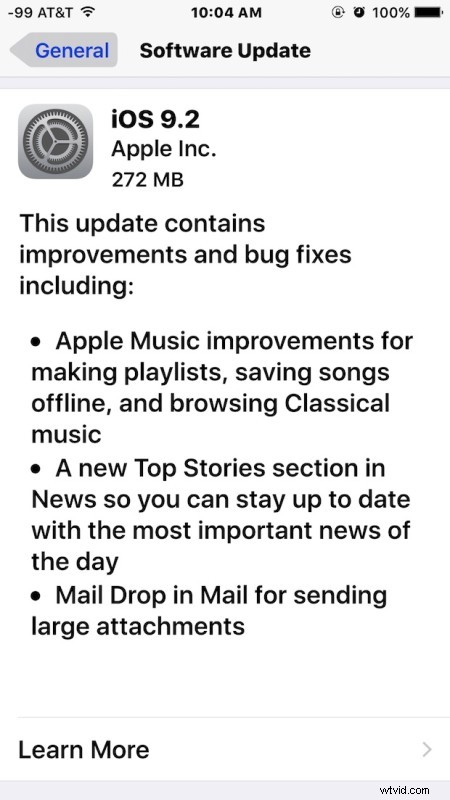
Agree to the terms and services (after thoroughly reading them, of course, good bed time reading), and the device will download and install the update, rebooting to complete the installation process.
Users can also choose to download and install the update through iTunes by connecting the iPhone, iPad, or iPod touch to a computer with a USB cable.
iOS 9.2 IPSW Direct Download Links
Advanced users can also install the update using IPSW and iTunes by downloading the appropriate version from the links below. These links are directly to Apple servers, for best results right-click and choose “Save As”, being sure the download has a .ipsw file extension:
- iPhone 6s
- iPhone 6s Plus
- iPhone 6
- iPhone 6 Plus
- iPhone 5s (CDMA)
- iPhone 5s (GSM)
- iPhone 5 (CDMA)
- iPhone 5 (GSM)
- iPhone 5c (CDMA)
- iPhone 5c (GSM)
- iPhone 4s (Dualband)
- iPad Pro (Wi-Fi)
- iPad Pro (Cellular)
- iPad Air 2 (6th gen Wi-Fi)
- iPad Air 2 (6th gen Cellular)
- iPad Air (5th gen Cellular)
- iPad Air (5th gen Wi-Fi 4,1)
- iPad Air (5th gen 4,3)
- iPad (4th gen CDMA)
- iPad (4th gen GSM)
- iPad (4th gen Wi-Fi)
- iPad Mini (CDMA)
- iPad Mini (GSM)
- iPad Mini (Wi-Fi)
- iPad Mini 2 (4,5 Cellular)
- iPad Mini 2 (4,4 Wi-Fi)
- iPad Mini 2 (4,6 China model)
- iPad Mini 3 (4,9)
- iPad Mini 3 (4,7 Wi-Fi)
- iPad Mini 3 (4,8 Cellular)
- iPad Mini 4 (Wi-Fi)
- iPad Mini 4 (Cellular)
- iPad 3 Wi-Fi
- iPad 3 (GSM)
- iPad 3 (CDMA)
- iPad 2 Wi-Fi (2,4)
- iPad 2 Wi-Fi (2,1)
- iPad 2 (GSM)
- iPad 2 (CDMA)
- iPod Touch (5th gen)
- iPod Touch (6th gen)
iOS 9.2 Release Notes
The video below walks through updating iOS on an iPhone using the Software Update mechanism on the device itself.
Separately, Apple has also released OS X 10.11.2 El Capitan for Mac, WatchOS 2.1 for Apple Watch, and tvOS 9.1 for Apple TV 4th generation.