
Apple has released iOS 11.1.1 for iPhone, iPad, and iPod touch, a minor point release update with bug fixes. The update is recommended for all users running a prior version of iOS 11.
Notably, the iOS 11.1.1 software update aims to fix the prolific and annoying bug which causes the “i” character to be replaced with a question mark box. Additionally, the minor update apparently fixes an issue where Hey Siri voice activation stops working. It’s unclear if other bugs or issues are also addressed in the software update.
Users can download the iOS 11.1.1 update through the Settings app, iTunes, or as IPSW firmware files.
How to Download and Install iOS 11.1.1 Update
The easiest way to get iOS 11.1.1 is through the OTA update mechanism in Settings app. Always backup an iPhone or iPad before installing any software update, even minor point release updates.
- Open the “Settings” app in iOS and go to “General” and then to “Software Update”
- Choose to “Download and Install” when iOS 11.1.1 becomes visible
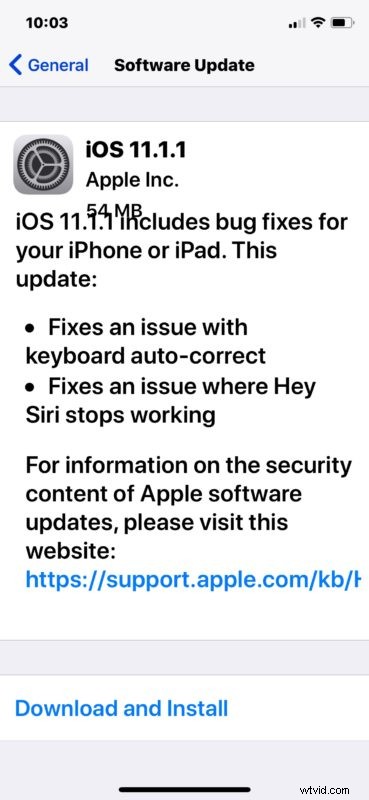
The iPhone or iPad will update and reboot automatically to complete the installation.
Users can also install iOS 11.1.1 through iTunes by connecting their device to a computer and updating to the latest iOS release when it becomes available.
After iOS 11.1.1 is installed users can return to their text replacement Settings and remove the “i” entry they may have added to get around the annoying question mark box auto-correct bug.
iOS 11.1.1 IPSW Firmware Download Links
Some users may prefer to use IPSW firmware files for updating their iOS software. The links below point directly to firmware downloads on Apple servers:
- iPhone X
- iPhone 8
- iPhone 8 Plus
- iPhone 7
- iPhone 7 Plus
- iPhone 6s
- iPhone 6s Plus
- iPhone 6
- iPhone 6 Plus
- iPhone SE
- iPhone 5s
- iPad Pro 10.5″ model
- iPad Pro 12.9″ model 2nd generation
- iPad Pro 12.9″ model 1st generation
- iPad Pro 9.7″ model 1st generation
- iPad 9.7″ 2017 regular model
- iPad Air 2
- iPad Air 1
- iPad Mini 4
- iPad Mini 3
- iPad Mini 2
- iPod Touch 6th generation
Using IPSW to update iOS is considered advanced, but is not particularly difficult.