
Apple has released iOS 16.0.2 for iPhone users, the first bug fix software update since iOS 16 debuted last week.
The 16.0.2 update includes fixes for the annoying “Allow Paste” popup issue, addresses a problem where some iPhone 14 Pro devices cameras were vibrating, resolves an issue with black screens during device setup, and more. The update also apparently includes important security patches, making it recommended for any iOS 16 user to install on their iPhone.
How to Download iOS 16.0.2 Update
Be sure to backup the iPhone to iCloud or a computer with iTunes or Finder before beginning.
- Open the “Settings” app on iPhone
- Go to “General”
- Go to “Software Update”
- Choose to “Download and Install” for iOS 16.0.2
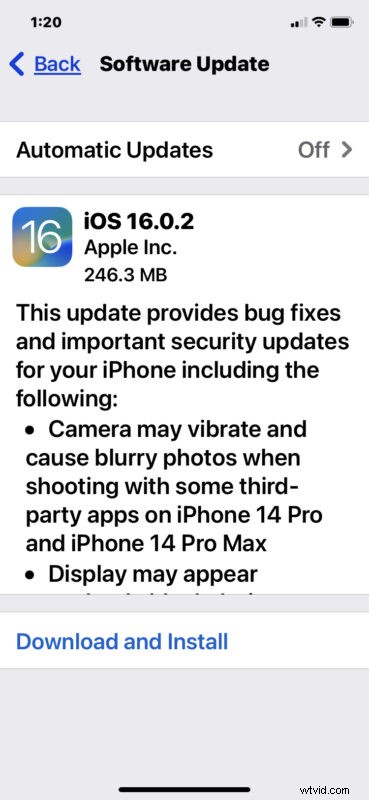
iOS 16.0.2 is around 300mb for most iPhones and shouldn’t take too long to download. Installing the update will require the device to restart as usual.
Optionally, you can install iOS 16.0.2 update through a computer by using Finder on a Mac, or iTunes on a Windows PC, or by using IPSW firmware files.
* Note: if you were running the iOS 16 betas to get an early look at iOS 16, you will receive beta updates until you leave the iOS 16 beta testing program. Removing the beta profile and restarting the iPhone will allow iOS 16.0.2 to show as available.
iOS 16.0.2 IPSW Download Links
- Updating…
iOS 16.0.2 Release Notes
Release notes accompanying the download are as follows:
If you notice anything noteworthy about iOS 16.0.2, any change to battery life, or have an interesting experience installing the update, let us know in the comments.