
iOS 15.0.2 and iPadOS 15.0.2 have been released with bug fixes and security updates for for the iPhone and iPad.
The update resolves an issue where Photos could be deleted if an iMessage thread was deleted, where AirTags might not appear in the Find My app, and resolves an issue with device updates through Finder or iTunes. The update is recommended for all users, whether or not they are having problems with iOS 15 or iPadOS 15.
How to Download & Install iOS 15.0.2 on iPhone or iPad
Be sure to backup your iPhone or iPad to iCloud, Finder, or iTunes before installing the system software update.
- Open the “Settings” app on iPhone or iPad
- Go to “General”, then select “Software Update”
- Choose to “Download and Install” iOS 15.0.2 or iPadOS 15.0.2 when it shows as available
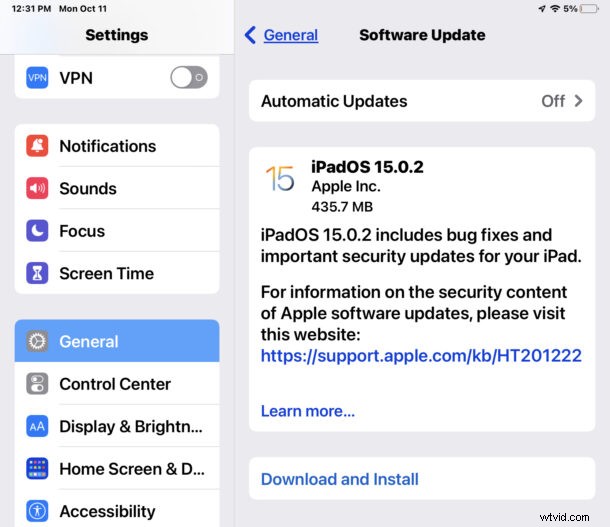
Updating to iOS 15.0.2 or iPadOS 15.0.2 requires the iPhone or iPad to start, as usual
iOS 15.0.2 IPSW Links
- Updating…
iOS 15.0.2 Release Notes
Release notes with the download are as follows:
Apple also released an update to Apple Watch users.