

Apple has released iOS 13.2.3 and ipadOS 13.2.3 for iPhone, iPad, and iPod touch, which includes bug fixes and improvements for devices running prior builds of iOS and iPadOS 13 system software.
The latest point release bug fix update resolves some issues with search features on the devices, an issue with Messages displaying content in the details view, resolves another issue with background activity, and fixes a problem with Mail app fetching new messages. The full release notes are included below for those who are interested. It’s possible that other bugs and minor adjustments have been made in iOS 13.2.3 and iPadOS 13.2.3 as well.
How to Download & Install iOS 13.2.3 or iPadOS 13.2.3 Update
Be sure to backup the iPhone or iPad to iCloud, iTunes, or a computer before installing system software updates to your device. Failure to backup could result in permanent data loss.
- Open the “Settings” app on iPhone or iPad
- Go to “General”, then choose “Software Update”
- Select “Download & Install” when the iOS 13.2.3 or iPadOS 13.2.3 update is shown as available to begin the download and installation process
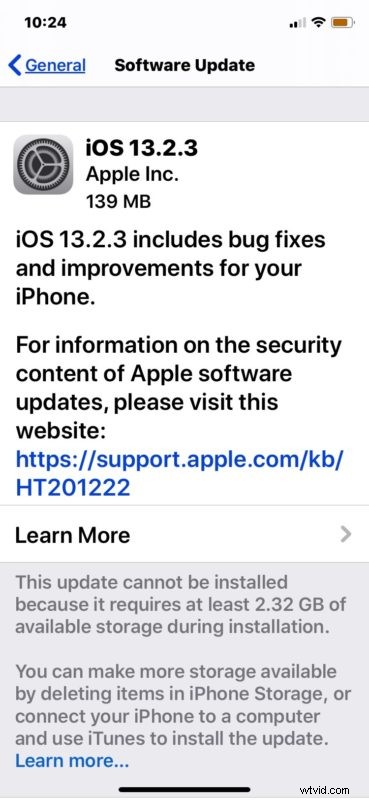
The iPhone or iPad will restart automatically to complete updating iOS and iPadOS.
Users can also choose to install iOS 13.2.3 and iPadOS 13.2.3 with a computer, either using iTunes on a Mac or Windows PC, or by using MacOS Catalina or later. This requires a USB cable.
Finally, advanced users can choose another method by using IPSW firmware files to manually update iOS and iPadOS.
iOS 13.2.3 IPSW Direct Download Links
- iPhone 11 Pro
- iPhone 11 Pro Max
- iPhone 11
- iPhone XS Max
- iPhone XS
- iPhone XR
- iPhone X
- iPhone 8
- iPhone 8 Plus
- iPhone 7 Plus
- iPhone 7
- iPhone SE
- iPhone 6s
- iPhone 6s Plus
- iPod touch 7th-generation
iPadOS 13.2.3 IPSW Direct Download Links
- iPad Pro 11-inch – 2018
- iPad Pro 12.9-inch 3rd generation – 2018
- iPad Pro 12.9-inch 2nd generation
- iPad Pro 12.9-inch 1st generation
- iPad Pro 10.5-inch
- iPad Pro 9.7‑inch
- iPad 7 10.2-inch – 2019
- iPad 6 9.7-inch – 2018
- iPad 5 9.7-inch – 2017
- iPad Air 3 10.5-inch – 2019
- iPad Air 2
- iPad mini 5 – 2019
- iPad mini 4
iOS 13.2.3 Release Notes / iPadOS 13.2.3 Release Notes
Relase notes accompanying the download for iOS 13.2.3 and iPadOS 13.2.3 are as follows: