
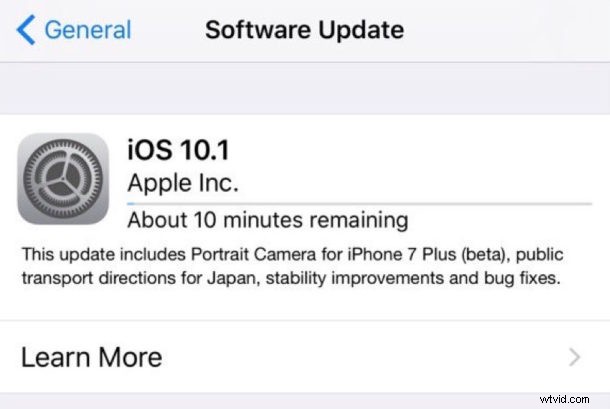
Apple has released iOS 10.1 for iPhone, iPad, and iPod touch. The latest version of iOS includes bug fixes and enhancements, but the most prominent feature is the inclusion of a Portrait camera mode ability for iPhone 7 Plus users.
Additionally, Apple has released a bug fix update for Apple Watch and Apple TV, versioned as watchOS 3.1 and tvOS 10.0.1 respectively. Mac users will also find a Sierra update available, versioned as macOS 10.12.1.
Update to iOS 10.1
All eligible devices can download and install iOS 10.1 update now, the easiest way to do so is through the Software Update mechanism in device Settings:
- Back up the device to iCloud or iTunes, or both
- Open the Settings app and go to “General” and “Software Update”
- Choose “Download & Install” on the iOS 10.1 update
Users can also update via iTunes and a computer, either directly with iTunes update or with IPSW links below. Either way be sure to backup the iPhone, iPad, or iPod touch before beginning.
iOS 10.1 IPSW Download Links
Advanced users can also update to iOS 10.1 using IPSW firmware files, right-click and choose “Download as” and be sure the file is saved with an IPSW extension.
- iPhone 7 Plus
- iPhone 7
- iPhone 6s
- iPhone 6s Plus
- iPhone 6
- iPhone 6 Plus
- iPhone SE
- iPhone 5s
- iPhone 5
- iPhone 5c
- 12.9 inch iPad Pro
- 9.7 inch iPad Pro
- iPad Air 2
- iPad Air
- iPad 4
- iPad Mini 4
- iPad Mini 3
- iPad Mini 2
- iPod touch 6th gen
iOS 10.1 Release Notes
Separately, Apple has also released macOS Sierra 10.12.1 for Macs, tvOS 10.0.1 for Apple TV, and watchOS 3.1 for Apple Watch.