
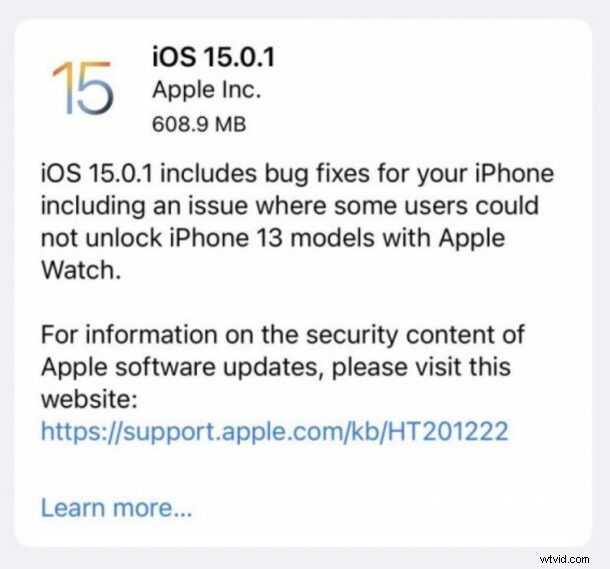
Apple has released iOS 15.0.1 and iPadOS 15.0.1 as the first bug fix update to address some of the issues with iOS/iPadOS 15.
Specifically, iOS 15.0.1 update resolves an issue where Apple Watch may not unlock with new iPhone 13 models, where Settings erroneously shows a storage full error, and an issue with Fitness+ workouts. No other bug fixes are specified, but it’s possible other smaller ones are included.
If you were experiencing any issues with the aforementioned features, you may be particularly motivated to install the iOS/iPadOS 15.0.1 software update on your iPhone or iPad.
How to Download & Install iOS 15.0.1 on iPhone or iPad
Always backup your iPhone or iPad before installing any system software update.
- Open the “Settings” app on iPhone or iPad
- Go to “General”, then choose “Software Update”
- Select to “Download and Install” iOS 15.0.1 or iPadOS 15.0.1
Installing iOS/iPadOS 15.0.1 requires the iPhone or iPad to reboot.
iOS 15.0.1 IPSW Links
- iPhone 13 Pro
- iPhone 12
- iPhone 12 Pro
- iPhone 12 mini
- iPhone 12 Pro Max
- iPhone 11 Pro Max
- iPhone 11 Pro
- iPhone XS Max
- iPhone XS
- iPhone 11
- iPhone XR
- iPhone X
- iPhone 8
- iPhone 8 Plus
- iPhone 7 Plus
- iPhone 7
- iPhone SE (2nd Generation)
- iPhone SE
- iPhone 6s
- iPhone 6s Plus
- iPod touch 7th generation
iPadOS 15.0.1 IPSW Links
- 12.9-in. iPad Pro (5th generation)
- 12.9-in. iPad Pro (4th generation)
- 12.9-in. iPad Pro (3rd generation)
- 12.9-in. iPad Pro (2nd generation)
- 12.9-in. iPad Pro (1st generation)
- 11-in. iPad Pro (3rd generation)
- 11-in. iPad Pro (2nd generation)
- 11-in. iPad Pro (1st generation)
- 10.5-in. iPad Pro
- 9.7-in. iPad Pro
- iPad mini (6th generation)
- iPad mini (5th generation)
- iPad mini 4
- iPad Air (3rd generation)
- iPad Air (4th generation)
- iPad Air 2
- iPad (5th generation)
- iPad (6th generation)
- 10.2-in. iPad (7th generation)
- 10.2-in. iPad ( 8th generation)
- 10.2-in. iPad (9th generation)
iOS 15.0.1 Release Notes
Release notes with the download are as follows: