
How to crop a video to the right size
If you’re the type of person who switches back and forth between shooting horizontal, vertical, or even square video on your phone, you probably know that certain social networks or printing needs don’t always fit with what was originally shot.
With the Online Video Cropper by Clideo, you can get the video size you want to suit your needs on any device without needing to download a special program or app to crop the video into the right format.
Selecting your video
Now you’ll learn how to crop video online. The first thing you’ll need to do is open the video cropping tool and select the necessary file. You can upload it from your Windows, Mac, Android, iPhone, or select it from Dropbox or Google Drive accounts. If you’re working on a computer, you can simply drag and drop the file onto the page
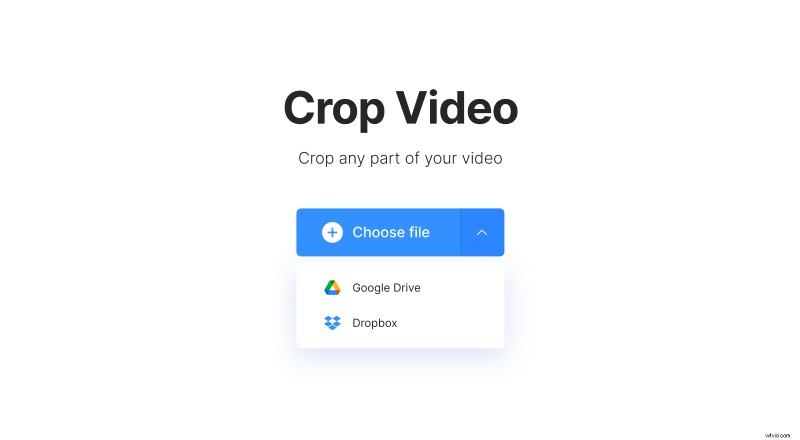
Once the video is selected, a progress bar will appear showing you the progress of the file upload. Be patient, it could take a few minutes if you’ve selected a very large video file or don’t have fast upload speeds on your internet connection.
Cropping the video
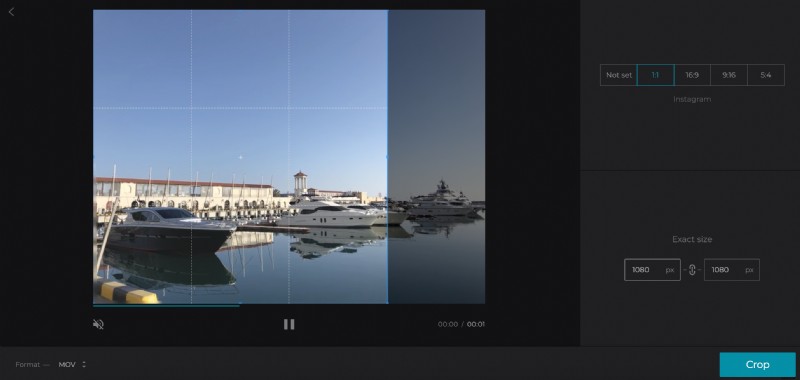
Now comes the fun part! Once the video is uploaded, you’ll see an image of it in the preview window.
To the right of the video preview, there are options to use pre-set dimensions, including 1:1 (square-shaped), 16:9 (letterbox), 5:4 (fullscreen) or 9:16 (vertical style). Select any one of those if you like and move the blue box to choose what part of the video you’d like to include.
Below there are boxes that allow you to manually set the dimensions to which you’d like to crop the video.
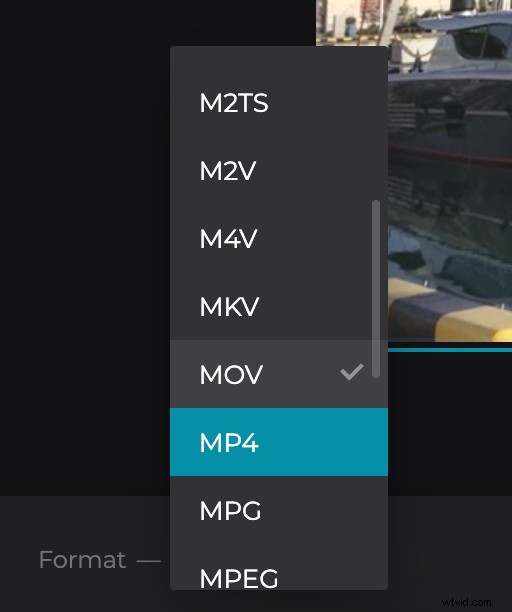
The app also allows you to choose a file format. Formats you can export the file into include popular video codecs such as MP4 (recommended for mobile), MOV, AVI, etc. Some social networks only accept video uploads in certain formats, you can check the one you need in the guide on social media specs.
When you are done selecting these options and choosing the area to crop, select the “Crop” button.
Preview and download your cropped video
Processing the video may take a few minutes depending on the size of the file. You can press the play button to see a preview of the cropped video file and go back to editing if it needs tweaking.
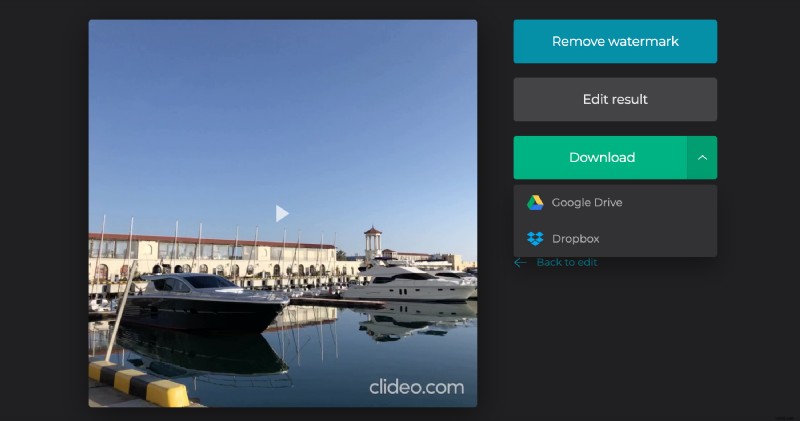
You can download the file directly to your device. Alternately, you can add the file to your Dropbox or Google Drive account.