REC
Recommended: Video Production, Editing & Gear Maintenance Guide
Recommended: Video Production, Editing & Gear Maintenance Guide
Top Video Editing Computers – Expert Picks & Buying Guide
Choosing the right machine is critical for smooth, high‑quality video editing. Below is a concise, evidence‑based guide that covers the key hardware components, compatibility considerations, and a curated list of the best computers for 4K and beyond. What Makes a Video‑Editing Computer Exceptional?
Master iPhone Video Editing: Simple Steps & Best Apps
Key takeaways: With the iPhone’s built‑in editor and iMovie, you can trim, crop, apply filters, and add captions. iMovie unlocks advanced customization—transitions, audio tweaks, and more—to elevate storytelling. Other iPhone editors such as Riverside, InShot, CapCut, and Splice offer unique featur
Convert Horizontal Videos to Vertical: 3 Methods (Preserve Quality)
Key takeawaysVertical videos are essential for social media platforms like Instagram Reels, TikTok, and YouTube Shorts.Converting horizontal videos to vertical format ensures better engagement and viewing experience.The easiest way to make a horizontal video vertical is with an online editor like Ri
Top Vlog Editing Software: Best Options for All Skill Levels & Devices
The difference between an edited and unedited video can significantly impact your vlog’s engagement. Well-edited vlogs draw viewers in and keep their attention. To make your vlogs as polished as possible, you’ll need access to the right editing tools. No matter what your editing skill level is, or w
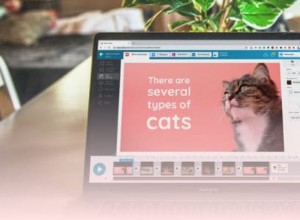
Enhance Videos: A Creator's Guide to Effective Text Overlays
Key takeaways:Benefits of overlays: Text overlays boost engagement, increase reach, and improve accessibility. Boost your brand: Strategic text placement and styling create brand consistency and improve content memorability.Make your text pop: Follow best practices for adding text to videos, such as
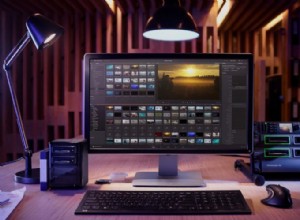
Build Your Ideal Video Editing Studio: Hardware & Ergonomics
Key takeaways: Start with the right hardware and ergonomics: A high-powered computer with a multi-core CPU, a capable GPU, at least 32GB of RAM, and a 4K monitor ensures smooth video editing. Pair this with ergonomic furniture, such as an adjustable desk and a supportive chair, for comfort during l
Effortless Video Trimming: A Guide for Mac, Windows & Mobile
Key takeaways:Trimming a video is relatively easy. You can do this on most video editing software, including native Windows, Mac, iOS, and Android apps.Trim using the timeline or text-based editing. Text-based editing tends to be faster and easier for beginners to master.Riverside provides easy text
Create Engaging Split-Screen Videos: Tools & Techniques
Key takeaways:A split-screen video shows multiple clips next to each other, all in the same frame.You can create split-screen videos directly on platforms like TikTok or Instagram. But you’ll get more flexibility with dedicated editing software.Look for software like Riverside, which lets you apply
Master Text-Based Video Editing: Edit Videos by Transcript Like a Pro
Key Takeaways: Text-based video editing lets you trim, rearrange, or delete footage by editing the transcript. With the right tools, cutting tangents, creating clips, or reorganizing scenes becomes as simple as deleting words. Riverside is a leading platform that offers fast, accurate transcription
Top 12 TikTok Video Editing Apps for 2026 – From Beginner‑Friendly to Pro‑Grade Tools
Key TakeawaysThe built‑in TikTok editor is adequate for quick edits, but external apps unlock advanced flexibility.Beginner‑friendly options include Riverside, CapCut, and Kinemaster.For polished, professional results consider Premiere Rush or LumaFusion.Looking to elevate your TikTok presence? The
Top 9 VEED Alternatives for Video Editing & Recording in 2024
Key takeaways:Your best overall veed alternative is RiversideYour best multi-track streaming alternative is OBSYour best free veed alternative for editing is KdenliveYour best AI video veed alternative is SynthesiaVEED is an online video editing platform that a lot of people work with. After all, it
Best Opus Clip Alternatives in 2024: Top 10 AI Video Editors
Opus Pro (also known as OpusClip) is a well known, AI-powered tool for turning long-form videos into short social media clips. But, its free plan is limited and costs can add up quickly on paid plans. Plus, while you might help you make a lot of AI-generated clips, not all of them are usable.Fortuna
Top 10 Video Editing Services for Professionals in 2026
After recording, the true creative work begins. But editing doesn’t have to be a time‑consuming burden. A professional video‑editing service handles post‑production, letting you focus on content creation while experts transform raw footage into polished, publish‑ready videos.Below we share a vette
Top 10 Video Editing Software for YouTubers in 2026 – From Beginners to Pros
Key takeaways:Best AI YouTube video editor: RiversideBest YouTube video editor for beginners: iMovieBest for intermediate users: Adobe Premiere ProBest for professionals: DaVinci ResolveBest for Mac: Final Cut Pro XBest for visual effects: HitFilm ExpressBest free options without watermarks: OpenSho
Top Online Video Editors for Every Skill Level – 2026 Guide
Editing videos directly in your browser offers convenience, speed, and accessibility—especially for creators who don’t want to install heavyweight software. Whether you’re a seasoned videographer or just starting out, the cloud‑based tools below deliver the core features you need while keeping your
Top 11 Wondershare Filmora Alternatives in 2026 – Expert‑Reviewed Video Editors
Wondershare Filmora remains a standout choice for video creators thanks to its intuitive interface and robust feature set. Yet, for newcomers and seasoned editors alike, exploring alternatives can unlock new workflows, advanced capabilities, and sometimes a more cost‑effective solution.Below is a co
Top 10 Video Trimmer Apps for 2026 – Free and Paid Options for Every Device
Ever shot a long‑form video and wished you could slice it into bite‑size, shareable clips? You don’t need a Hollywood‑grade editor to do that. With the right video trimmer app, anyone can trim, cut, and polish footage quickly and precisely. This guide walks you through the essential features of a vi
Top 10 Premiere Pro Alternatives for 2026: From Beginner-Friendly to Pro-Grade
Key takeaways: Best beginner‑friendly options: Riverside, Adobe Premiere Elements, and OpenShot. Top picks for seasoned editors: Pinnacle Studio, DaVinci Resolve, and PowerDirector 365. Leading free alternatives: OpenShot, DaVinci Resolve, and Lightworks. Searching for an Adobe Premiere Pro altern
Top 10 Video Editing Software for Macs in 2026 – Free & Premium Choices
Mac laptops are the industry standard for content creators, and selecting the right editing tool is essential to turning raw footage into polished productions. Whether you’re a hobbyist, a social‑media influencer, or a seasoned filmmaker, the right software will empower your creative vision and stre
7 Leading Kapwing Alternatives in 2026 – How to Pick the Right Video Editor
Seeking a Kapwing alternative because its feature set feels limited or its pricing seems steep? This guide breaks down Kapwing’s strengths and weaknesses, then profiles seven top alternatives, each offering unique capabilities that may better fit your workflow. What Is Kapwing? Kapwing is a cloud‑ba
Recommended Articles
Why Shade is Ideal for Portrait Photography: Avoid Harsh Shadows & Overexposure
Lutify.me LUTs: Seamless Compatibility for Capture One and Lightroom
Portrait vs. Landscape: When Portrait Format Isn't Best for Portraits
The 10 Best Training Video Platforms for Engaging, High‑Impact Learning
MGI VideoWave 4 Review: Best Beginner-Friendly Video Editing Software
Popular Articles
Why Shade is Ideal for Portrait Photography: Avoid Harsh Shadows & Overexposure
Lutify.me LUTs: Seamless Compatibility for Capture One and Lightroom
Portrait vs. Landscape: When Portrait Format Isn't Best for Portraits
The 10 Best Training Video Platforms for Engaging, High‑Impact Learning
MGI VideoWave 4 Review: Best Beginner-Friendly Video Editing Software