
Browsing RW2 photos and videos on the same GH5 memory card can be a problem for Windows 10 users. Here’s the solution.
If you’re like me when returning from a day of casual filming with the GH5, I’m sure your media folder gets filled with as many photographs as video files. Even on professional shoots, I’m prone to taking the odd behind-the-scenes snap.
The only problem is that Microsoft hasn’t issued an RW2 codec that works on the 64bit Windows 10 OS. As a result, you’ll have a folder that looks like the following.
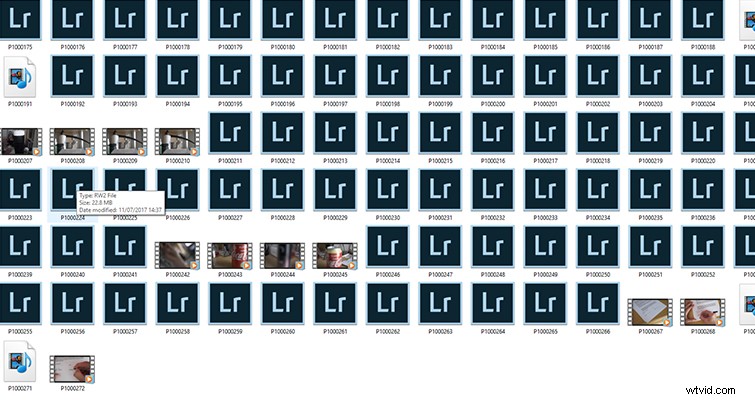
As such, you’ll find plenty of disgruntled Panasonic users flocking to the Microsoft forums hoping for a codec. Microsoft did issue a camera RAW codec back in 2013 that would display the RW2 files, but when a Windows 10 user attempts to install that codec, they see the following error.
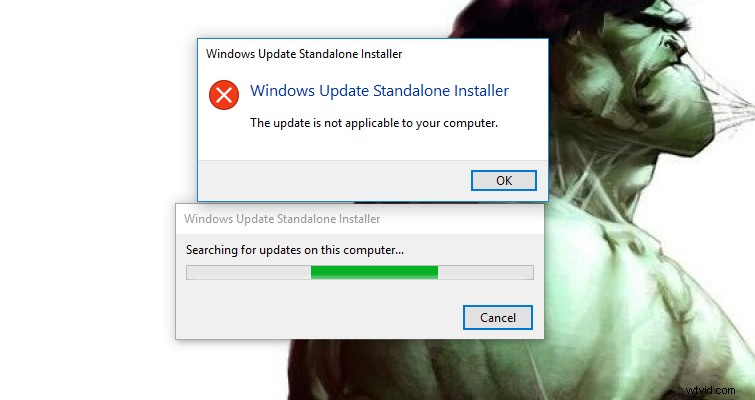
There hasn’t been a further update, and it looks like we won’t be getting one anytime soon.
It’s incredibly annoying because, to view each photograph, you have to open either Photoshop or Lightroom. Photoshop is only going to show you one image at a time, and while Lightroom, which does allow you to browse all photographs, becomes disjointed when you also have video files on your memory card. (It takes 5-10 seconds to process the video preview.) Perhaps all GH5 users who are experiencing this problem could just shoot in JPG, but where’s the fun in that?
Until Microsoft offers a codec solution to Windows 10 users, we’re going to have to find a workaround for simple thumbnail browsing. One such fix is FastPictureViewer. (Side note: this is not a sponsored post. I’ve tried and tested various picture viewers and codec packs such as FastStone Image Viewer, FastRawViewer, and Aftershot Pro.)
FastPictureViewer
FastPictureViewer is preview software that allows you to view, review, and delete pictures in seconds. The load time is only slightly slower than the default Windows photo application, and here’s the kicker: the next image loads almost immediately. By comparison, Lightroom takes about half a second to load the next image. At full resolution, I flicked through the images so fast it felt like I was watching a stop-motion animation.
For those on a budget, the $49 price tag for software just to view your RAW GH5 photos easily may be a little too much. However, you can also purchase the codec pack for just $9.99, which will allow you to open your RW2 files in Windows Photo Viewer. This will make your media folder look like the following.
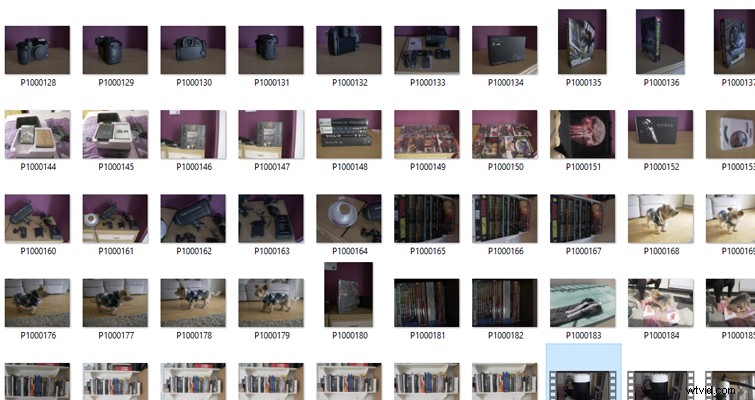
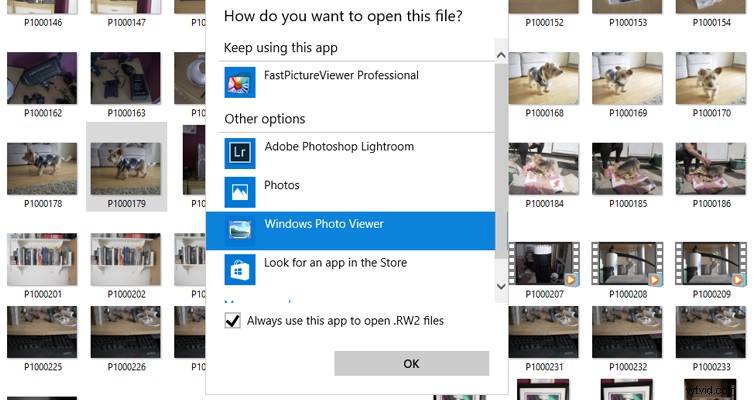
After installing the codec pack, simply right-click on the RW2 file and select the photos app, or Windows photo viewer, as the default. You can now browse the RW2 files just like they’re JPEGs.
Bonus: Microsoft initially hid the Windows Photo Viewer from Windows 10, but you can bring it back with a simple behind-the-scenes edit.