
Harness the power of modifier keys with this new After Effects keyboard.
Logickeyboard has released their new After Effects keyboard, and it’s a drastic improvement over the previous model. The design relies on an entirely new color system, focusing more on modifier keys such as ALT, SHIFT and CONTROL. This fresh look puts forty-four additional shortcuts at your fingertips, making your After Effects workflow that much smoother. Let’s take a closer look.
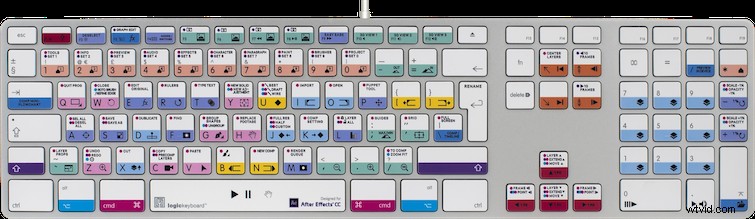
If you’ve ever worked with keyboard shortcuts, then you know how important modifier keys are. Using just one or two opens up a number of options. That’s exactly why Logickeyboard has paid more attention to these keys and their shortcuts. Modifier keys are color-coded in pink, blue and purple, so you can match these colors with shortcut keys to quickly reference all of the corresponding shortcuts available for that particular key.
Eight colors group keyboard shortcuts into the following categories:
- Layers and navigation
- Markers
- Open
- Time navigation
- Activate tools
- Properties in timeline
- Multi
- Timeline and workarea
If the color-coded system isn’t enough for you, check out the new After Effects cheat sheet available online at Logickeyboard’s website. Use this reference tool to search shortcuts by color or keyword and quickly find what you’re looking for.
Pick one of these up for $124.90 at the website.
Have you used Logickeyboard’s latest shortcut keyboard? Let us know in the comments.