
Seeking a Kapwing alternative because its feature set feels limited or its pricing seems steep? This guide breaks down Kapwing’s strengths and weaknesses, then profiles seven top alternatives, each offering unique capabilities that may better fit your workflow.
What Is Kapwing?
Kapwing is a cloud‑based video editor that blends a straightforward interface with AI‑powered tools. It targets social‑media creators who need polished videos quickly, without a steep learning curve.
Key Features
- Timeline editor: A clean, drag‑and‑drop interface for fast video cuts.
- AI video generator: Produce an entire clip—script, footage, and images—by simply typing a topic.
- Text‑to‑speech: 50 realistic voices to add narration.
- Text editor: Trim clips by editing the transcript directly.
- Video converter: Export to MP3, GIF, MP4, or JPEG.
- Video resizer: Resize for YouTube, TikTok, Instagram Stories, etc.
- Filters & effects: A wide library of visual enhancements.
- Music library: Access to royalty‑free tracks and sound effects.
- Background noise remover: Clean audio with one click.
- Templates: Ready‑made layouts for quick production.
- Transcription: AI translation in 70+ languages.
Pricing
Kapwing offers tiered plans that unlock additional features as you upgrade.
Free: 10 min auto‑subtitles, 10 min text‑to‑speech, 720p output.
Pro – $16 / member / yr: No watermark, 120‑min uploads, 300 min subtitles, 50 AI edits/month.
Business – $50 / member / yr: 900 min subtitles, 300 min TTS, 200 AI edits/month, clone 2 voices.
Enterprise: Custom limits, up to 4 cloned voices, dedicated account manager.
Pros and Cons
Pros
- AI‑driven tools: Reduce editing time.
- Multi‑format support: Video, audio, GIF, JPEG, etc.
- Comprehensive editing suite: trim, resize, add text, effects, subtitles.
- Collaborative editing: Real‑time teamwork in the browser.
- No installation required.
Cons
- No native mobile app.
- Requires a stable internet connection.
- Not a full‑featured professional editor.
- Transcription limited to 70+ languages.
7 Best Kapwing Alternatives for Video Editing
Below are seven alternatives that excel in distinct areas.
Riverside
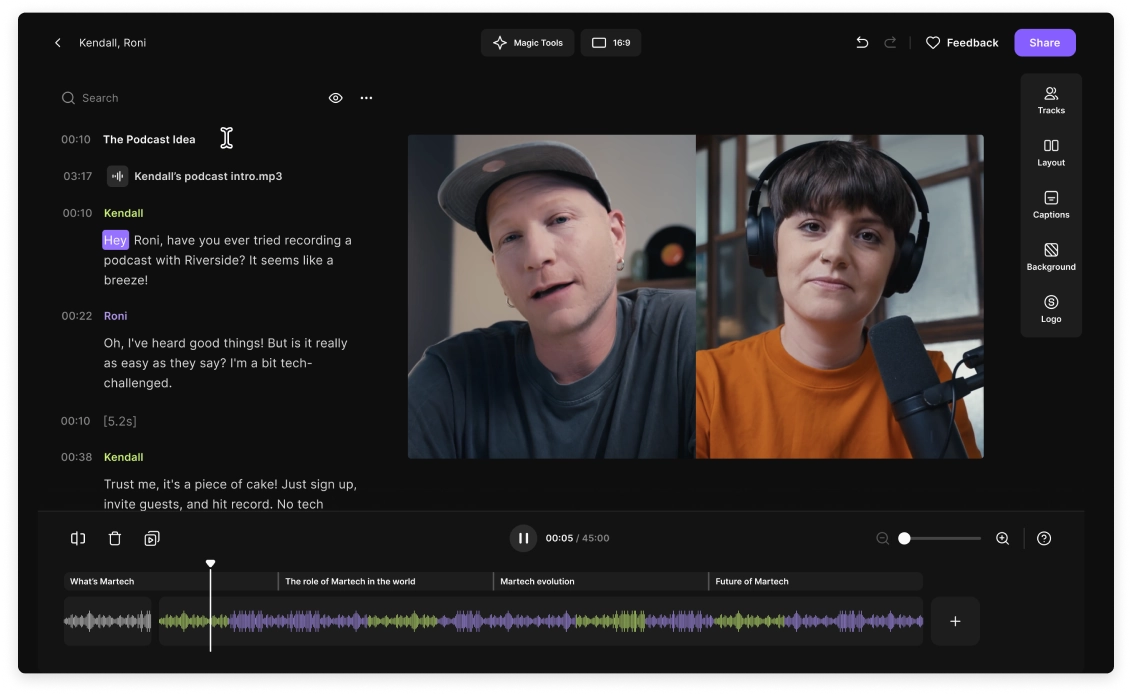
Riverside offers high‑quality recording and AI‑driven editing, making it a favorite for podcasters and video creators.
Key Features
- Text‑based editing: Remove sections by deleting transcript text.
- 4K video and 48 kHz lossless audio recording.
- Magic Clips: AI turns highlights into social‑media‑ready shorts.
- Customizable layouts, logos, and backgrounds.
- Separate audio/video tracks for granular control.
- One‑click background noise removal and audio normalization.
- Silence removal for tighter pacing.
- 100+ language transcriptions.
- Styleable captions and AI‑generated show notes.
Best for: Content creators who need a single platform for recording, hosting, and editing.
Riverside vs. Kapwing
- More generous free tier and lower paid rates.
- Improved interface and workflow.
- Transcriptions in 100+ languages vs. Kapwing’s 70+.
- Native recording outperforms Kapwing’s basic recording.
- Supports remote guests for interviews.
- Export directly to Premiere Pro.
- Separate tracks for each guest give maximum post‑production control.
- Kapwing’s AI video creation uses stock footage; Riverside focuses on original content.
Clipchamp
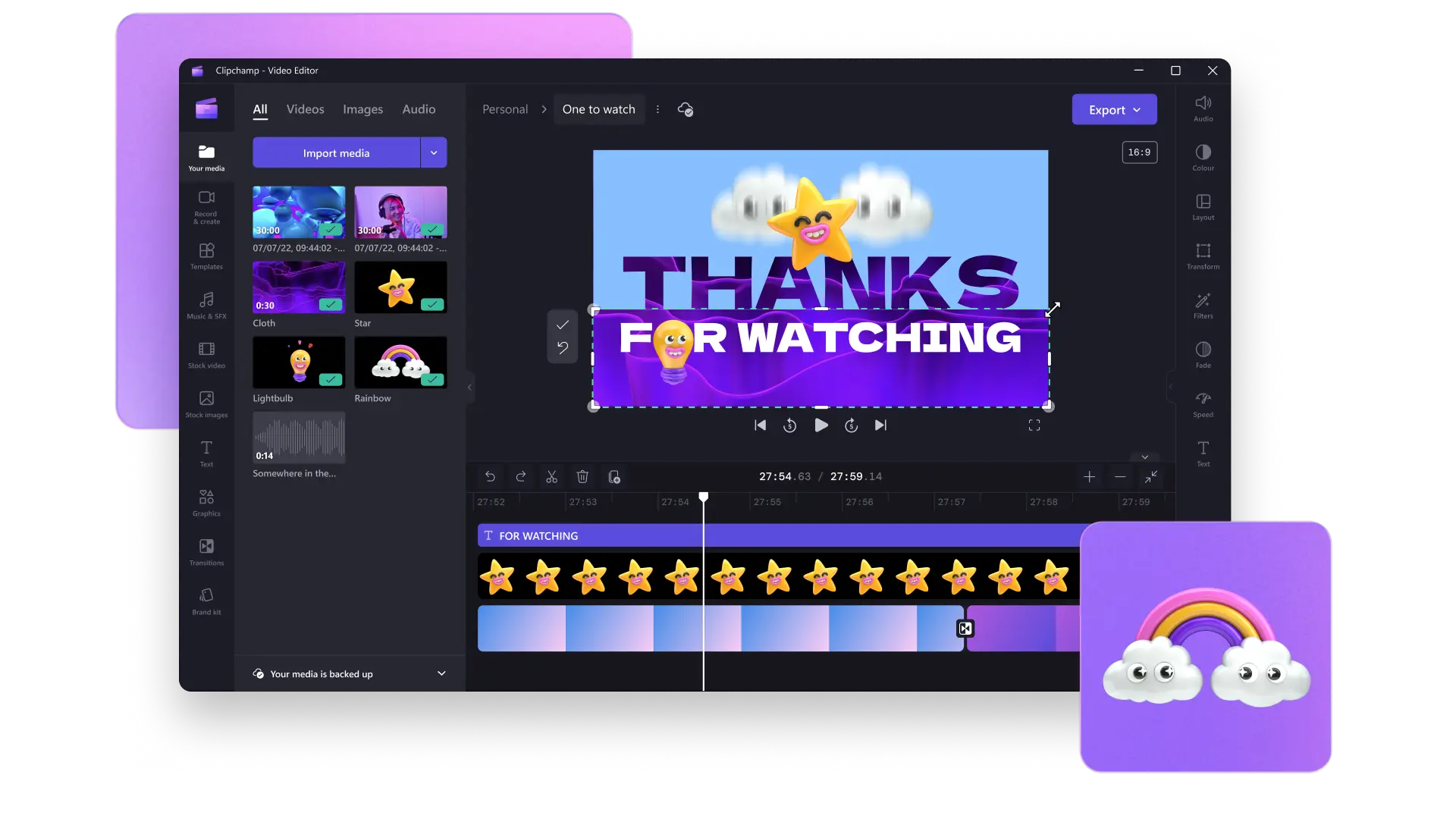
Acquired by Microsoft in 2021, Clipchamp is a browser‑based editor that’s especially friendly for Windows users.
Key Features
- Translation in 140+ languages and TTS in 70.
- Customizable voice, pitch, and pace.
- Aspect‑ratio resizer.
- Royalty‑free templates, filters, overlays, and graphics.
- Watermark‑free exports, even on the free plan.
- Trim, crop, resize, and screen recording.
- AI video editor that auto‑arranges media.
- Speaker coach provides real‑time feedback on pacing and filler words.
Best for: Users who want a robust AI voice suite and live speaker coaching.
Clipchamp vs. Kapwing
- Clipchamp supports 140+ languages vs. Kapwing’s 70+.
- 400+ lifelike voices for TTS.
- Voice analysis and improvement suggestions.
- Kapwing auto‑creates videos from stock media; Clipchamp requires user‑supplied footage.
- Clipchamp lacks Kapwing’s AI GIF and image creator.
Flexclip
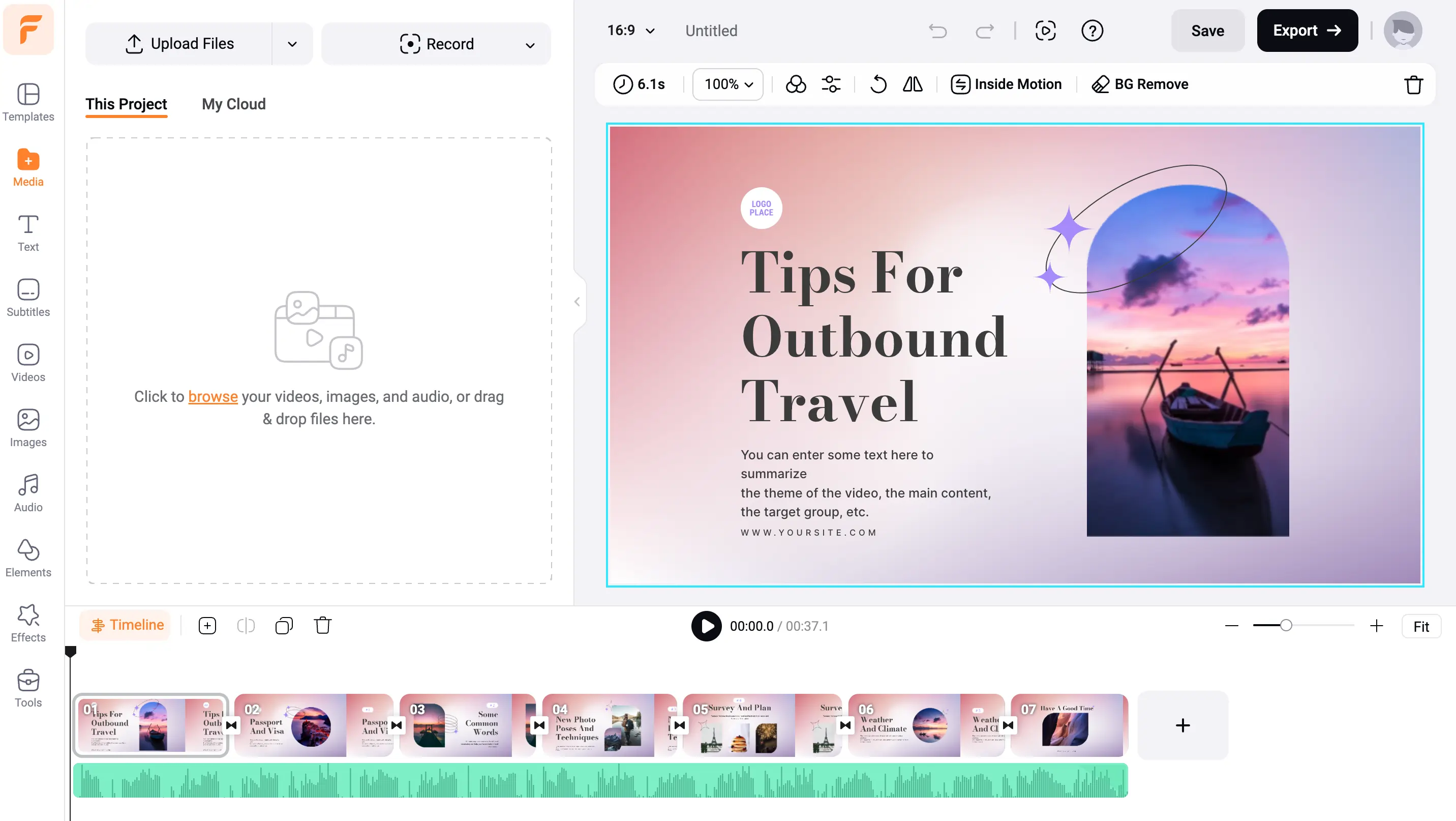
Flexclip is an intuitive online maker geared toward beginners creating social‑media, branding, and marketing videos.
Key Features
- Trim, merge, split, and color adjustments.
- 4 million‑asset stock library (music, videos, photos).
- Dynamic text animations, vector elements, transitions, and overlays.
- Text‑to‑video in various fonts and effects.
- AI subtitles in 140+ languages.
- Webcam and screen recording.
- AI tools: text‑to‑video, script maker, image generator, background removal, TTS.
Best for: Social‑media novices who need quick, polished videos.
Flexclip vs. Kapwing
- Kapwing’s AI text‑prompt video creator is more advanced.
- Flexclip offers a 7‑day money‑back guarantee; Kapwing does not.
DaVinci Resolve
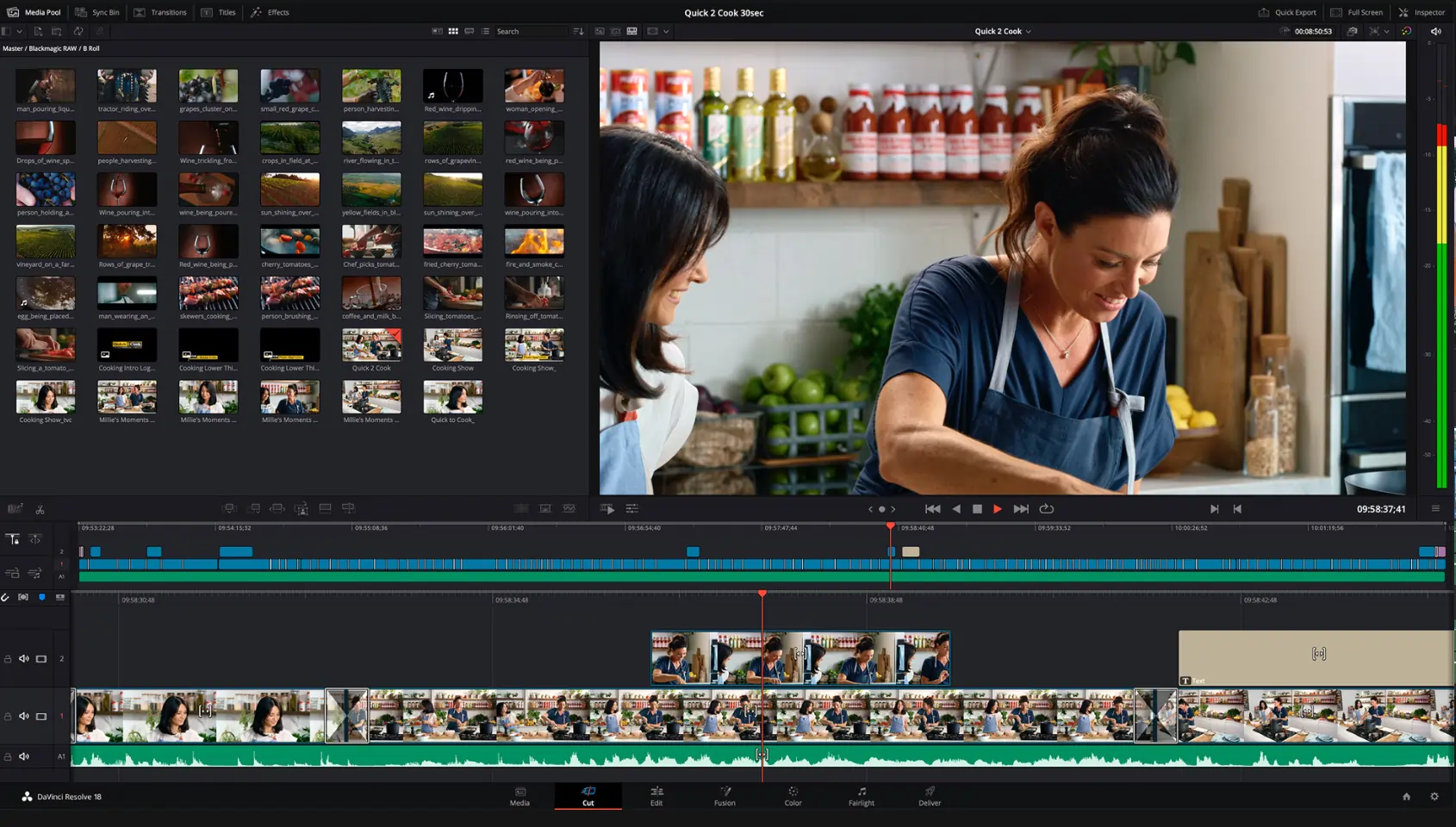
DaVinci Resolve is a professional‑grade editor that remains free for most features. It’s available on Windows and macOS.
Key Features
- Industry‑standard color correction and grading.
- Multi‑user collaboration across projects.
- DaVinci Neural Engine: facial recognition, upscaling, object isolation, tracking.
- Dedicated pages for editing, effects, and audio (Fairlight).
- Advanced visual effects and motion graphics.
- Text‑based editing for precise cuts.
- Object removal and AI voice isolation.
- Background noise removal.
Best for: Experienced editors seeking full creative control.
DaVinci Resolve vs. Kapwing
- Resolve offers complete professional tools that Kapwing lacks.
- Resolve does not provide quick AI generation (text‑to‑video, AI voiceovers).
- Kapwing transcribes in 70+ languages; Resolve in 14.
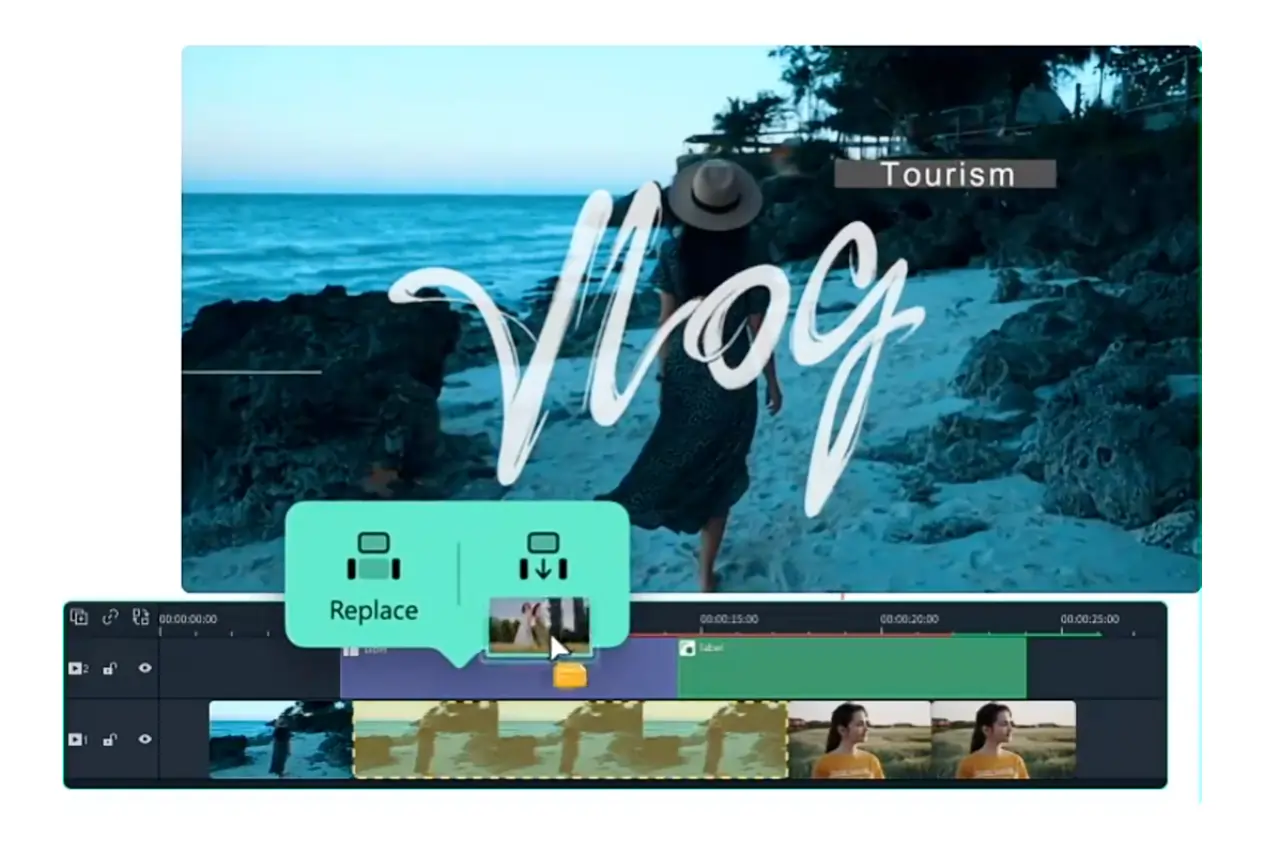
Filmora Wondershare
Filmora balances professional features with beginner friendliness and offers a mobile app for iOS and Android.
Key Features
- AI text‑to‑video and voice removal.
- AI color grading, thumbnail generator, and background removal.
- Rich template library and stock media.
- Screen and webcam recording for tutorials.
- Basic editing: cut, crop, trim.
- Advanced color correction and audio mixing.
Best for: Users who want a full editor with the convenience of AI tools.
Filmora Wondershare vs. Kapwing
- Filmora offers more features overall.
- Annual plan at $49.99 or one‑time purchase is cost‑effective.
Capcut
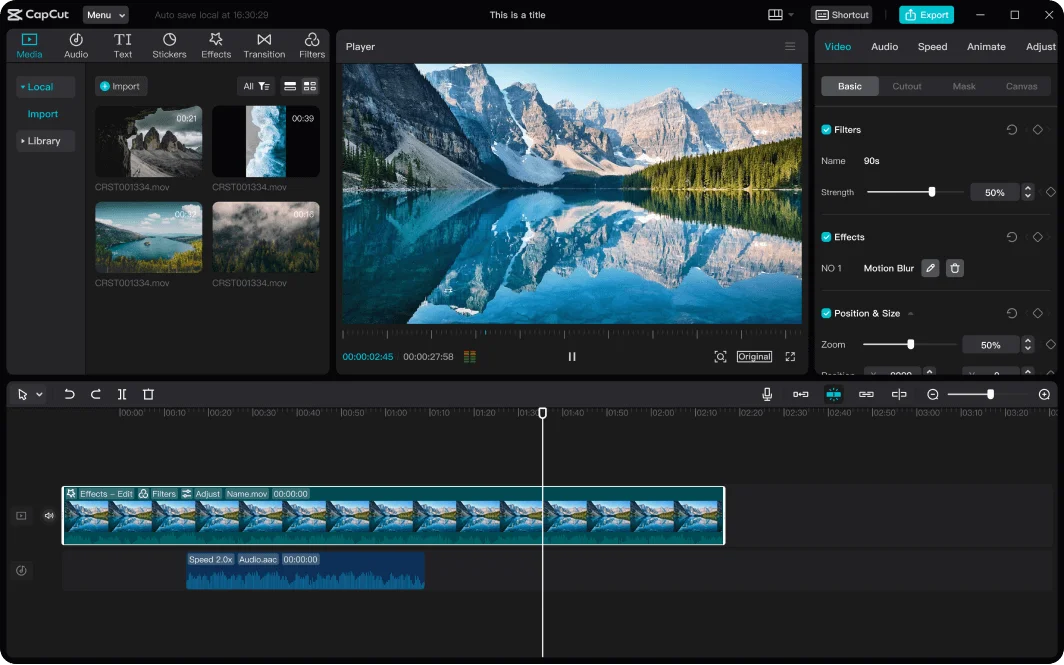
Capcut, by ByteDance, is available on desktop and mobile. It’s renowned for TikTok‑style editing.
Key Features
- Template library for rapid video creation.
- Full editing suite: crop, trim, color adjustments.
- Transcription in multiple languages.
- 11 TTS voices across 10 languages.
- Video and image upscaling.
- Background remover and replacement.
- Collaborative editing and keyframe animation.
Best for: Creators targeting TikTok and short‑form platforms.
Capcut vs. Kapwing
- Kapwing’s text‑to‑video uses rich stock footage; Capcut relies on images.
- Kapwing offers 50 TTS voices vs. Capcut’s 11.
- Capcut has a native mobile app; Kapwing’s app was discontinued.
iMovie
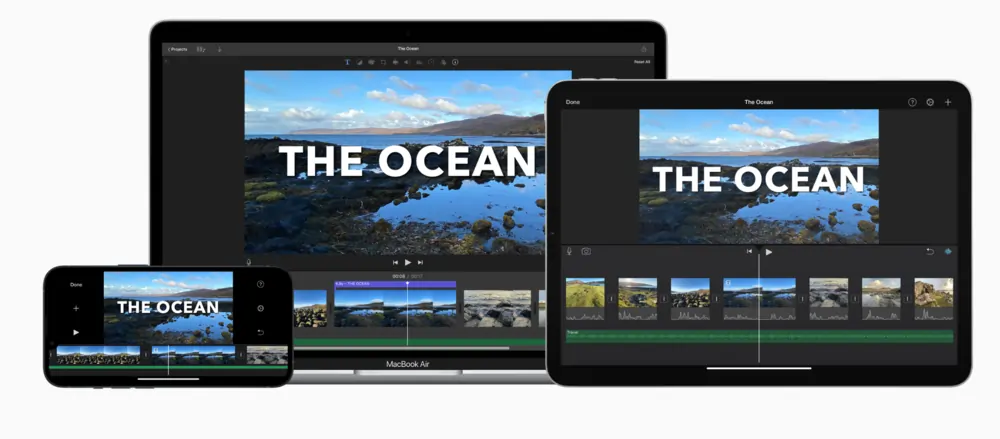
iMovie is a free, beginner‑friendly editor built into macOS, iPhone, and iPad.
Key Features
- AI Magic Movie stitches footage, music, and transitions into a full video.
- Storyboard templates for social media, trailers, education, and more.
- Animations, color correction, stabilization, and advanced effects.
- Picture‑in‑picture and split‑screen options.
- High‑quality filters.
iMovie vs. Kapwing
- iMovie is free on all Apple devices; Kapwing’s free tier is limited.
- iMovie’s stabilization outperforms Kapwing.
- Kapwing offers extensive AI tools (text‑to‑speech, text‑to‑video) that iMovie lacks.
How to Choose a Kapwing Alternative: 3 Key Factors
Features
Assess whether the editor supports the specific tasks you need—basic trimming, advanced color grading, or AI generation. For high‑end projects, a professional tool like DaVinci Resolve may be required.
Pricing
Compare free tiers and paid plans. Some alternatives offer generous free usage or lower subscription costs than Kapwing.
Ease of Use
If you want to publish quickly, choose an editor with an intuitive interface and minimal learning curve.
AI Capabilities
Reliable AI tools can save time. Verify that the AI performs accurately before committing.
FAQs on Kapwing Alternatives
Is there a free version of Kapwing?
Yes. The free plan allows limited exports, 720p output, and caps on AI usage and video length.
Is Kapwing a safe app?
Kapwing prioritizes privacy, storing data with cloud providers that use robust physical security. All data is encrypted in transit and at rest.