
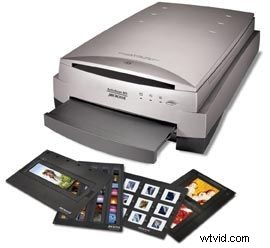
Microtek is announcing preliminary details of the new ArtixScan M1 flatbed scanner with Emulsion Direct Imaging Technology (EDIT). The scanner offers 4800-dpi optical resolution, 16-bit digital output per channel, new auto focus technology and new film holders with tension technology. The M1 should be available in February 2007 for MSRP of $699. So what does a flatbed scanner have to do with video production? Well, if youre like me, you probably have the majority of your family history in 35mm slides and a few medium format negatives from weddings and other special events. I recently ran across some dilemmas finding the best way to scan these images in an effort to produce a 5-minute video slideshow for Grandmas 80th birthday. Well, I found a workaround that allowed me to get the slideshow complete, but being the perfectionist that I am (or that I learned to be, thanks Grandma), I was excited to learn about Microteks EDIT flatbed scanners. These scanners have two beds: an upper bed, for scanning documents and prints; and a lower bed, that bypasses the glass plate allowing the CCD to directly capture the image from slides and negatives. The advantage of bypassing the glass plate is that you eliminate possible distortion from the glass, yielding clearer, more precise scans of your negatives and slides. Sounds interesting, doesn't it? If you want to learn more about Microtek EDIT, check it out on their website.