
With photo scanner apps, you can store important photos or documents in digital file folders and will not worry about them deteriorating or getting lost. The 6 best photo scanner apps for iPhone and Android are recommended in this post. Let’s check out!
Here we select the 6 best photo scanner apps for you to save and digitalize your valuable photos. Both Android and iPhone users are taken into consideration. Let’s take a closer look at their features!
If you want to make short movies from your photos to save your memories, you can try MiniTool MovieMaker. It is free!
Best Photo Scanner App for Android
Photomyne
If you are looking for the best photo scanner app for Android, you can try the first pick – Photomyne. It has developed an AI-based scanning algorithm that allows you to scan your old paper print photos and convert them into digital format in a fast and easy way. You can scan multiple images at the same time.
This app also helps you crop the photos automatically by detecting the photo boundaries. After scanning, you can add details like dates, locations, and names to the photos. You can also add audio recordings, color filters, and tag people’s faces in the photos. Finally, you can save those on your device in a new digital photo album.
Additionally, Photomyne offers a dedicated web platform for you to share and view these photo memories.
FamilySearch Memories
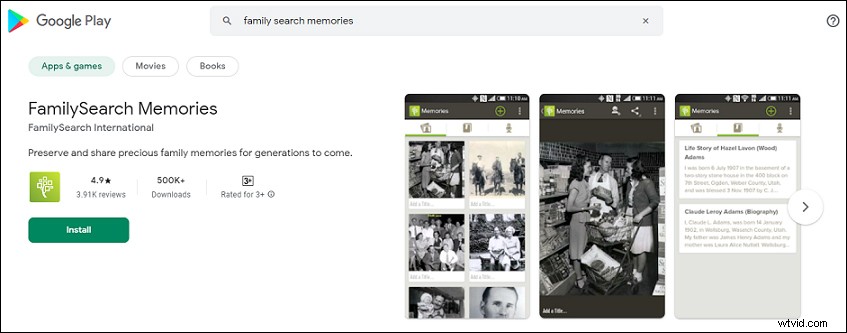
If you need the best photo scanning app to create a genealogy tree, Family Search Memories is an ideal option for you. It is developed to collect family memories. It lets you fix important dates, family events, stories, add videos, and automatically store them on its website or other popular cloud storage for photos.
Amazingly, with the built-in microphone, you can add audio to your photos and record stories about the photo.
Once create a family tree, you can use the recognition function. Then you can add the photos of your relatives and information about them to the tree, it will start identifying them in other photos.
Genius Scan
Genius Scan, which is initially used to scan documents, is also one of the best old photo scanning apps. It provides enough functionality to scan your photos.
It is a convenient tool to turn your old photos into JPEG and PDF formats. Apart from that, it offers options like automatic edge detection and basic enhancement for you.
Using it, you can share your photos on social networks and store them at Dropbox, GoogleDocs, and Evernote.
Best Photo Scanner App for iPhone
Pic Scanner Gold
PicScanner Gold is our first pick of the best photo scanner app for iPhone. It allows for simultaneous scanning of multiple photos thanks to the batch processing function. You can store your scanned photos in different folders, and the number of folders is not limited.
Using this app, you will have access to automatic cropping and enhancement, editing and restoring old photos, making slideshows and albums, exporting photos to any device or cloud service. In addition, it’s also possible to add captions to any photo you want.
PhotoScan by Google Photos
Developed by Google, PhotoScan also ranks high on the list of best free photo scanning apps. You can capture the scanned photos from different angles. Then this app will let you take snapshots and stitch them together. After that, you will get a nice photo without any glares.
It also offers automatic tools to detect edges, correct perspective, and rotate images. There is no need to adjust settings manually. After that, you can store scanned photos on Google Photos for free.
Cam Scanner
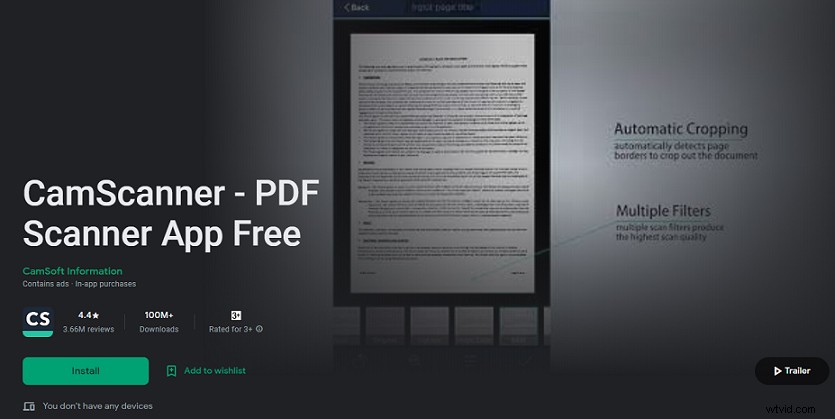
Cam Scanner is one of the most popular photo scanning apps that you can use for both photos and documents. It can automatically crop photo and document edges and has many post-processing filters. With it, you can organize your photos into topics using the tagging option. Therefore, you can find and share your photos easily.
What’s more, the app works well with different third-party tools like OneDrive, Dropbox, and Google Drive. So, it is easy to sync with other tools you are using.
Conclusion
In a word, these 6 best photo scanning apps can breathe new life into your photo prints and turn them into digital files without fear of degradation. Just pick one to save the old faded photos!