
Achieving smooth, seamless, and high‑quality video editing hinges on a machine that can handle demanding workloads effortlessly.
Even if you’re not a tech wizard, understanding the key components that drive video‑editing performance will help you choose the right PC for your workflow.
In this guide we explain the essential specifications and showcase the best machines available in 2026.
TL;DR
- Your budget, editing software, project type, and workflow determine the ideal computer.
- Key factors include CPU, GPU, RAM, storage, and software compatibility.
- Riverside offers a browser‑based solution that lets you edit videos on any PC without installing software.
What PC do I need for video editing?
There is no one‑size‑fits‑all answer. The best PC depends on your budget, preferred editing suite, project resolution, and other workflow nuances. Below we outline the critical components to consider.
How to choose a video editing PC
Choosing the right PC is a strategic decision. Here’s what you need to evaluate:
CPU
A powerful processor is essential for 4K and 8K editing. Look for a minimum of 4 cores, but 8 or more cores will dramatically reduce render times and improve playback.
Memory / RAM
RAM serves as short‑term storage for active data. For smooth multitasking and high‑resolution footage, aim for 32 GB or more. 64 GB is ideal for heavy 8K projects.
Storage
Fast storage is critical. SSDs outperform HDDs by a wide margin, reducing load times and providing quick access to large footage files. A 1 TB SSD is a solid baseline; consider adding an external SSD for overflow.
Graphics Card (GPU)
The GPU accelerates rendering and playback. When possible, select a card with ample VRAM (4 GB or more). Software like DaVinci Resolve and Premiere Pro benefit from GPU acceleration.
Dimensions
Portable laptops suit on‑the‑go editors, while desktops offer higher performance for fixed workstations.
Screen Size
Editing is detail‑oriented. A larger display or an external monitor improves accuracy, but a laptop’s built‑in screen can suffice if you’re comfortable with external displays.
Compatibility
Confirm that the PC’s operating system supports your chosen editing suite. For example, Final Cut Pro runs only on macOS, whereas Adobe Premiere Pro and DaVinci Resolve are cross‑platform.
Ports
USB‑C, Thunderbolt, and HDMI ports enable fast data transfer and high‑resolution external displays. A generous port selection simplifies connectivity to cameras, drives, and peripherals.
7 Best Video Editing PCs for 2026
Below are the top machines that cover a range of budgets and performance needs, from premium Mac stations to high‑end gaming laptops.
Microsoft Surface Studio 2
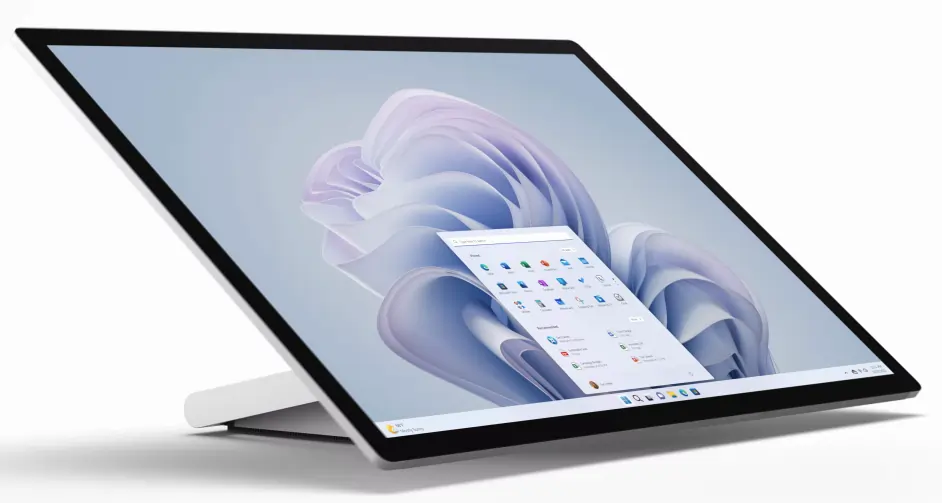
Microsoft Surface Studio 2
Price: Starts at $4,499.99
A versatile all‑in‑one desktop featuring a movable 28‑inch PixelSense touchscreen. It delivers strong processing power and ample storage for demanding video workflows.
Storage: 1 TB SSD
CPU: 11th Gen Intel Core i7‑H36
RAM: 32 GB
GPU: NVIDIA GeForce RTX 3060
Dimensions: 28‑inch touchscreen display
Apple Mac Studio
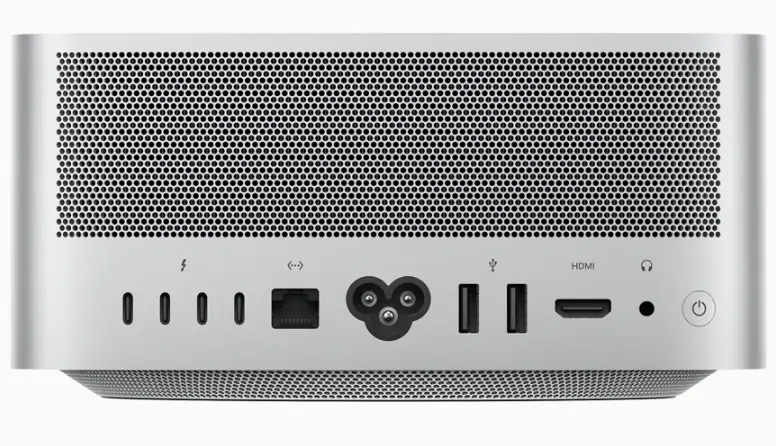
Apple Mac Studio
Price: $1,999.00–$3,999.00 (model‑dependent)
Under its sleek exterior, the Mac Studio houses the power of Apple’s silicon. Choose between the M1 Max or M1 Ultra to match your editing workload.
CPU / GPU / RAM / Storage: M1 Max – 10‑core CPU, up to 32‑core GPU, up to 64 GB unified memory, 400 GB/s bandwidth; M1 Ultra – 20‑core CPU, up to 64‑core GPU, up to 128 GB unified memory, 800 GB/s bandwidth.
Dimensions: 7.7 × 3.7 inches
Other Features:
- Supports 18 streams of 8K ProRes 422 playback
- Optimized for Final Cut Pro
- 12 ports, including support for up to four external displays and a 4K TV
Considerations: Requires an external monitor.
Apple iMac

Apple iMac
Price: $1,299–$1,699.00
A mid‑range all‑in‑one desktop that pairs a powerful processor with a stunning 4.5‑K Retina display.
CPU / GPU / RAM / Storage: Apple M1 – 8‑core CPU, 7–8‑core GPU, 8 GB unified memory, 256–512 GB SSD.
Dimensions: 24‑inch 4.5‑K Retina Display
Other Features:
- Two Thunderbolt/USB 4 ports
- Vibrant color gamut for design‑centric workflows
Apple MacBook Pro
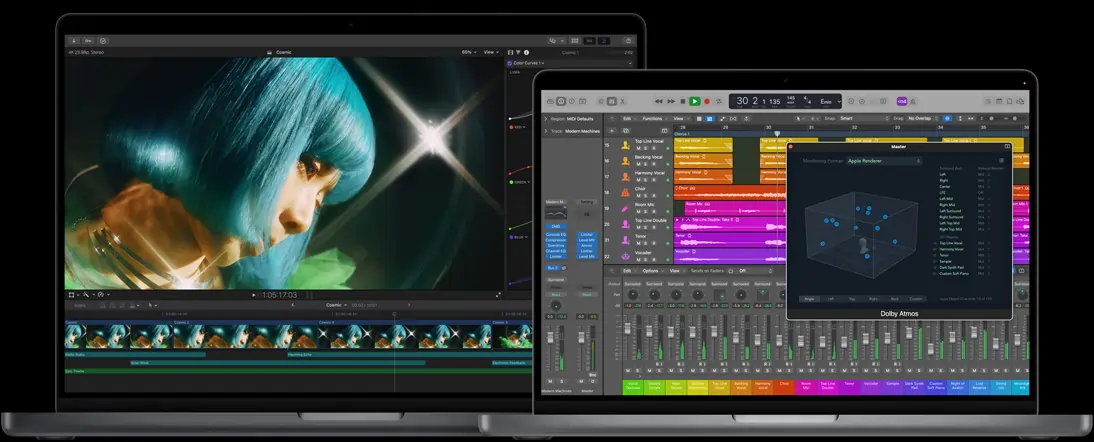
Apple MacBook Pro
High‑performance laptop ideal for editors on the move. Choose from M2 Pro or M2 Max variants to suit your power needs.
Price: $1,999.00–$3,099.00
CPU / GPU / RAM / Storage:
- M2 Pro: up to 12‑core CPU, up to 19‑core GPU, up to 32 GB unified memory, 200 GB/s bandwidth, up to 8 TB SSD.
- M2 Max: 12‑core CPU, up to 38‑core GPU, up to 96 GB unified memory, 400 GB/s bandwidth.
Dimensions: 14‑ or 16‑inch models
Other Features:
- Supports up to 3 external displays
- Optimized for Final Cut Pro
- Up to 22 hr battery life (16‑inch)
- Liquid Retina XDR display with HDR color grading modes
Asus ROG Zephyrus G14

Asus ROG Zephyrus G14
Price: $2,000 + (estimated)
Released January 2023, this lightweight gaming laptop blends performance with portability, making it a strong contender for editors who travel.
Storage: Up to 1 TB SSD
CPU: Up to AMD Ryzen 9 7940HS (8 cores)
RAM: Up to 32 GB
GPU: Up to NVIDIA GeForce RTX 4090
Dimensions: 14‑inch display
Other Features:
- Nebula HDR Display for immersive visuals
- Customizable laptop exterior with animated themes
HP Envy 34” All‑In‑One Computer
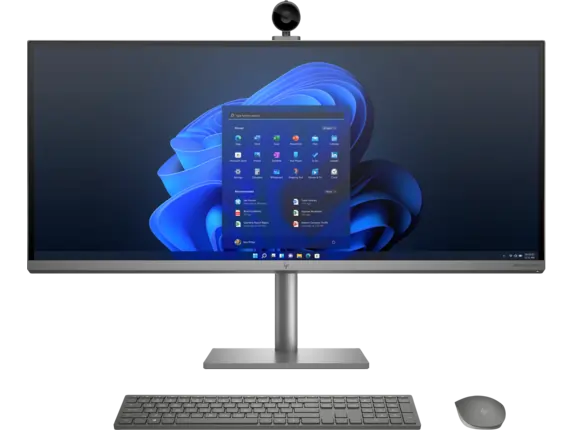
HP Envy All‑In‑One PC
Price: $2,349
A large‑screen workstation that brings a 5K display to your editing setup.
Storage: 1 TB SSD
CPU: 11th Gen Intel Core i7
RAM: 16 GB
GPU: NVIDIA GeForce RTX 3060
Dimensions: 34‑inch display
Other Features:
- 5K display for razor‑sharp detail
- SD card reader
- Robust port selection
Razer Book 14
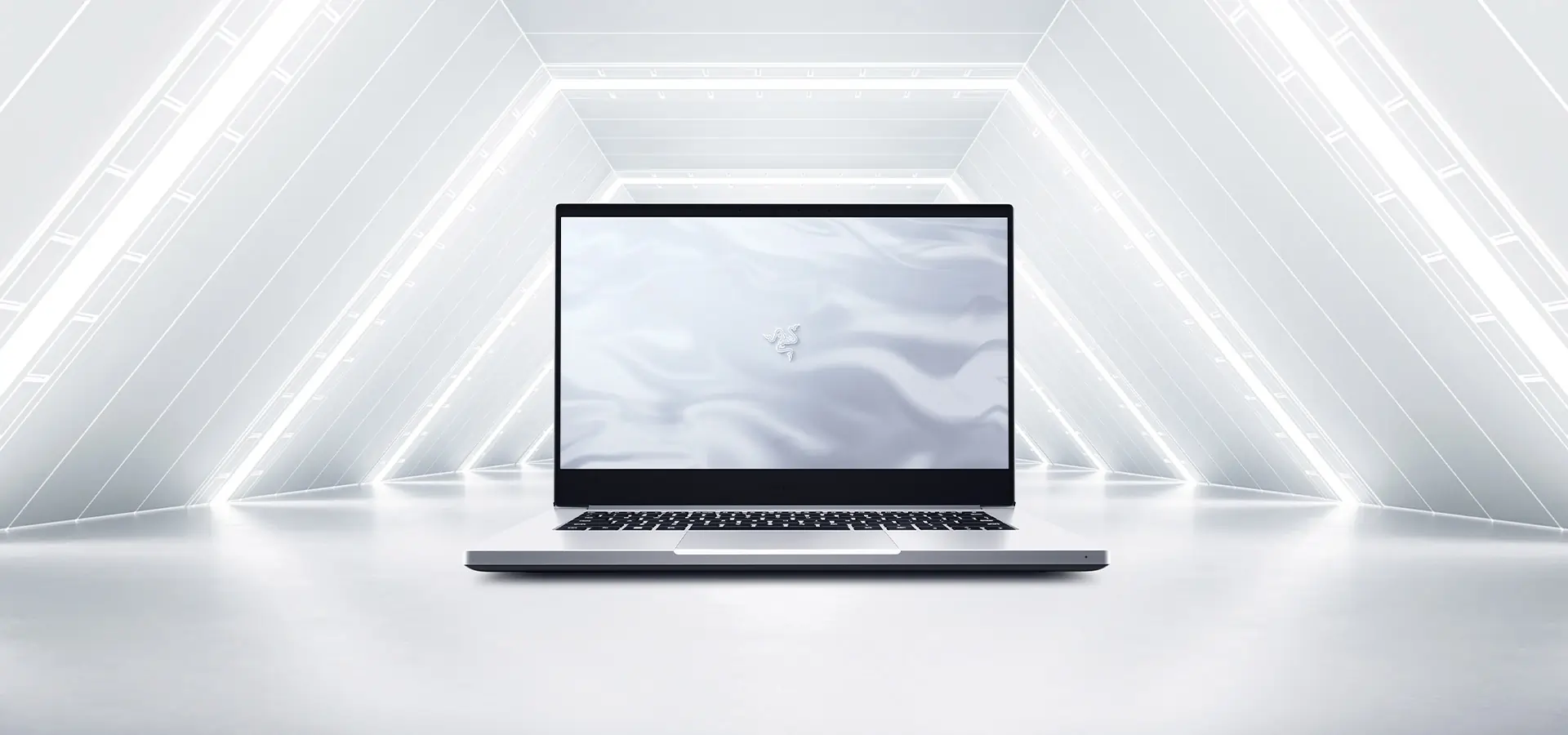
Razer Book 14
Price: Competitive, with 14‑inch model available as a lightweight powerhouse.
Storage: 1 TB SSD
CPU: AMD Ryzen 9 6900HX (8 cores)
RAM: DDR5‑4800 MHz
GPU: Up to NVIDIA GeForce RTX 3080 TI
Dimensions: 14‑inch display
Other Features:
- Up to 11 hr battery life
- Multiple ports: 2 × USB‑C, 2 × USB‑A, HDMI
Edit Videos on Any PC with Riverside
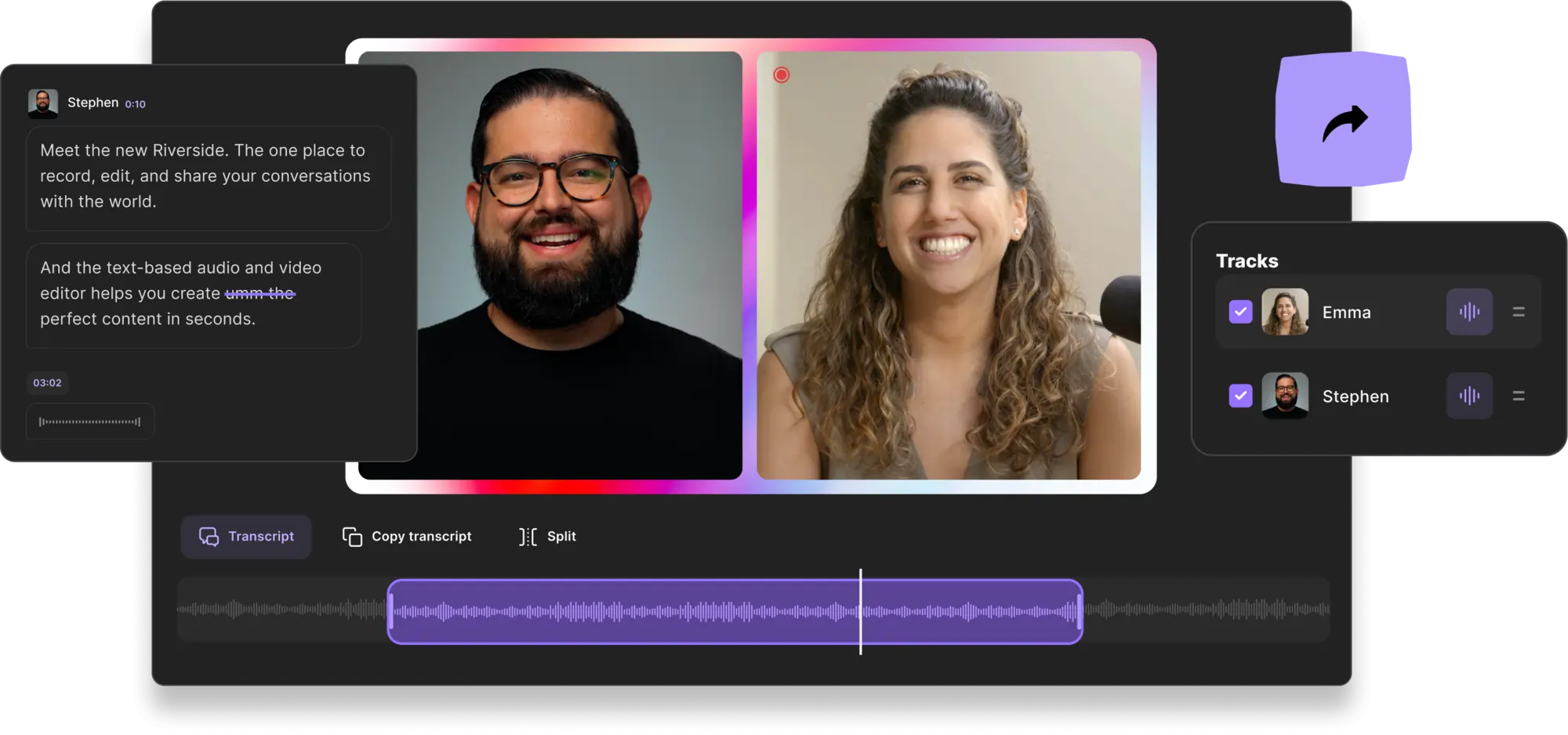
Riverside eliminates software constraints by offering a browser‑based recording and editing platform. Record studio‑grade 4K video and 48 kHz audio directly from any computer, then edit in a text‑centric online editor.
Key features include:
- Remote recording with up to 9 guests
- Local recording to guard against network hiccups
- 48 kHz WAV audio and 4K video resolution
- Multitrack recording for isolated audio streams
- Magic Clips: one‑click creation of social‑media‑ready short‑form video
- AI‑powered transcription in 100+ languages with exceptional accuracy
The integrated editor turns raw footage into polished content in minutes, offering features such as:
- Text‑based video and audio editing via transcripts
- Multi‑synced tracks to keep all media aligned
- AI‑assisted navigation—no need to rewatch
- Background noise removal and audio normalization
- Template‑based layout customization and branding options
For deeper editing, export to an Adobe Premiere Pro timeline for seamless import.
FAQs on Video Editing PCs
Is a gaming PC OK for video editing?
Absolutely. Gaming PCs come with robust CPUs, GPUs, and cooling systems that are ideal for intensive editing tasks.
What PC do YouTubers use for editing?
Preferences vary, but many creators favor Apple machines for their reliability and software ecosystem. Windows workstations are also common.
How much should I spend on a video editing PC?
Budget dictates capability. Higher budgets allow for more powerful specs, but modest budgets can still deliver capable editing performance.
Do I really need a graphics card for video editing?
A dedicated GPU accelerates rendering and playback. If your machine’s integrated GPU meets the software’s requirements, it may suffice for lighter projects.
How much RAM should a video editing PC have?
For smooth performance, aim for at least 32 GB. More RAM reduces render times and improves multitasking.
What PC do I need for Premiere Pro?
Premiere Pro runs on Windows and macOS. Minimum requirements include a recent CPU, 8 GB RAM, 3 GB GPU memory, and a 1920 × 1080 display.
How do I know if my PC is good for editing?
Evaluate CPU, GPU, RAM, and storage. If your current setup struggles with edits, an upgrade may be warranted.