
Key Takeaways
- The built‑in TikTok editor is adequate for quick edits, but external apps unlock advanced flexibility.
- Beginner‑friendly options include Riverside, CapCut, and Kinemaster.
- For polished, professional results consider Premiere Rush or LumaFusion.
Looking to elevate your TikTok presence? The right editor can transform ordinary clips into engaging stories.
Below is a curated review of the 12 best TikTok editing apps for 2026, each evaluated for features, usability, and pricing.
Best 12 TikTok Editing Apps for 2026
Riverside
Price: Free plan, $15/month (Standard), $24 (Pro), Business plans on request.
Compatibility: Windows PC, macOS, iOS, Android.
Best for: Repurposing long‑form content (YouTube, podcasts) into bite‑size TikToks.
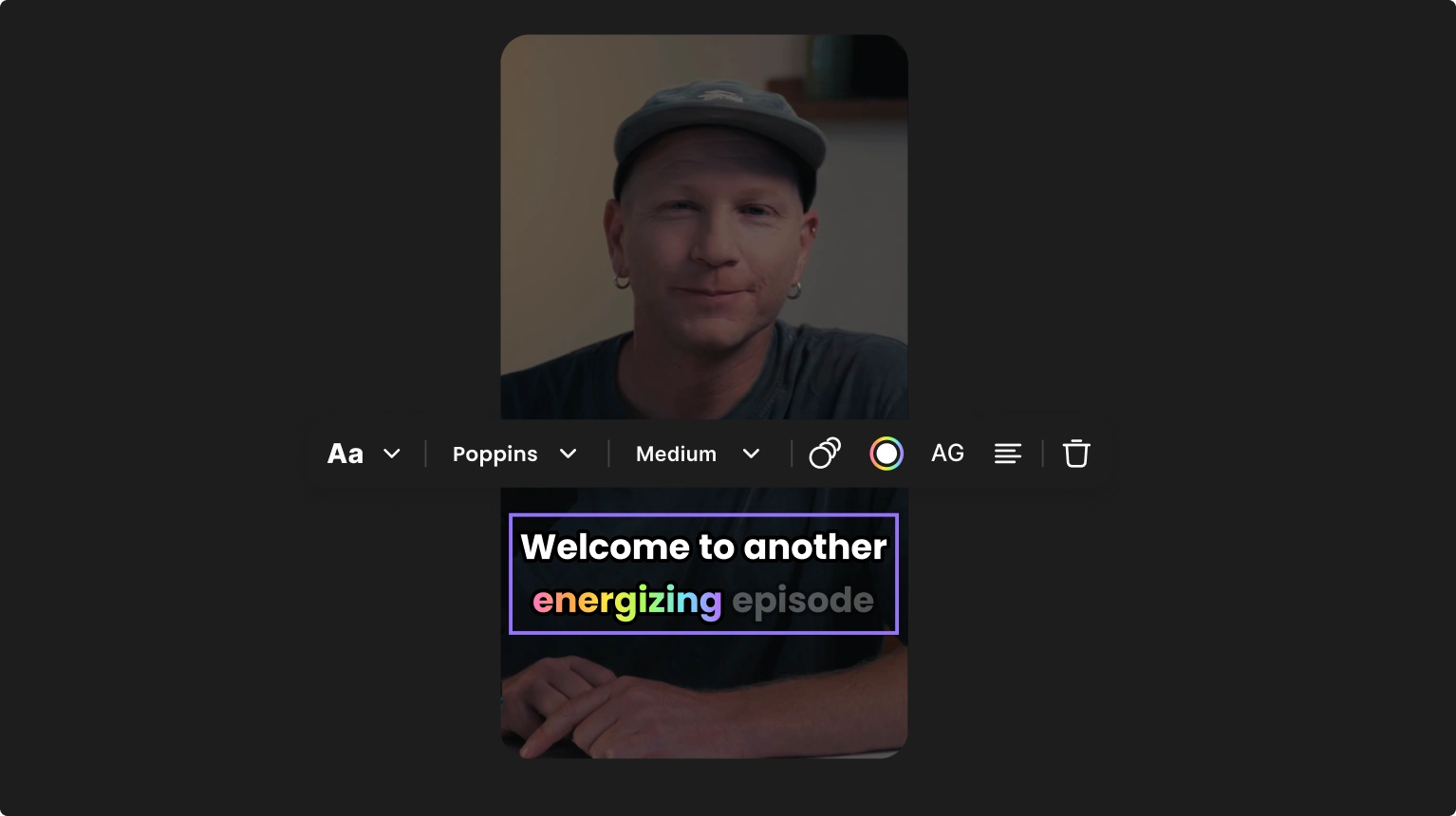
Riverside streamlines the entire workflow—from recording to editing—within a single platform. Record up to 4K, then use the Magic Clips tool to auto‑extract highlights. The text‑based editor lets you trim by deleting transcript snippets, while a suite of dynamic captions, logos, sound effects, and backdrops enhance each clip.
Choose the free version for basic projects or upgrade for watermark‑free, high‑resolution exports and full desktop editing features.
Key Features
- Magic Clips: Auto‑create short clips from longer footage.
- Text‑Based Editing: Trim content by editing the transcript.
- Seamless Timeline: Drag‑and‑drop with automated chapters and speaker color‑coding.
- AI Descriptions: Auto‑generate titles, captions, and takeaways.
- Automatic Audio Enhancement: One‑click noise reduction and normalization.
- Dynamic Captions: Accurate captions with customizable styling.
Adobe Premiere Rush
Price: Free plan (limited), $9.99/month (individual), or bundled with Adobe Creative Cloud.
Compatibility: Windows PC, macOS, iOS, Android.
Best for: Creators who need professional features without the full complexity of Premiere Pro.
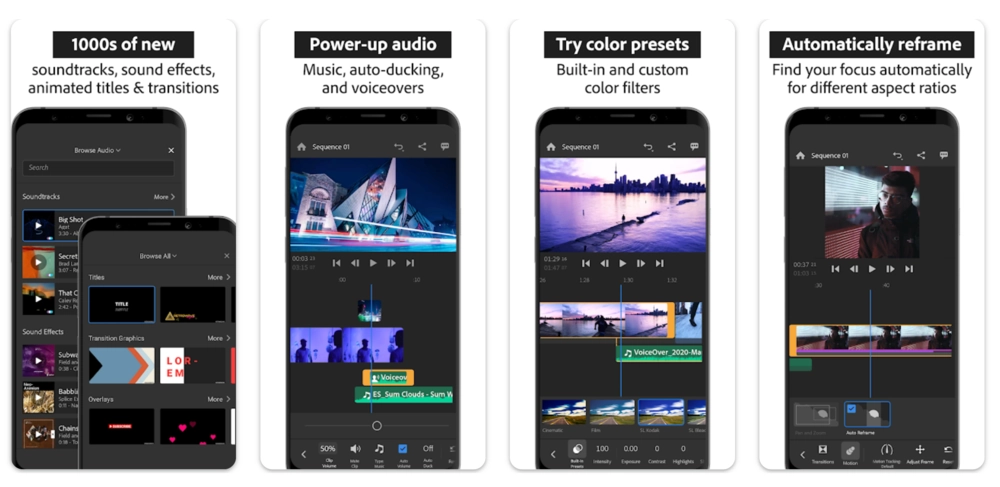
Premiere Rush condenses the power of Premiere Pro into a mobile‑friendly app, allowing on‑the‑go edits that can be continued on desktop. It supports 3–4 audio tracks simultaneously and offers motion graphics templates, dynamic visuals, and multi‑track audio control.
While the free tier limits daily exports, the paid subscription unlocks full export capabilities and advanced features.
Key Features
- Customizable Graphics: Motion templates for dynamic visuals.
- Multi‑Platform Sync: Seamless transition between mobile and desktop.
- Multi‑Track Audio: Easy addition of sound and music.
CapCut
Price: Free (in‑app purchases optional), $9.99/month (Pro).
Compatibility: Windows PC, macOS, iOS, Android.
Best for: The largest free library of effects, stickers, and AI‑generated animations.
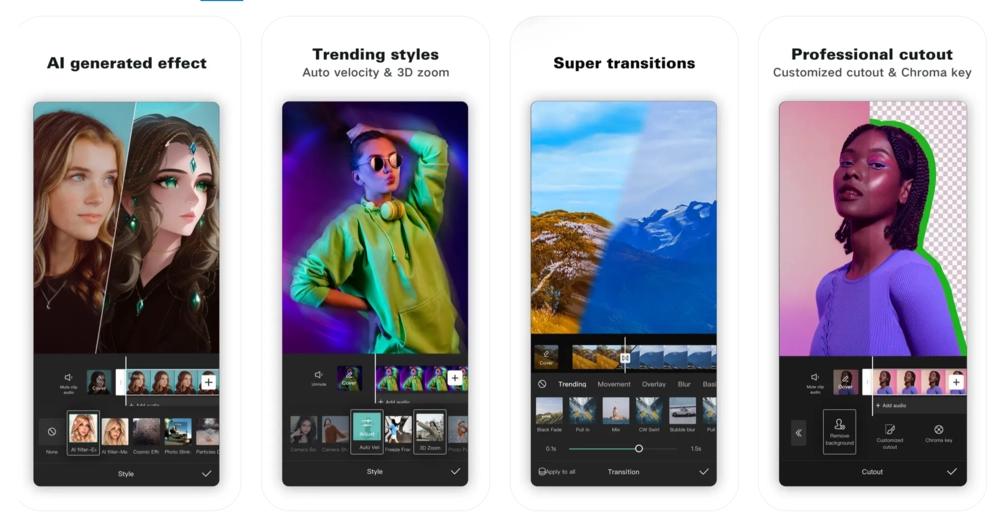
Owned by Bytedance, CapCut is built with TikTok in mind. Its intuitive interface supports subtitles, background removal, face tracking, and a comprehensive desktop version for advanced editing.
All core features remain free, making CapCut one of the most accessible TikTok editors available.
Key Features
- Music & Sound Effects Library: Extensive collection of trending audio.
- AI‑Powered Features: Auto‑captioning, voice enhancement, scene detection.
- Advanced Editing: Background removal, slow motion, color correction.
VivaVideo
Price: Free (3‑day trial), $6.99/month or $35.99/year (VIP).
Compatibility: iOS, Android.
Best for: Mobile‑only editing with a polished interface.
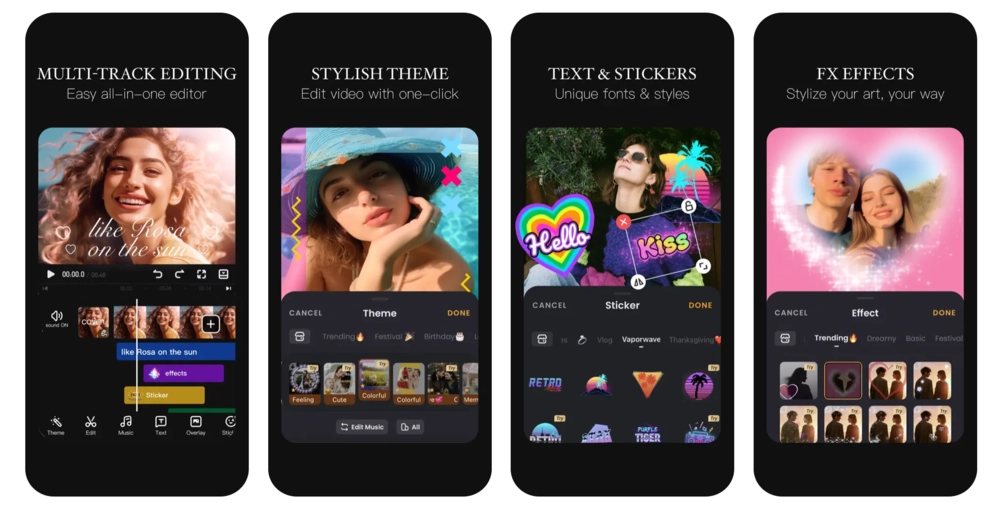
VivaVideo excels at delivering advanced edits on a mobile UI. Overlay application, filters, and transitions are accessible with just a few taps, while the essential editing toolkit—effects, filters, and storyboarding—remains robust.
The free tier is limited; the paid subscription unlocks full functionality.
Key Features
- Voice Changer: Apply a variety of vocal effects.
- Storyboarding Interface: Drag‑and‑drop layout for narrative flow.
- PIP (Picture‑in‑Picture): Overlay multiple clips with adjustable opacity.
Funimate
Price: Free (7‑day trial), $2.99/week.
Compatibility: iOS, Android.
Best for: Integrated editing and community engagement.
Funimate blends a simple editor with social features—share, like, and comment directly within the app. Basic editing (merge, crop, trim) is coupled with AI‑enhanced look and a text‑to‑video tool.
The free version lacks advanced filters; a subscription unlocks the full set.
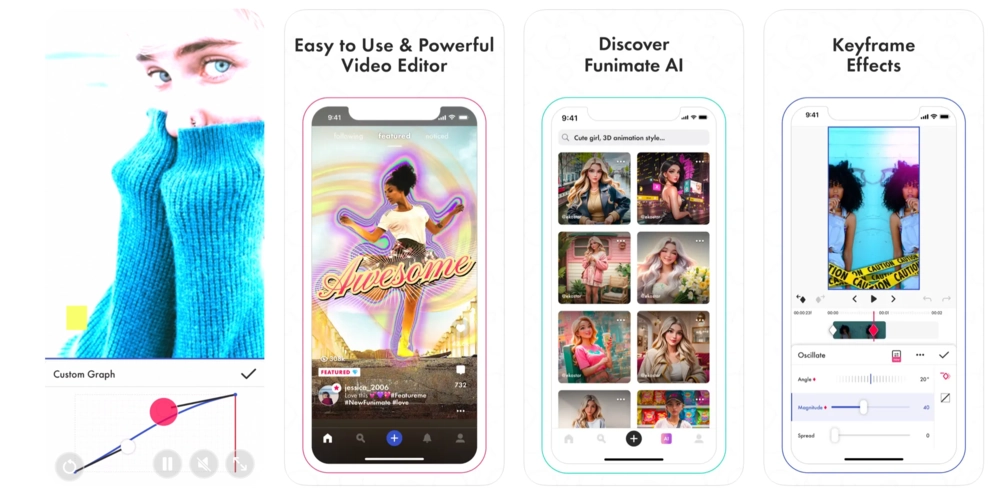
Key Features
- Community Features: Interact with creators inside the app.
- Beat Magic: Sync visual effects to music beats.
- Real‑Time Effects: Apply effects during recording or editing.
Kinemaster
Price: Free (watermarked), $8.99/month or $44.99/year (Premium).
Compatibility: iOS, Android.
Best for: Mobile editing with a desktop‑like interface.
Kinemaster offers multi‑layer video, image, text, and effect editing, alongside speed control, reverse playback, and background removal. It is ideal for users who prefer a classic editing workflow on a phone.
Watermarks appear in the free version; premium removes them.
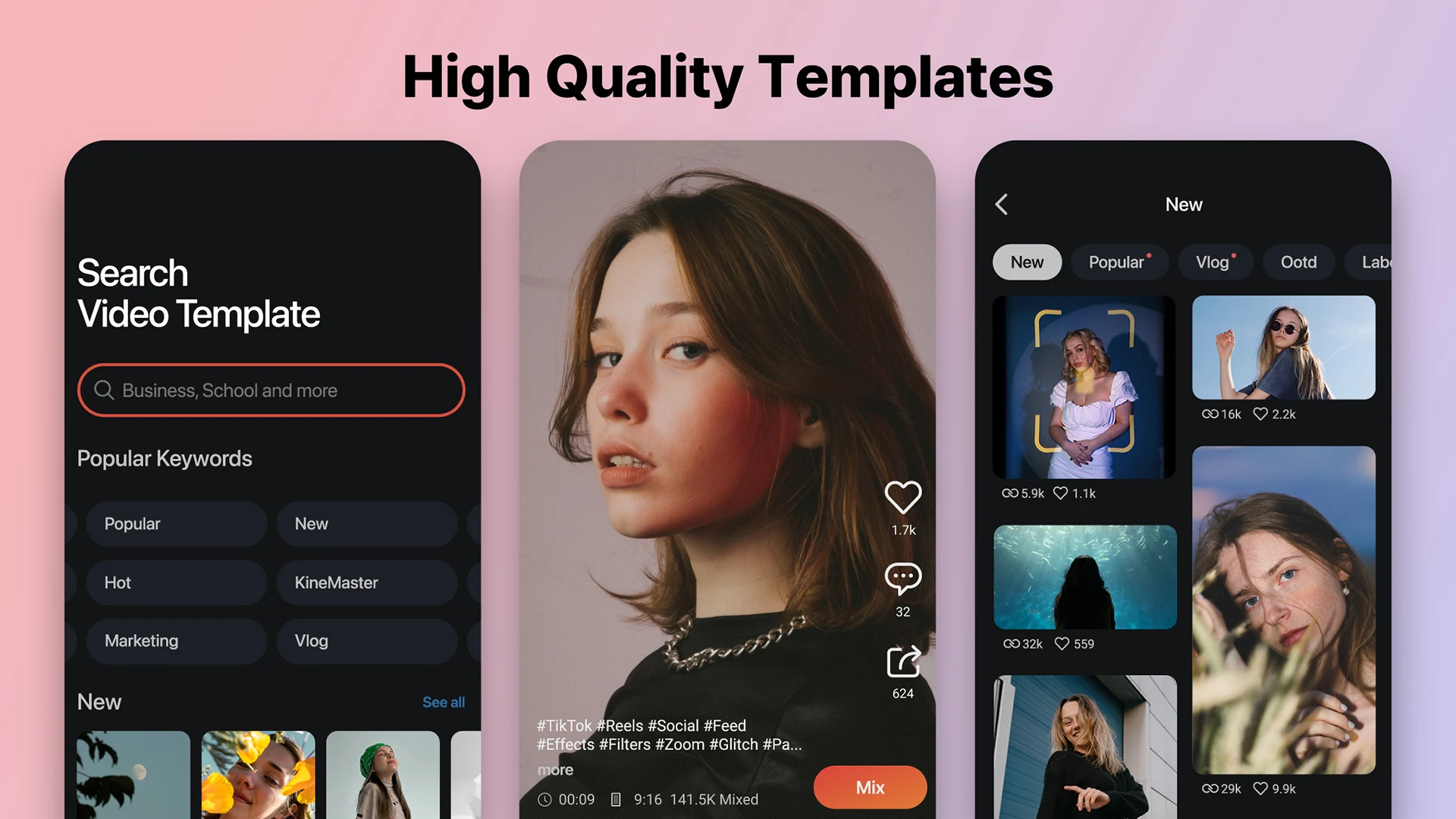
Key Features
- Multi‑Layer Editing: Simultaneous layers of video, images, text, and effects.
- Time Control: Speed changes and reverse playback.
- Chroma Keying: Advanced green‑screen functionality.
InShot
Price: Free (in‑app purchases optional), $3.99/month or $17.99/year (Pro), $3.99 (ad‑free).
Compatibility: iOS, Android.
Best for: Advanced photo editing and a large royalty‑free music library.
InShot began as a photo editor and expanded to robust video editing: speed curves, transitions, picture‑in‑picture, one‑click freeze frames, and AI effects. It also allows audio extraction and provides an extensive royalty‑free music library.
Advanced features are behind a subscription; the free version includes a watermark and occasional ads.
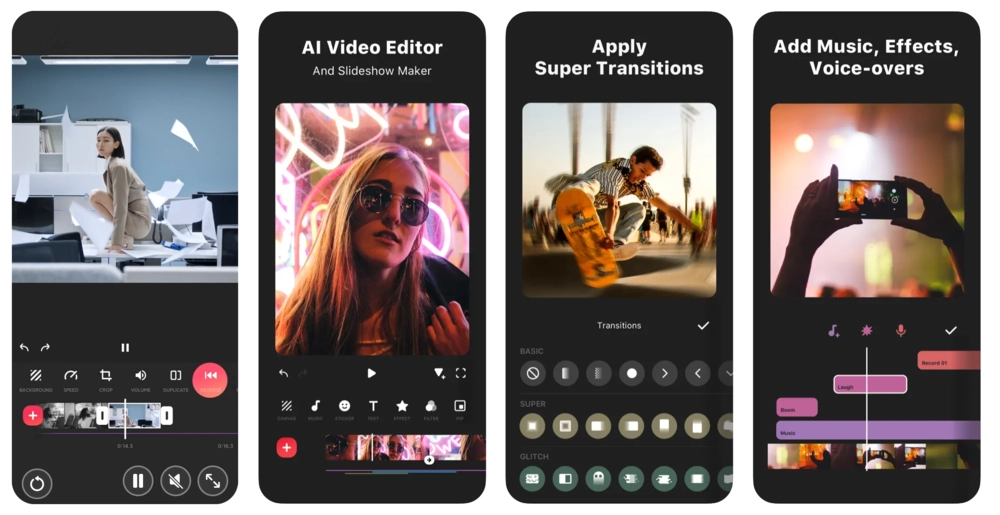
Key Features
- Large Music Library: Extensive royalty‑free tracks.
- Audio Extraction: Pull audio from videos for reuse.
- Photo & Video Integration: Edit both media types within one project.
Magisto
Price: Free (Basic), $4.99/month (Premium), $9.99/month (Professional), $34.99/month (Business).
Compatibility: iOS, Android.
Best for: AI‑driven automated editing.
Magisto’s AI handles heavy lifting: auto‑trim, scene detection, color correction, and background cleanup. It also provides access to millions of licensed clips via iStock for Professional tiers.
All editing is cloud‑based, so a stable internet connection is essential.

Key Features
- Custom Branding: Add logos and captions.
- AI Storytelling: Auto‑reorder and trim footage for narrative flow.
- Post‑Production Tools: AI‑enhanced color, background, and quality improvements.
Zoomerang
Price: Free (in‑app purchases optional), $5.99/week or $29.99/year (Pro).
Compatibility: iOS, Android.
Best for: AI‑generated video content and avatars.
Zoomerang offers AI scripts, text‑to‑video, and avatar creation, alongside standard editing tools. While AI output quality varies, the app includes tutorials for popular TikTok trends.
Premium features are behind a paywall.
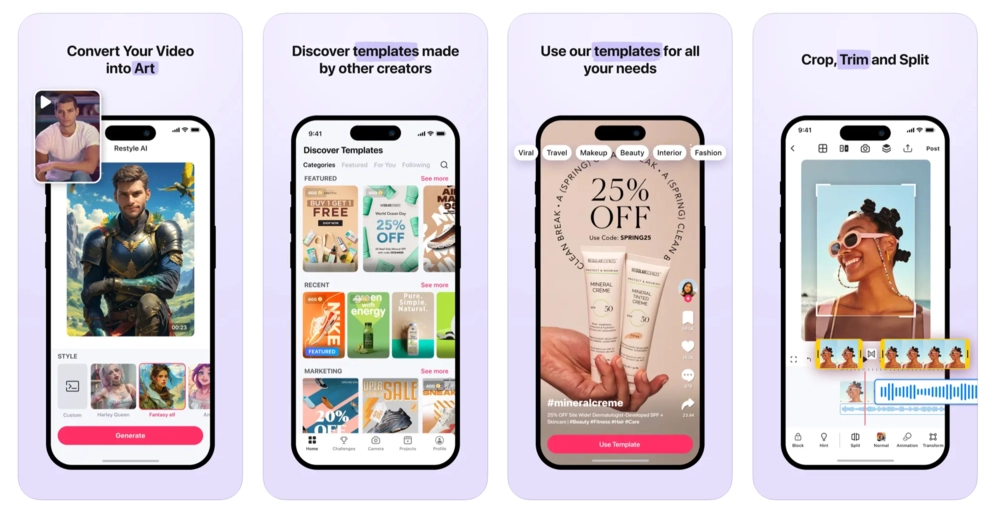
Key Features
- AI Art Generator: Creative filters and avatar creation.
- Template Library: Beginner‑friendly templates.
- Music Integration: Sync videos to popular tracks.
LumaFusion
Price: $29.99 (one‑time purchase), +$9.99/month for Storyblocks.
Compatibility: iOS, Android.
Best for: Advanced, highly customizable editing.
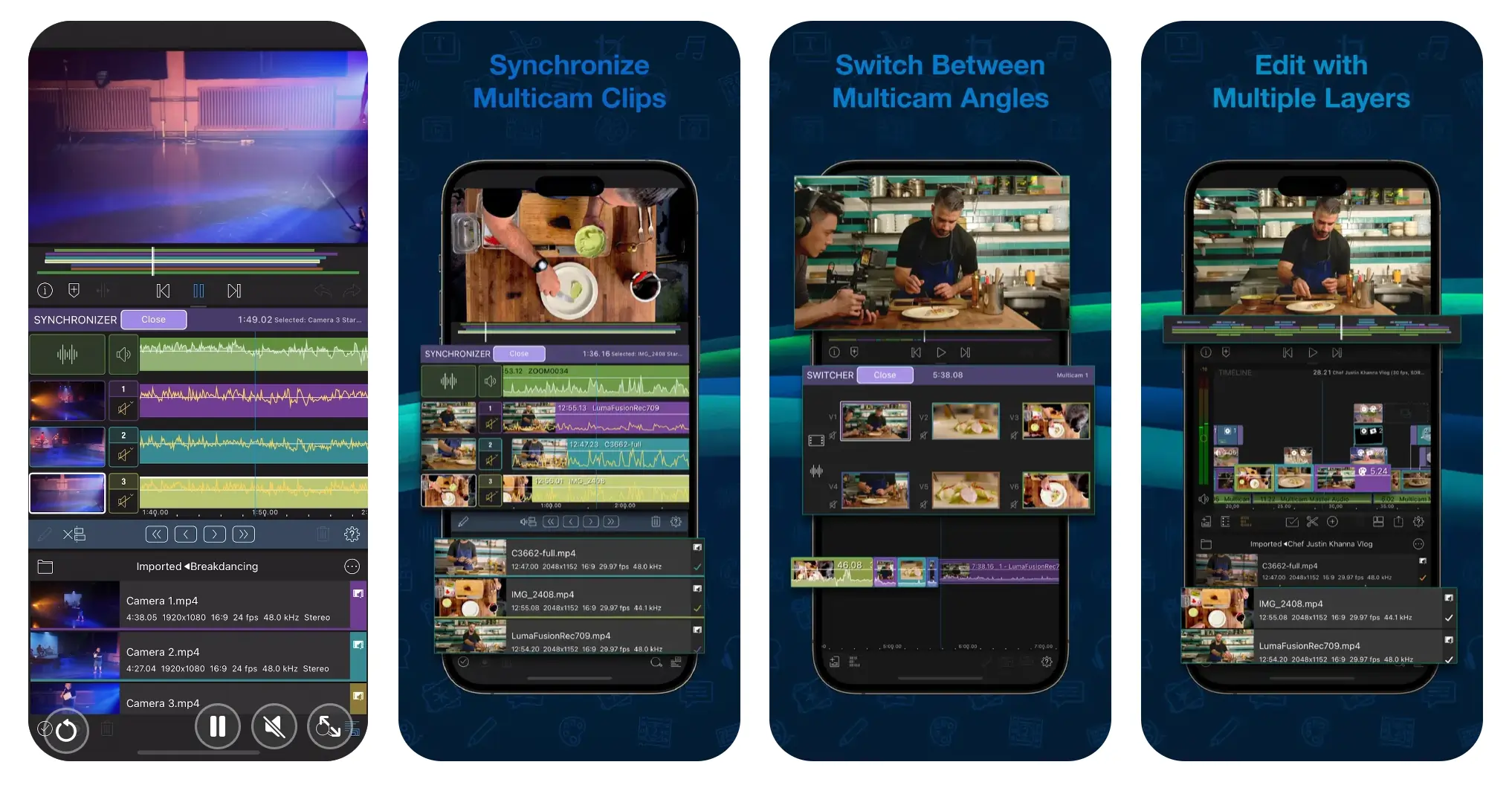
LumaFusion is a professional mobile editor featuring keyframing, HDR support, motion effects, chroma key, and up to six video/audio tracks. It also offers a Storyblocks library of 2 million stock assets, available with a separate subscription.
Key Features
- Storyblocks Library: Extensive stock media.
- Precision Editing: Advanced color, keyframing, chroma key.
- Multi‑Track Editing: Up to six video and six audio tracks.
Timbre
Price: Free.
Compatibility: Android.
Best for: Simple, quick edits for beginners.
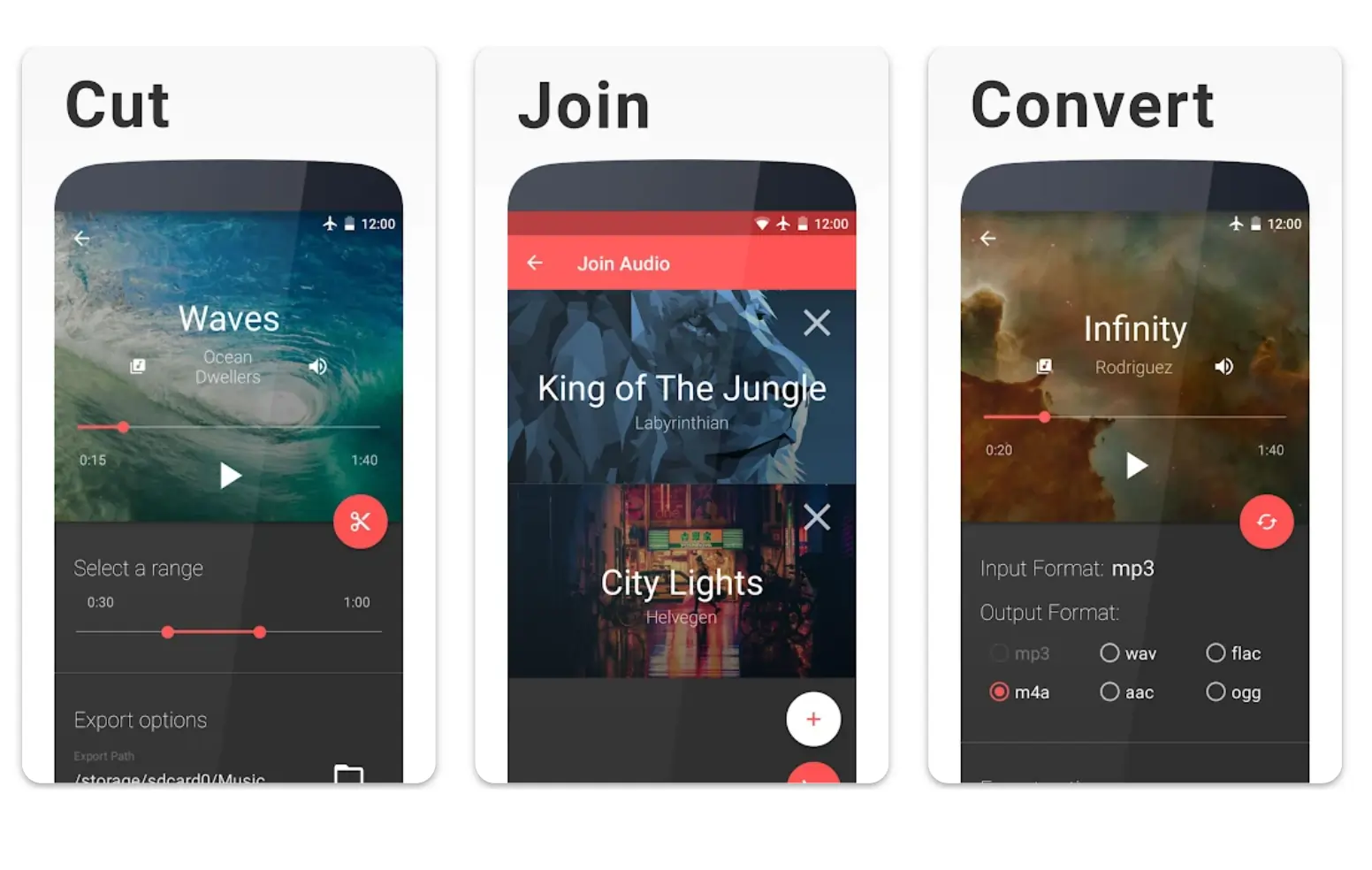
Timbre provides a straightforward interface for cutting, trimming, joining, and speed‑changing clips. It also supports multiple formats and basic audio manipulation, such as extraction, conversion, and bitrate adjustment.
Key Features
- Text‑to‑Speech: Convert typed text to voice.
- Audio Extraction & Conversion: Separate audio and convert formats.
- Audio Bitrate Adjustment: Compress or modify bitrate.
VideoShop
Price: Free (in‑app purchases optional), $3.99/month or $23.99/year (Pro).
Compatibility: iOS, Android.
Best for: Creators seeking quirky, creative effects.
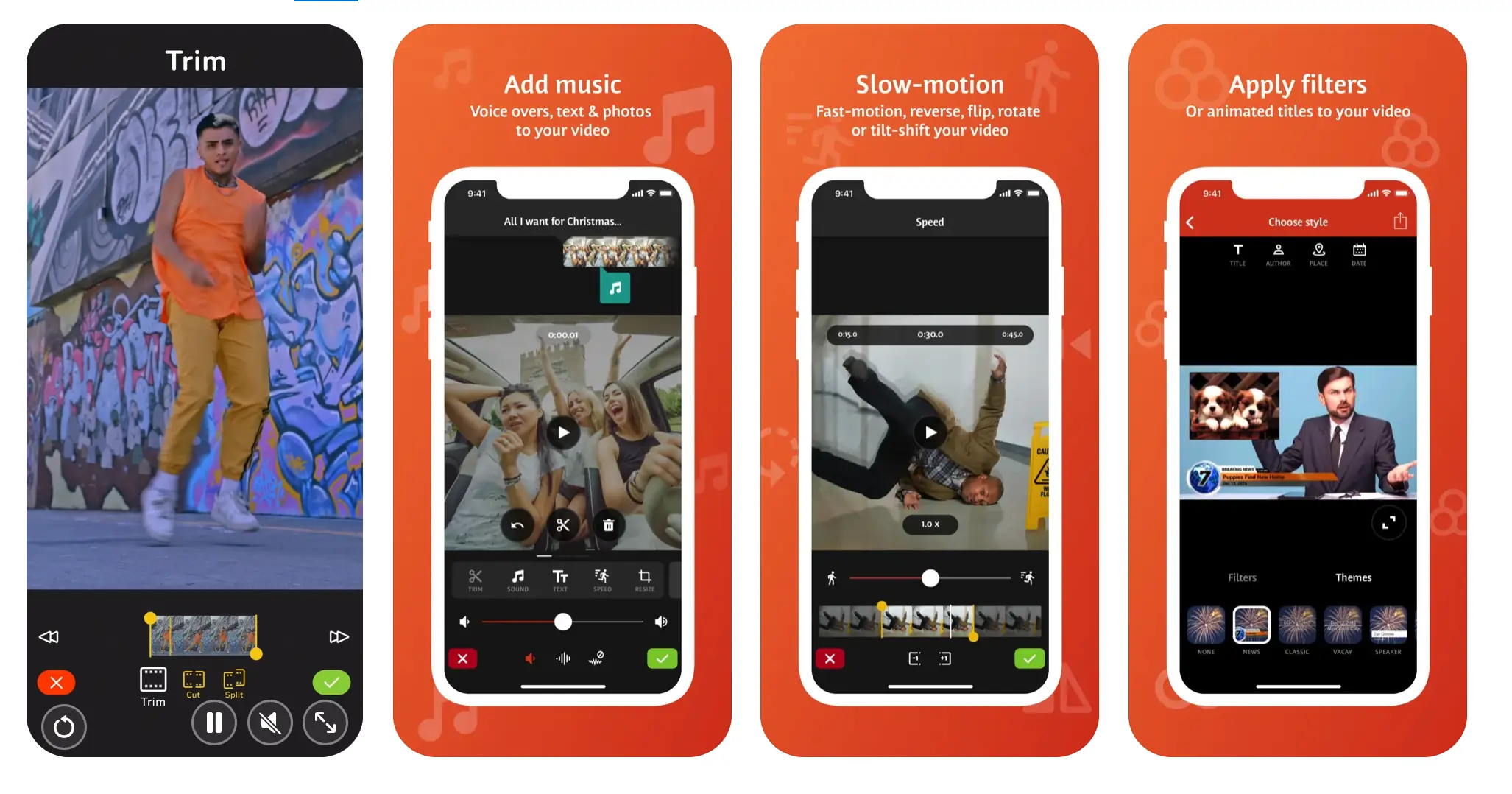
VideoShop offers a broad range of artistic tools—stop‑motion, animated transitions, distortions, Ken Burns effects, and slow motion—while maintaining standard editing functions. The interface can feel clunky, but the creative arsenal is impressive.
Key Features
- Creative Effects: Stop‑motion, animated transitions, distortions.
- Stop Motion: Build videos from photos.
- Voiceovers: Add custom voice recordings.
The Built‑In TikTok Editor vs. External Makers
TikTok’s native editor offers quick trimming, merging, and the addition of trending sounds, stickers, and effects. However, it lacks advanced controls that external apps provide.
Missing Features
Native editing cannot crop to 3:4 or 1:1 for TikTok’s preferred aspect ratio, nor can it remove unwanted objects or stabilize shaky footage.
Limited Customization
Creators demanding higher creative control will find the native editor lacking compared to dedicated tools that offer richer filters, transitions, and dynamic text options.
Lack of Versatility
In contrast to external editors, TikTok’s built‑in interface does not support multi‑clip layering, precise length adjustment after effects, or comprehensive export settings.
Reduced Production Quality
Videos uploaded to TikTok are compressed, often dropping resolution above 1080p. This compression can degrade visual quality, especially for high‑end productions.
FAQs on TikTok Editing Apps
Are there beginner‑friendly TikTok editing apps?
Yes—Riverside, Timbre, Kinemaster, and Magisto offer intuitive interfaces for newcomers.
How can I improve my TikTok editing skills?
Practice with free plans, experiment with effects, and study trending creators. Tutorials and community resources can accelerate learning.
Which app is best for adding music?
InShot and LumaFusion lead with extensive music libraries and robust audio editing tools.
Is CapCut good for editing TikTok videos?
CapCut, created by Bytedance, delivers a free, user‑friendly experience packed with TikTok‑specific effects and seamless platform integration.