Question A: My GSM phone encodes in video in 3GP format, which isn't recognized by Windows Movie Maker. I just want to rotate the videos - nothing fancy: is there a simple Windows software tool that will let me do this?
Question B: I need a 3GP Editor which helps to edit 3GP files. I need it for trimming, splitting, joining and volume please. Anyone knows how?
Well, we would like to introduce useful 3GP/3GP2 editing software for beginners and hobbyists, that is Wondershare Filmora (for Win and Mac) - that helps to make excellent 3GP video masterpieces for you and allows you to share your videos easily and fast with family and friends.
Powerful 3GP/3GP2 Video Editor:
Wondershare Filmora (originally Wondershare Video Editor)- Trim, rotate, crop, merge and combine - easily edit 3GP videos on the timeline;
- Enrich 3GP/3GP2 video files by adding stunning text, filters, intro/credits and transition effects;
- Try out more advanced editing functions like PIP, Tilt-shift, Mosaic, Jump Cuts, Face-off, and more;
- Upload the edited 3GP/3GP2 videos onto Facebook and YouTube, burn to DVD or save in other formats.
How to Edit 3GP/3GP2 Video Files:
1. Split or trim 3GP video
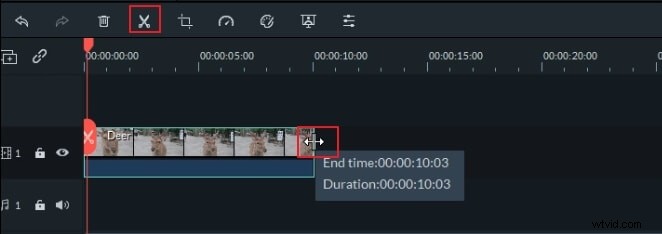
To split your 3GP video into short clips, move the slider to any position where you want to split on the video Timeline. Then click the "Split" button (shown as a scissors icon), or right click the video to select "Split" option.
To Trim the video, place your mouse on the right or left edge of the video Timeline. When the "double arrow" indicator appears, move it to your desired length and then release your mouse to trim it.
2. Crop, rotate and change video/audio settings
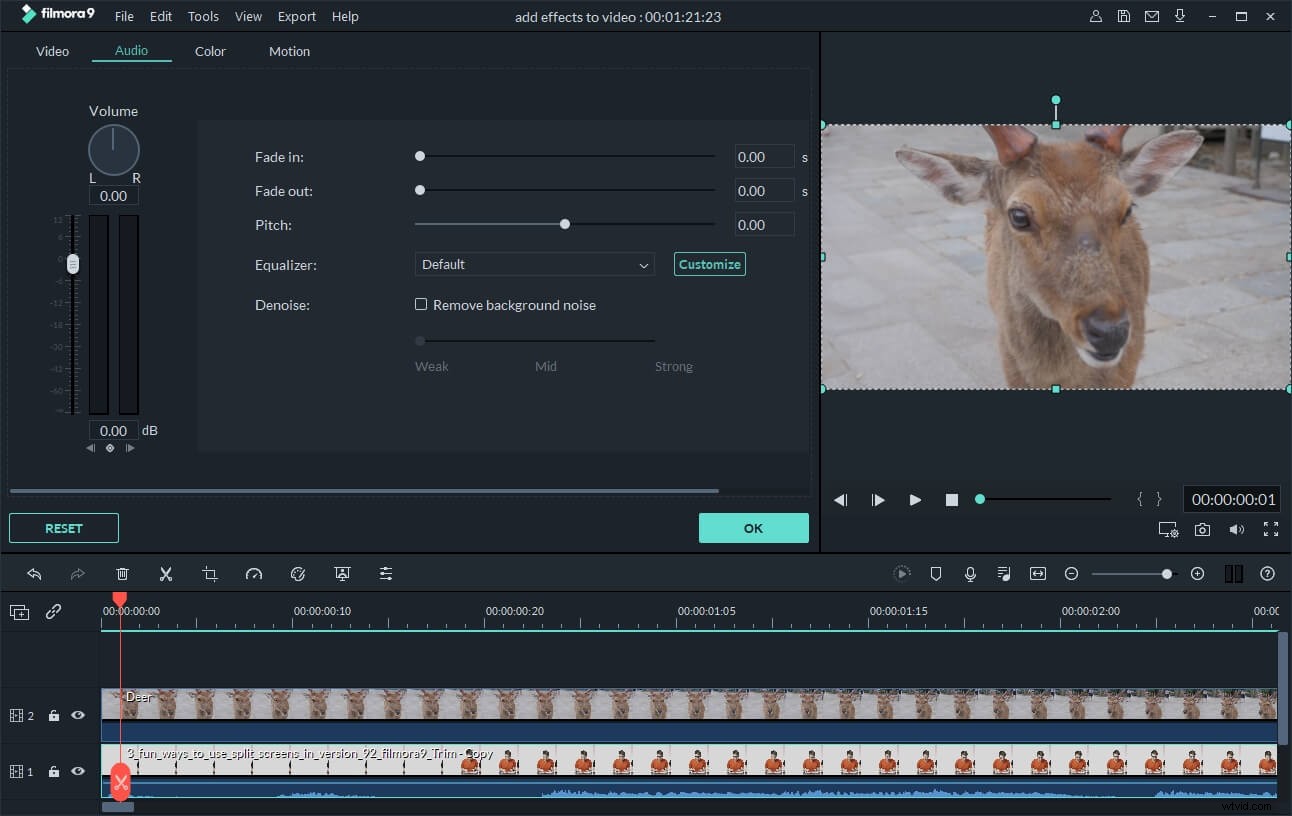
Double click the video on the timeline. In the pop up window, you can rotate, flip, adjust brightness, contrast, hue, slow down/speed up playing speed of the videos, and set volume, pitch,fade in/out effect of the audio.
3. Apply transitions and effects
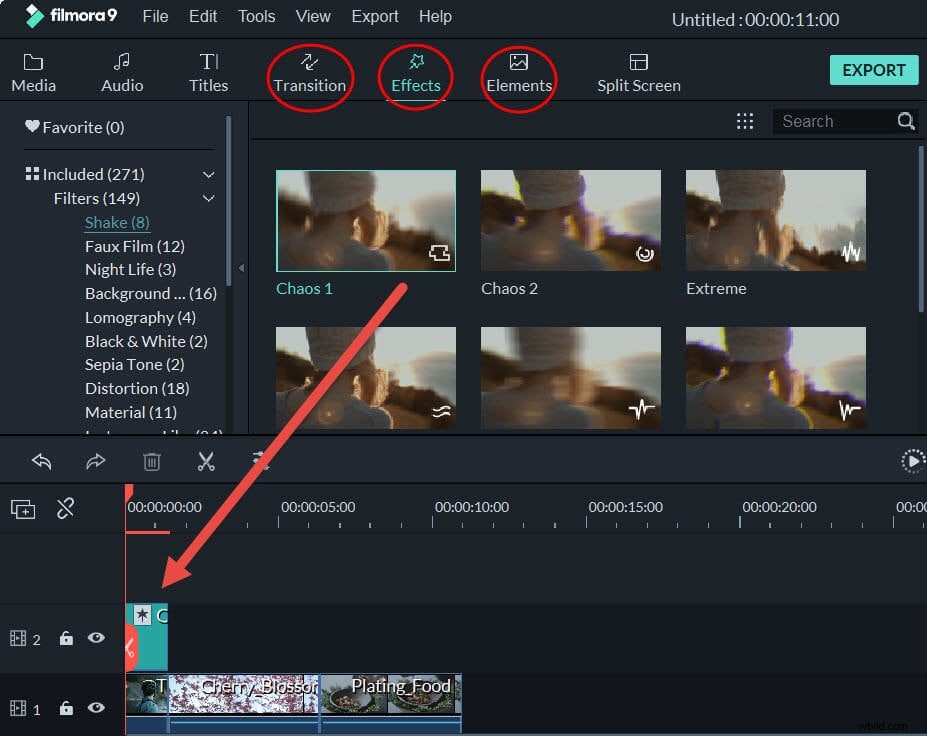
Apply transitions and effects is extremely easy with this 3GP video editor. Given 300+ free templates, you can easily pick up your favorite one to apply to 3GP videos. To add them, just drag the transition or effect you need and drop them on the Timeline. You can also further customize the effects as you like.
4. Add Mosaic, Jump Cut, Tilt-Shift, and Face-off
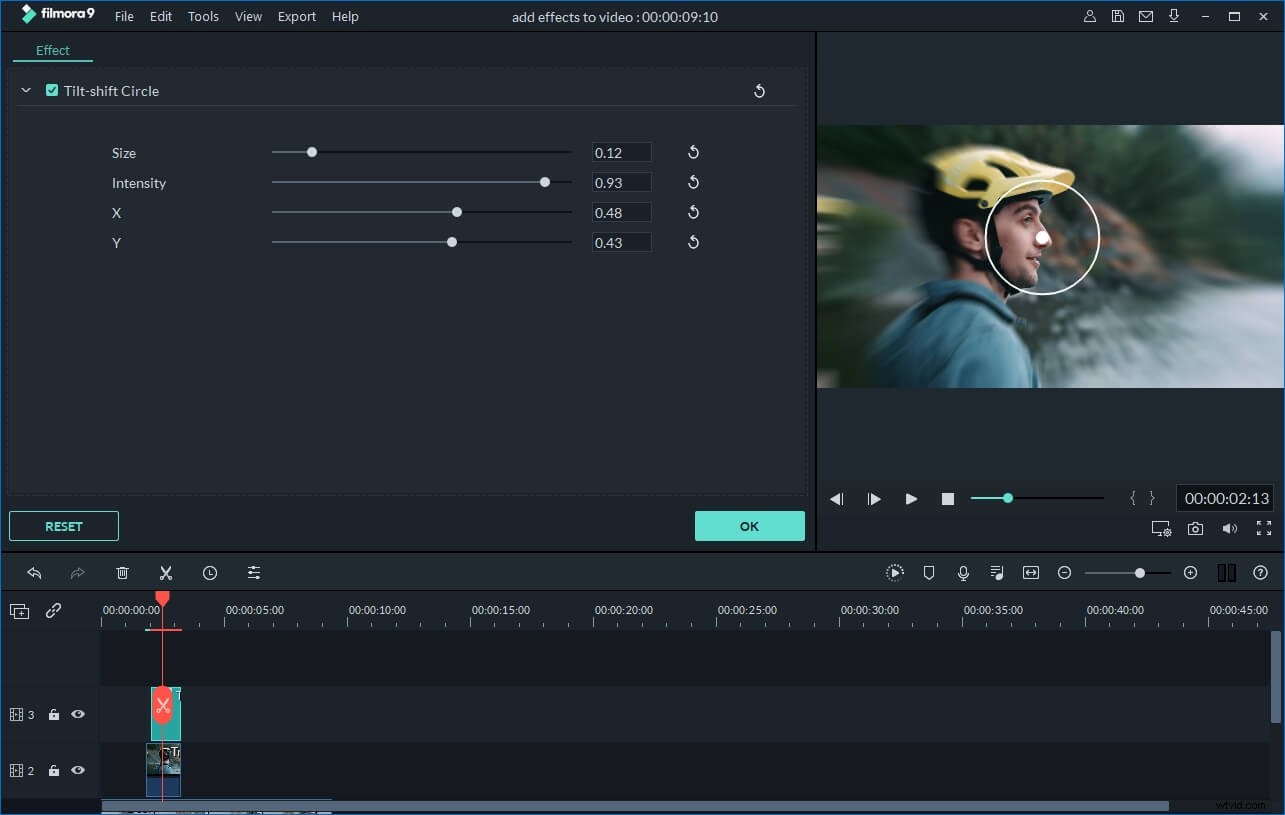
If apply some advanced effects, right click the video and choose "Power Tool" or directly click the "Power Tool" button above the timeline. In the pop up window, you can add more advanced effects like Close-up, Jump Cut, Tilt-Shift, Mosaic, and Face-off to your 3GP video.
Learn more about adding Mosaic, Jump cut, tilt-shift and face-off