
3GP (3GP2), similar to MP4 format, is widely used on 3G mobile phones to store videos. However, many 3GP videos could not be played normally on the computer because they are shot in the wrong angle. You have to tilt your head each time to watch 3GP videos. Is there a way to rotate 3GP permanently so that you can view it the right way up? Here I provide some solutions to help you with that.
Part 1: Rotate 3GP/3GP2 video with desktop video editor
Tool you need: Wondershare Filmora (originally Wondershare Video Editor)Wondershare Filmora rotates 3GP video by any degrees and in any direction. Besides, it lets you edit 3GP videos with all common editing tools including Split, Crop, Trim, Merge, etc., apply video effects, add animated titles and share 3GP video on YouTube and TV.
Sounds good? Download it now and use this 3GP/3GP2 rotator to rotate your 3GP/3GP2 videos.
1.Import 3GP/3GP2 files to rotate
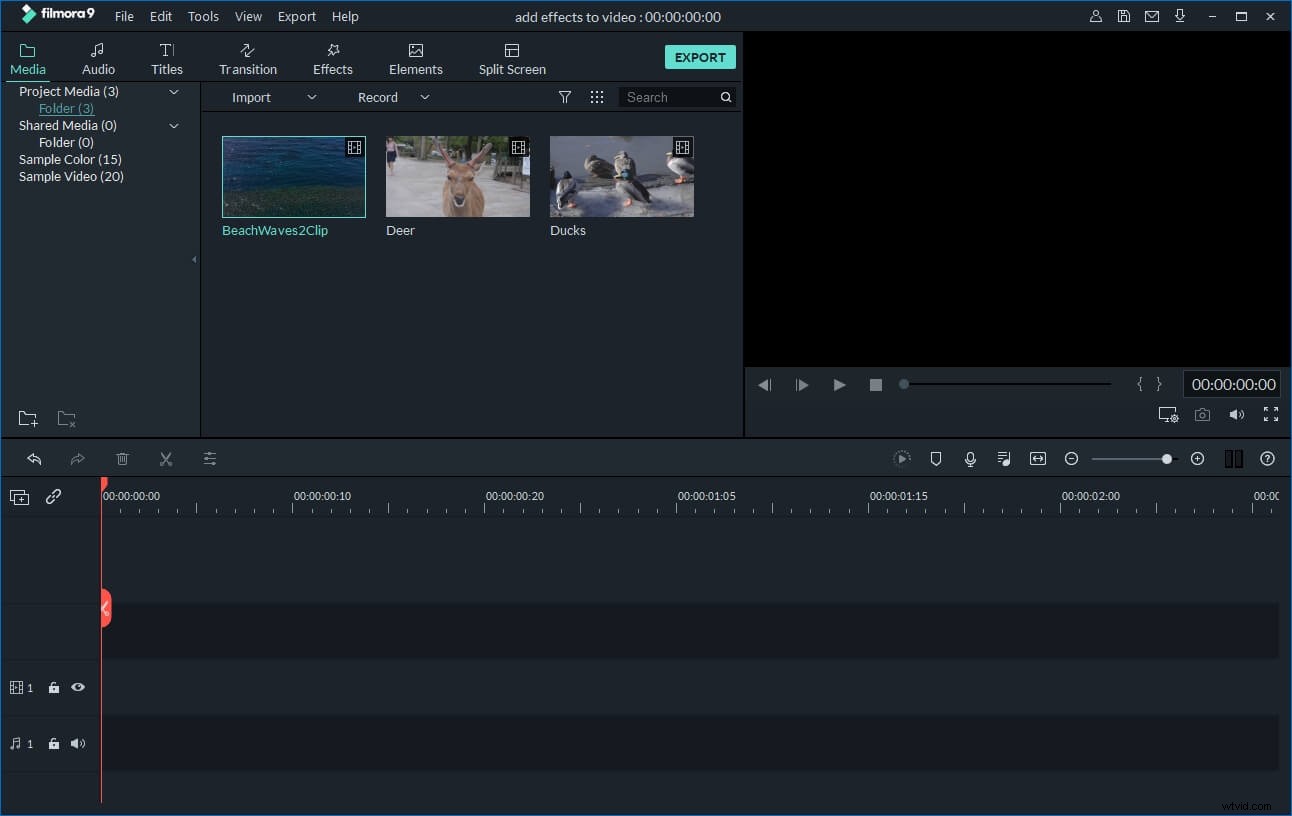
The program comes with an album to organize your media files. This way, it also avoids changing your original 3GP file. To rotate 3GP video, first import it to the program either by clicking "Import" button on the primary windows, or by dragging and dropping files from File Explorer to the User's Album.
2.Rotate 3GP/3GP2 file
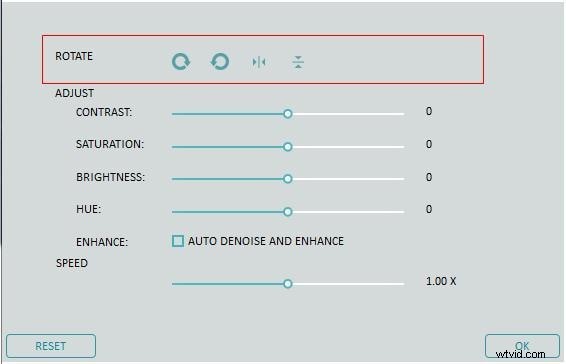
To rotate 3GP video, you need to first drag it from the User's Album to the video track on the Timeline. Then double click the 3GP video thumbnail to display the editing panel. The Rotate options locate on top (4 buttons introduced below). Just click each to rotate or flip your 3GP video. You can immediately see the result in the left preview window.
1: Rotate 3GP video 90 degrees clockwise and continuously so that you can also rotate video 180 degrees, 270 degrees and rotate back to the original position.
2: Rotate 3GP video 90 degrees anticlockwise and continuously, similar to the above Rotate option but in anti-direction.
3: Flip 3GP video horizontally, upside down.
4: Flip 3GP video vertical, left to right.
3.Export 3GP/3GP2 video
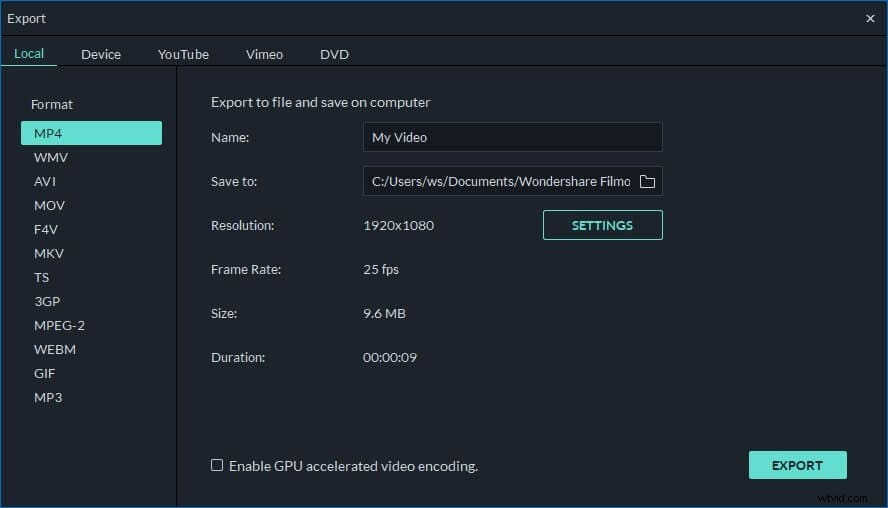
When your 3GP video has been rotated upright, click "Create" button to save it to a new file either in 3GP or other formats. All regular video formats are supported including 3GP, MOV, M4V, MP4, AVI, WMV, FLV, MPEG, etc. Just choose a target format in "Format" tab of the windows that appears. If you want to play 3GP video on iPhone, iPad and iPod, switch to "Device" tab and select a device. You can also directly upload 3GP videos to YouTube or burn to DVD discs with your DVD burner.
Part 2: Rotate 3GP/3GP2 video with iPhone video editing app
 Tool you need: Video Rotate
Besides the desktop video editing tools, you can also make use of some video editing apps to rotate your recording. Video Rotate is such a free app which solves the problem of the phone incorrectly recording orientation and allows you to correctly rotate video. It has both Android and iOS versions.