
Want to cut a large RMVB video into smaller clips or cut out part of your RMVB? Since RMVB is designed for transmitting live video over the internet by RealNetworks, and uses a variety of data compression techniques, you may find that RMVB is incompatible with most video editing applications. Luckily, there are some very good video cutting tools like Wondershare Filmora (Filmora for Mac) that can help you– it’ll easily cut any part of your RMVB video (Start, Middle, End) in just a few clicks.
Free download RMVB cutter trial version:
1 Import RMVB files
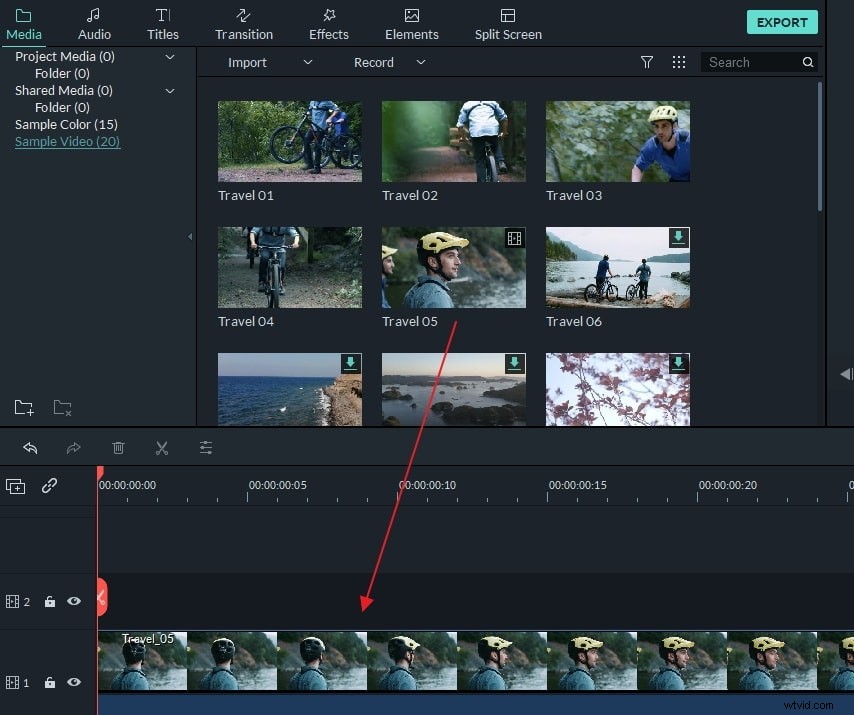
After installing this RMVB cutter, run it. In the program window, please click "Import" to load your RMVB videos. All added RMVB videos will show as thumbnails in the User's Album. After that, drag and drop your RMVB files directly into the video Timeline.
2 Cut RMVB videos
This smart RMVB cutter give you the ability to cut any place of your RMVB video. Just follow below steps.
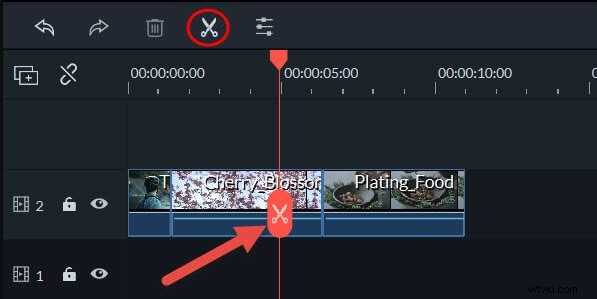
Cut Start/End: 1. Move the red Time Indicator left or right to locate the exact position you want to cut. 2. Hit the Sissor icon in the tool bar to split it into two part. Now you can cut the Start or End by just hit "Delete".
Cut any position: Use the above method to split your RMVB file into several segments first. And then remove the clips you don't want by hitting "Delete" on the keyboard.
3 Export the new RMVB file
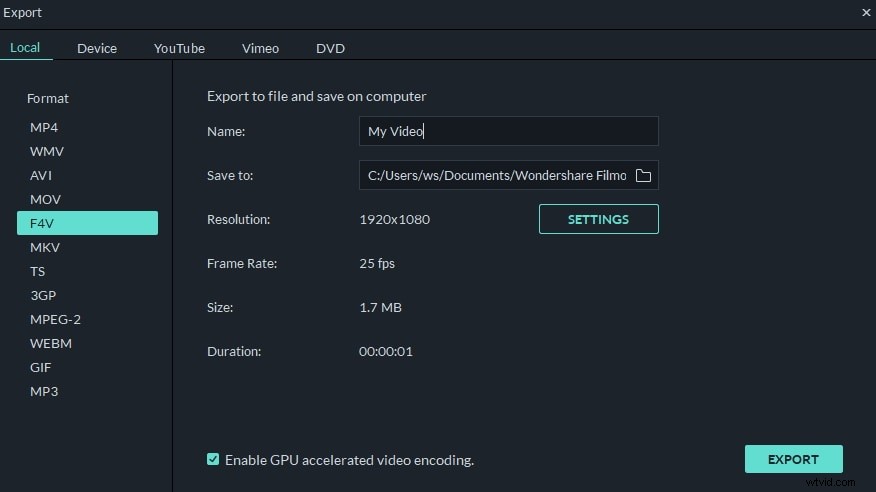
Now you have successfully cut down unwanted clips, just hit Create to export your creation. In the Output window, you can save it as MOV, MP4, WMV, etc. for smooth playback on PC or portable devices. Also, you can burn the RMVB video to DVD format to enjoy on TV or any DVD player. After choosing the proper format, hit Create, and you're done.
Here is also a video tutorial: